
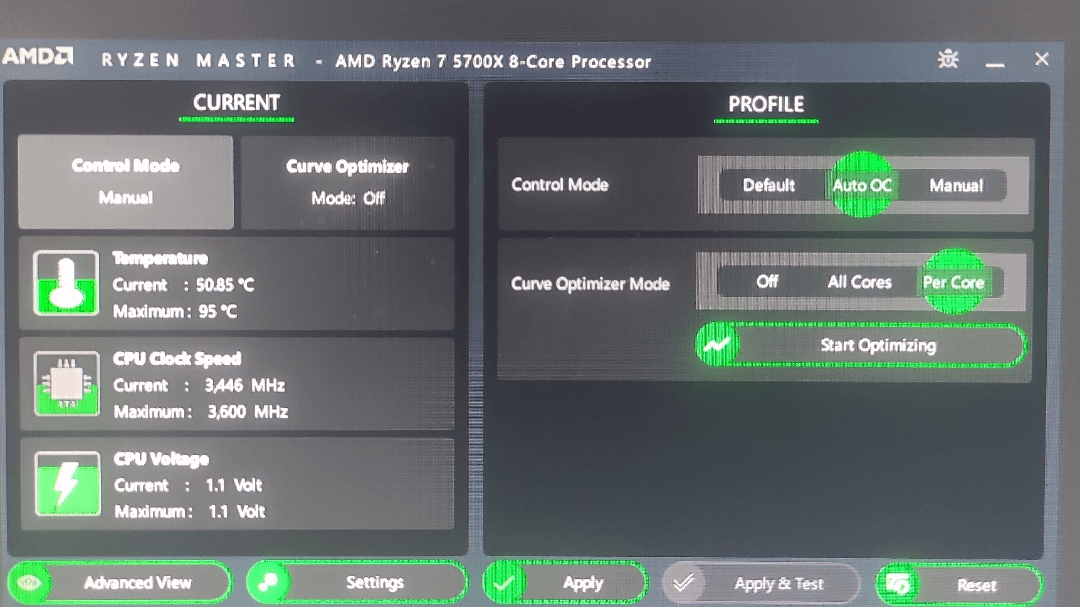
I have Write PBO to BIOS and Write CO to BIOS both set to on, but evrey time I turn on my computer, Ryzen master is locked at 3.6GHz on all cores, 1.1V on all cores. I can go in and apply the Profile 1 PBO +200 I use, but it will still always go to 3.6Ghz on boot. I've had this issue for over a year now and I'm so sick of it. Genuinely, I don't care if I lose PBO, I just want to be able to go to my rated 4.6GHz without having to go through Ryzen Master on evrey single boot.
R 7 5700X, 24Gb DDR4 3066MHz 3 sticks (one died), Asus Tuff Gaming b450-II Plus, 650W Gold.
3 Comments
Imo, just set everything up in bios. I have way better experience in general in that way, than with software.
bios > ryzen master
Make all your PBO or manual overclocking changes directly from your motherboard’s BIOS, and forget about using any software to control those parameters within the operating system — unless it’s a very specific case or an emergency.
As many people say:
BIOS > Ryzen Master
The only real difference is that if you mess something up in BIOS or don’t fully understand what you’re changing, you might need to reset the BIOS with a clear CMOS or by removing the battery.
Meanwhile, Ryzen Master resets everything on boot as a safety measure.
But if you’re just tweaking PBO, you’re completely safe. On both of my PCs I’m running +200MHz and Curve Optimizer at -30, and I’ve never had a single issue.
Good luck!