
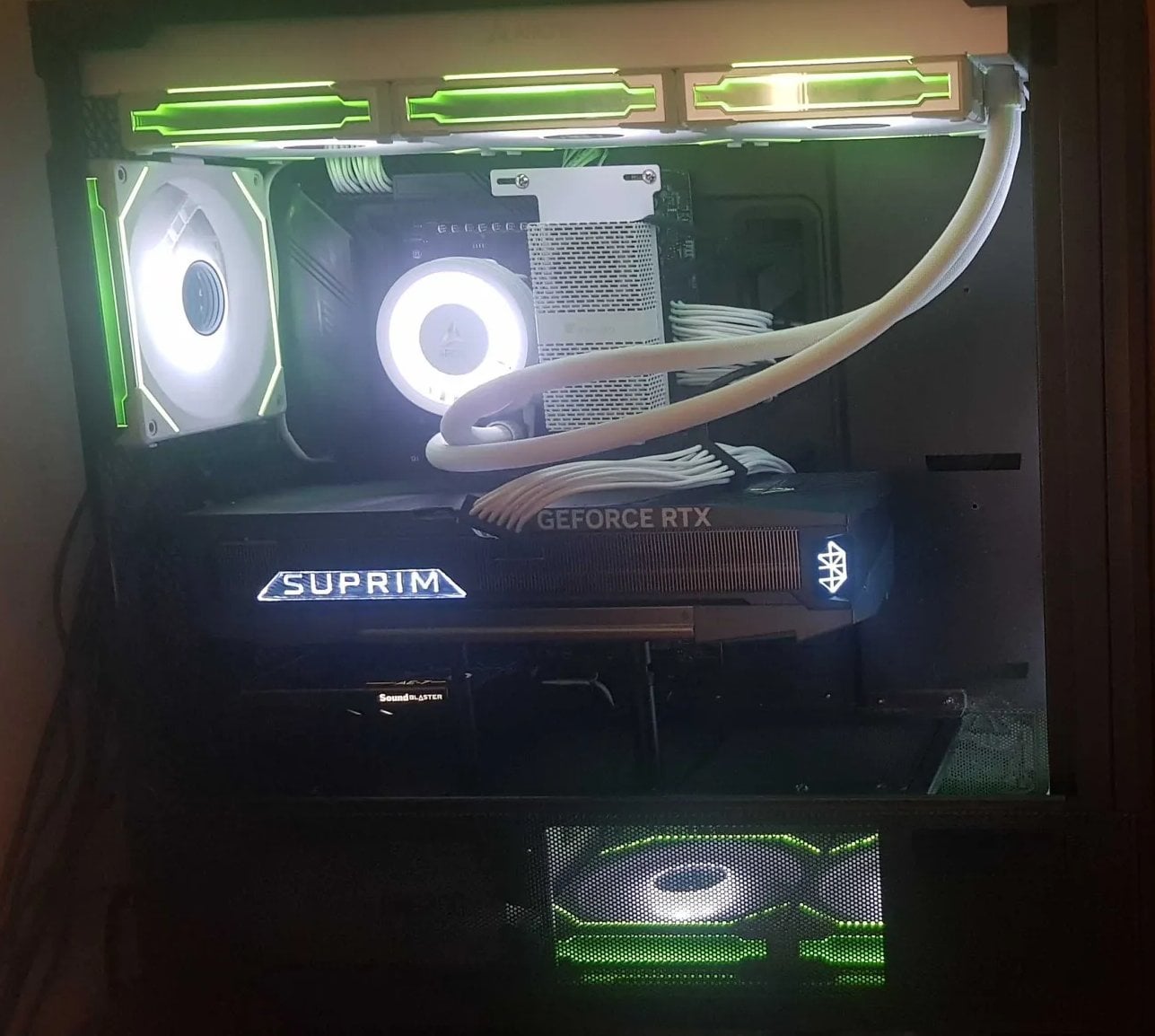
So i've got 2 samsung nvmes, one is a 1tb 980 pro and one is a 4b 990 pro, i'm using a b650 tomahawk.
Case is an Antec flux pro, 9 fans in total for case fans w/ a LF III 420mm at top as exhaust.
Setup: https://imgur.com/a/FOypq69
the 1tb has my windows in M2_1, above the 5090 suprim.
Playing a game which is not using the entire gpu potential had the nvme hitting 70c on the ASIC (temp 3) last night with 62c on temp1/2.
Samsung specs state up to 70c operating temps.
I had my friend check his temps with a 4090 suprim, again, not fully utilized in this game, we're both using on avg 2/3 of the gpu.
His ASIC was 71c on a samsung drive too.
I noticed lower temps w/ the 5090 FE (Returned for suprim), vs even the 4090 suprim, i expect this is due to the dual fan blow through the FE has this time.
I am wondering what to do about this and how people are managing the ASIC temps on the NVMEs?
The motherboard has heatsinks for the NVMEs, they have custom thermal pads which already reduced the temps over the stock pads.
The 2nd nvme is at the bottom of the motherboard and even that is reaching 64c ASIC or so.
It is definetly from the GPU because running crystaldiskmark they both hit around 54c, running just OCCT 3d adaptive gpu test on steady/extreme will cause the NVMEs to heat up.
3 Comments
make sure ASPM l0s+l1 is enabled your in BIOS and OS (Maximum Power Savings under PCI Express in Windows Power Plan). it can help lower your SSD temps.
No matter what you’ll blow 300-600w of heat directly onto the nvme heatsinks. Doesn’t even matter if it’s vertically mounted thanks to the flowthrough designs. You get lower GPU temps at a cost of everything else.
Some options:
Move the GPU (Lian Li SUP01, vertically mounted GPU kit on the Lian Li O11D Evo, any other cases that can do something similar)
Horizontally mounted FE, the fin design exhaust hot air to back instead of directly into your NVME slots
AIO GPU, blow the hot air directly out of the case
I have two in a DIMM.2 slot next to my RAM which is all under a 140mm noctua, those stay quite controlled. For drives which are sandwiched between the graphics card and motherboard i can’t think of any way to run them at good temperatures.