
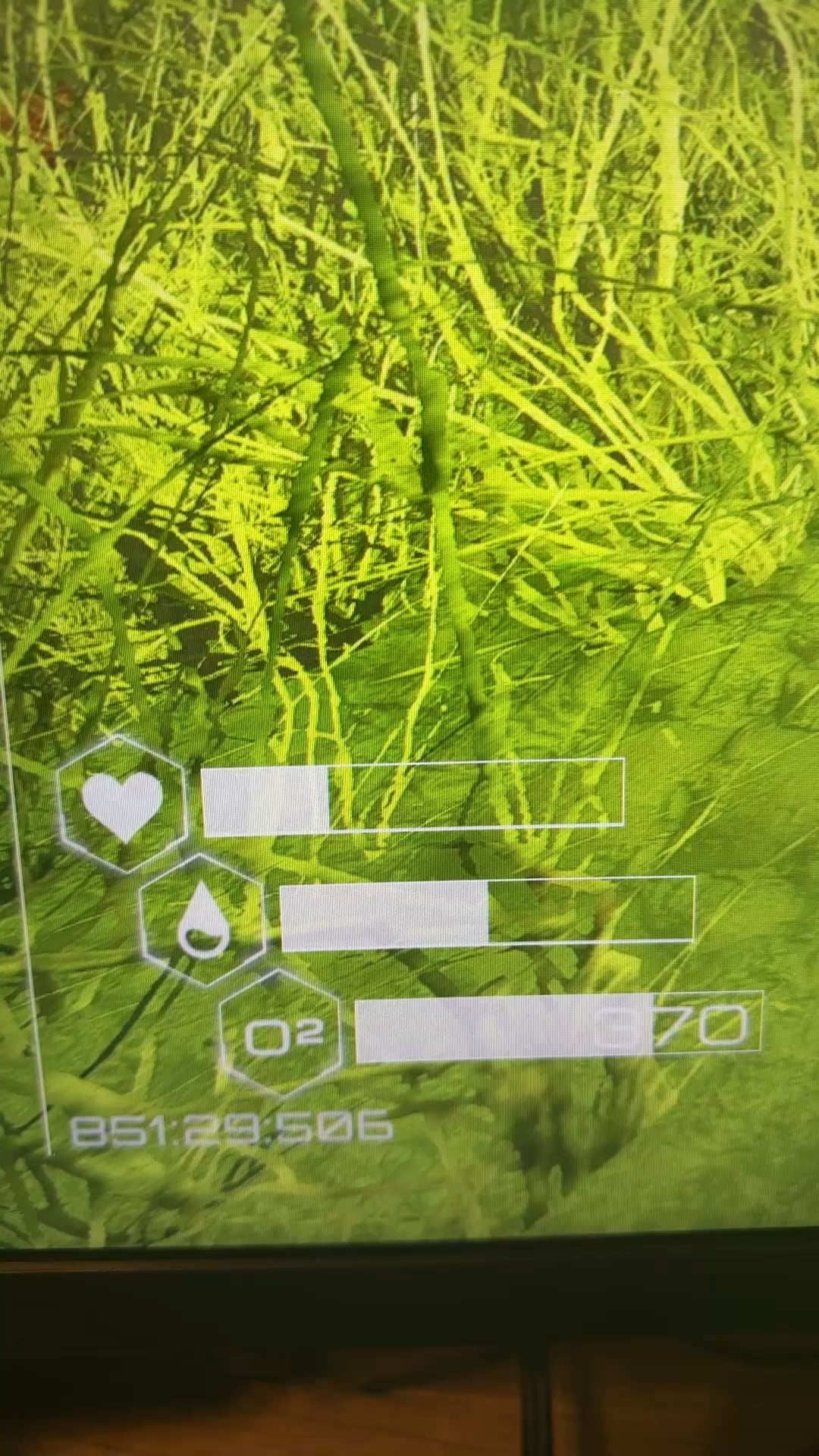
Hi all, I’ve noticed flickering or ghosting of UI elements in several games whenever I move or look around. Some games seem to be more noticeable. Any ideas if this is a hardware issue? Or is there a graphics setting or monitor setting I need to adjust?
Thanks!
12 Comments
I’m no expert, but this might be a DLSS/FSR thing.
Turn off frame generation
I don’t really know but do you use dlss or fsr. If so try turning them off or changing the quality preset. If that still dosent help then maybe it’s something like screenshake?
Turning off AFMF in my Adrenalin software did the trick. Thanks for the help guys.
[removed]
the magic of frame generation
Turn off smooth motion frames. AMD graphics settings
ive read somewhere once that this isnt just the fault of frame generation but the developers themselves where they somehow forgot to unbind frame generation from applying to in game HUD elements.
I dont know if this is true or if theres more technicality to this statement as I am not a game developer or even a Graphics card designer.
r/FuckTAA
That looks like frame generation flickering, but not the specialized frame gen, more the basic frame gen: Smooth Motion for NVidia and Fluid Motion Frames from AMD.
The specialized frame gen would have the process running behind the UI elements cause it’s baked into the game itself.
The basic frame gen just takes the frame, UI and all, and tries to predict what will happen.
Unrelated but…
PLANET CRAFTER MENTIONED RAHHHH
Turn off DLSS, TAA, frame generation and any motion accelerators.