
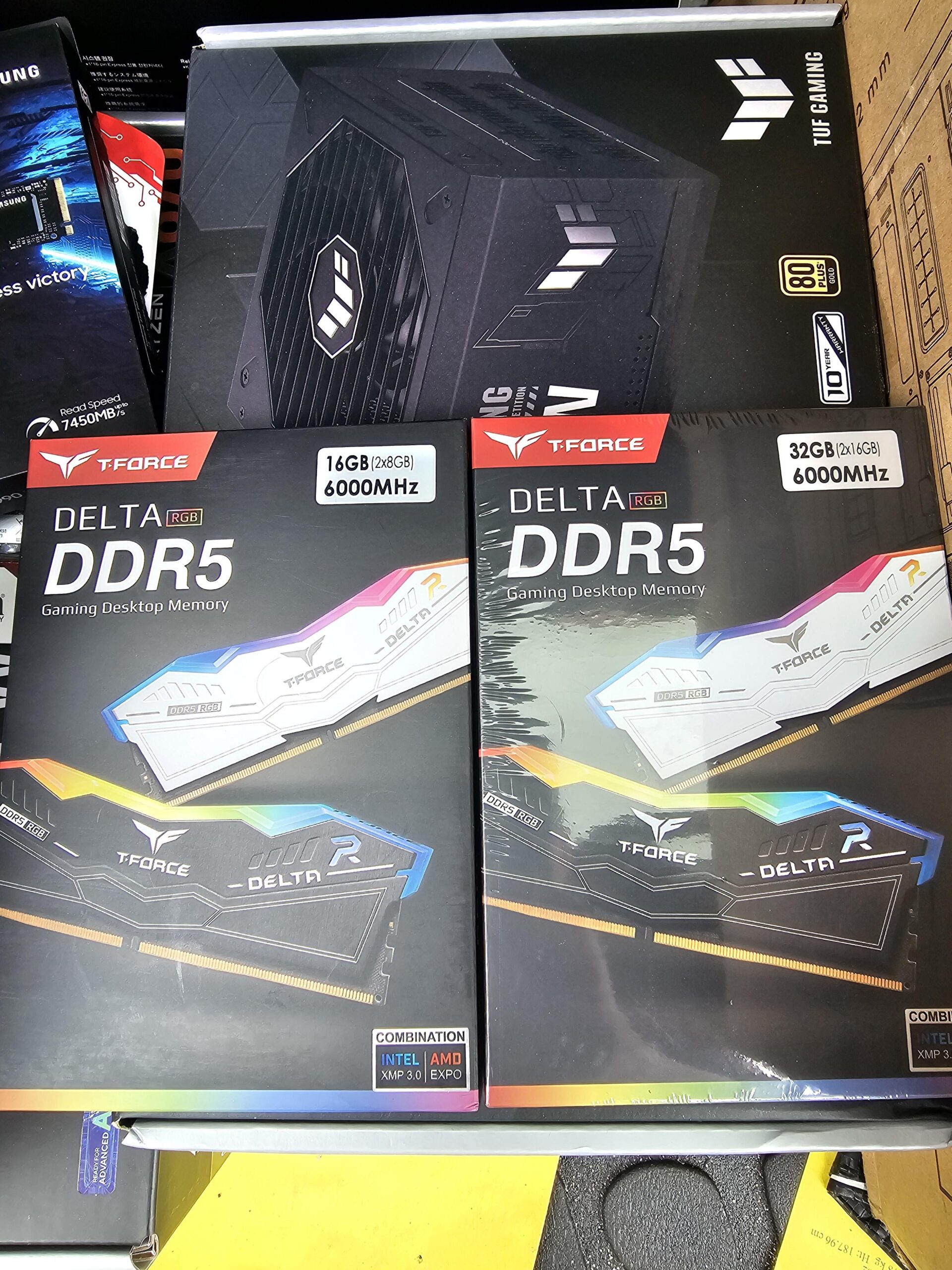
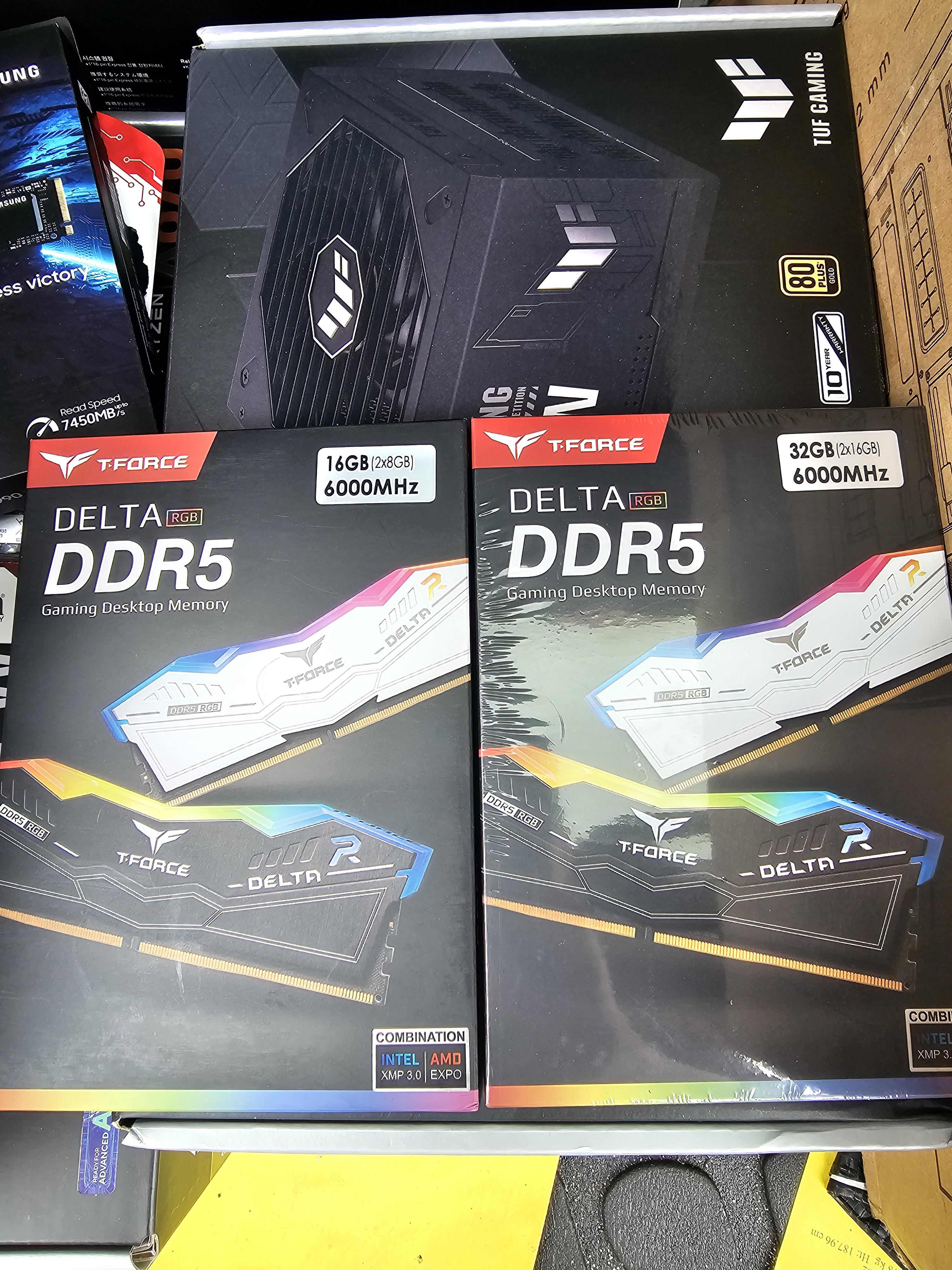
So I'm building a mid to high end computer today and my mobo cpu combo came w a free ssd and 16gb of memory. However, I wanted more than 16gb so I ordered 32gb of same memory. But now my pc enthusiast friend who fancies himself an expert is telling me that if I use both I'll actually take a performance hit because they are different capacities. Its been a hot minute since Ive done a build but I thought as long as the timings were the same, adding more memory wasnt going to actually hurt the performance. He's saying to only use the 32gb and I know thatll be sufficient, at least for a bit, but I figured I'd use what I have. If I was going to only use the 32gb, I'd have ordered a better one. So, will using both of these be a problem?
4 Comments
Hello FKingNobody, and thank you for your submission to Gaming PC! If you are new please check out our rules over at the wiki [here](https://www.reddit.com/r/gamingpc/wiki/rules)!
We have recently added the useful feature of Title Flair! You can set this manually by clicking Flair under your post once you have submitted your post, but if you missed it in the rules there is a much better way that will automatically flair your post!
To do this simply add what your post is about in brackets before your title. For example for a Build Log you can type [Build Log] before your post so that it looks like this; [Build Log]My new awesome build!, and the bot will automatically set your flair to Build Log! This works for Build Log, Build Showcase, News, Hardware News, Hardware Release, Discussion, and Miscellaneous!
Also remember that this is a place for discussing and sharing our love of Gaming Computers! This is NOT the place for help building or determining what parts you should buy, that is better suited for /r/buildapc. Troubleshooting questions should be directed to /r/techsupport. Thank you again!
*I am a bot, and this action was performed automatically. Please [contact the moderators of this subreddit](/message/compose/?to=/r/gamingpc) if you have any questions or concerns.*
As long as you keep the two 16gb dimms in one channel and the two 8gb in the other, you should be fine.
What’s each kit’s CAS latency? Generally speaking, mixing kits, especially of differently-sized sticks, is ill-advised because of manufacturing intricacies that could mean *theoretically matched* single-DIMM kits aren’t *truly matched*.
Using the same timings and speed shouldn’t be an issue even though the capacities are different. When and if you are going to overclock the memory is where it can get a little more complicated and generally (an I use the term generally) you are likely not going to overclock the memory by much usuing 4 dimms. This is down to the cpu’s memory controller. With 2 dimms there is less load on the controller and results in higher clock speeds, where as 4 dimms puts more load on the controller resulting in slower clock speeds. In most scenarios 2using 2 dimms is considered the best way to overclock the ram and generally more stable.
I would advise only using 2 dimms when booting for the first time, just to reduce any error leds lighting up. Once the sytem is up and running then add the other 2, as prodias2 said make sure the ram is put in sequence in the slots.