
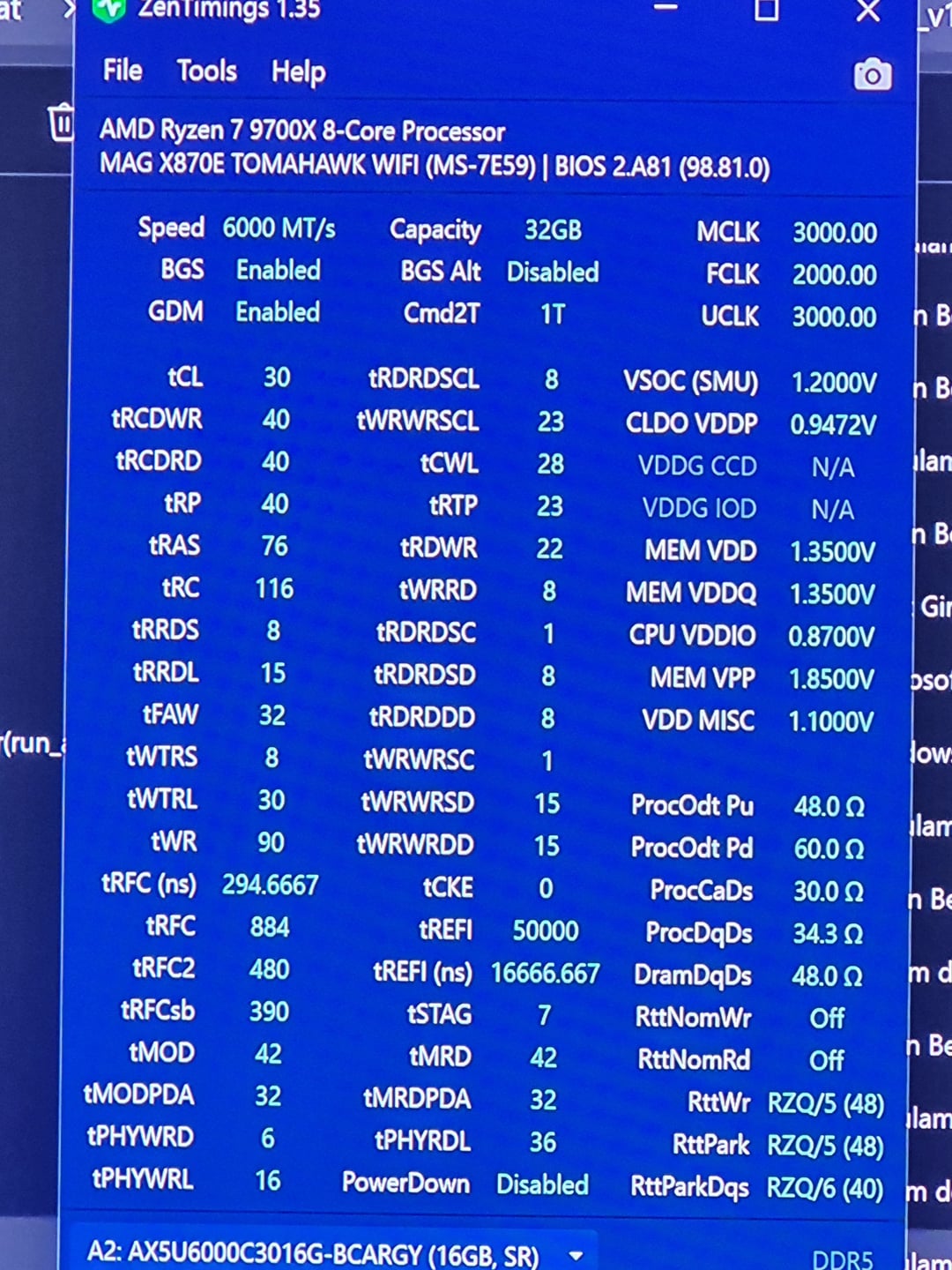
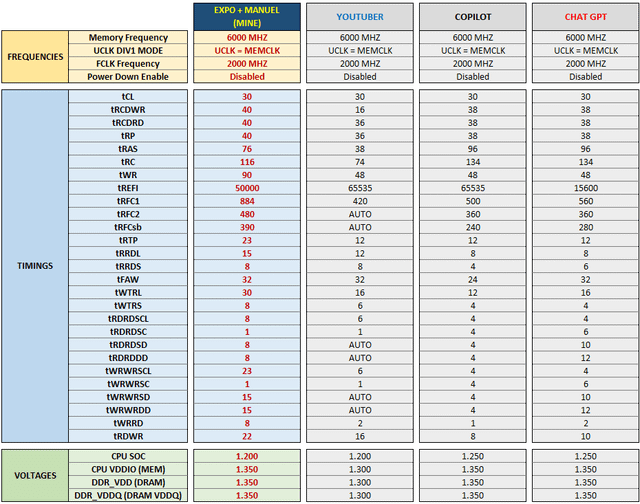
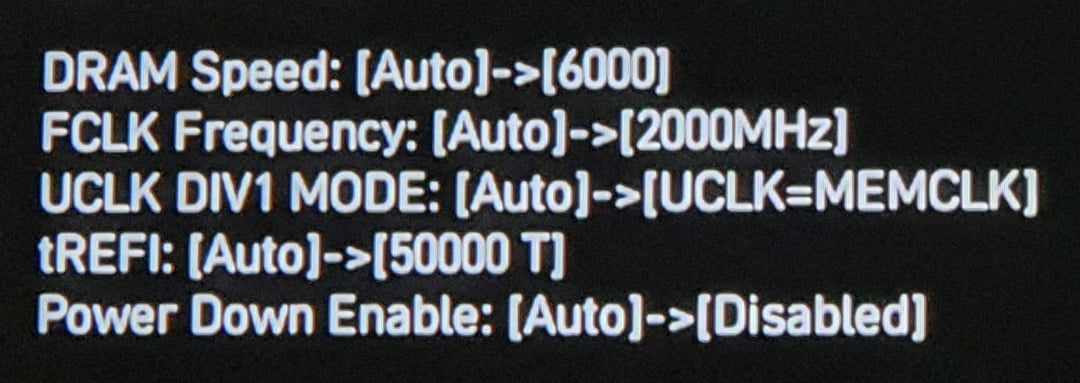
I bought a new system and want to OC the RAM. But I'm very new to this. I tried the settings shared by a YouTuber, but the computer wouldn't boot. The debug screen displayed the A6 error code, and the DRAM light was constantly on. I realized something was wrong and tried again, and the same thing happened. I then enabled EXPO and adjusted a few of the existing settings, such as tREFI and Power Down Enable.
But I don't know what settings I need to make to get the most out of it. My RAM is listed as SK HYNIX-A in the MSI QVL list. Copilot and ChatGPT suggested similar settings.
Can you recommend a good OC profile for my system?
Finally, when the system wouldn't boot, I shut down the computer and tried to reset the BIOS on the motherboard, but I don't know whether I pressed the "Clear CMOS" or "Flash BIOS" buttons. It just showed a black screen with some text and offered the PBO option during bootup. Is this a problem? I'll be more careful 🙁
2 Comments
Try booting the YouTuber config but with the voltage settings from the XMP profile of your RAM. 1.3V is pretty low.
Personally I would go for 8000+ with 2:1 mode and true fclk uclk sync on a non-x3d chip/x3d dual ccd, needs also way less vsoc than high 1:1 mode