Just take the rams out, blow in them like game cartridge, and put them back.
succmibawls69
When being a lazy slob pays off
FiliRedsox
That was load bearing dust.
Distinct-Question-16
Dr. Norton
Human-Psyduck
You messed up with the quantum entanglement, now face the consequences.
Artistic_Vacation541
never clean the pc until it does not boot/overheat just clean the intake dust filter if you insist
Eagle_eye_Online
Never had this problem. I clean out my system carefully once every few months and it’s been fine like this for decades.
Maybe you guys should stop using a pressure washer to clean the PC.
HesitationIsDefeat84
You serious bud? Wtf happened? Were you using a compressed air gun and maybe loosened a wire?
scopedHeisenberg
You probably accidentally moved a wire out of its socket, that’s what happened when I cleaned out my laptop and the fan made a weird sound.
FerronTaurus
You: “I’ll just use cologne and paper towel to clean”.
Your PC:
avocado_juice_J
Install BIOS and accidentally power off ☠️
Little-Particular450
I cleaned my pc and ended up getting a new cpu through RMA.
Went from a R5 3600 to a 5600.
LegallyRegarded
load bearing dust
Werewolf_Capable
Mine “just” makes strange noises since I cleaned it out last time…
GeneralBE420
OP this happened to me about 6mo ago.
After building PCs for 20 years, I finally learned the issue.
It’s the fans, tape down your fans or unplug them. The compressed air spins the fans and sends voltage into the mobo or graphics card and can fry it.
lt_wolfkill
I did this exact thing to an old Xbox 360 slim when I was like 19. I used compressed air to get all the dust out of the fan vents (I was dumb and was blowing it all into the case anyway) and ended up messing something up, so it would boot anymore. Luckily a kid I knew was into rebuilding them, so he traded me for one that worked, but still felt like such an idiot for a while lol.
WastedBreath_
Never clean your computer. Lesson learned
Shadow_Sword_Mage
This happened to me twice on the same PC. Luckily only the BIOS battery was dead.
soliera__
Is it not turning on at all or does it get stuck in a boot loop? Have you checked if the front panel headers are pushed in all the way? Those little buggers are tiny and could have gotten pushed out by the air or tugging at wires.
Prefix-NA
Unplug pc then plug back in and see if that fixes it.
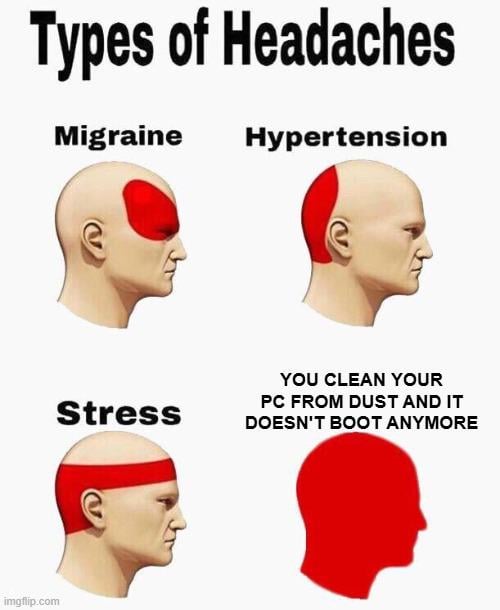

21 Comments
Been there done this!
Just take the rams out, blow in them like game cartridge, and put them back.
When being a lazy slob pays off
That was load bearing dust.
Dr. Norton
You messed up with the quantum entanglement, now face the consequences.
never clean the pc until it does not boot/overheat just clean the intake dust filter if you insist
Never had this problem. I clean out my system carefully once every few months and it’s been fine like this for decades.
Maybe you guys should stop using a pressure washer to clean the PC.
You serious bud? Wtf happened? Were you using a compressed air gun and maybe loosened a wire?
You probably accidentally moved a wire out of its socket, that’s what happened when I cleaned out my laptop and the fan made a weird sound.
You: “I’ll just use cologne and paper towel to clean”.
Your PC:
Install BIOS and accidentally power off ☠️
I cleaned my pc and ended up getting a new cpu through RMA.
Went from a R5 3600 to a 5600.
load bearing dust
Mine “just” makes strange noises since I cleaned it out last time…
OP this happened to me about 6mo ago.
After building PCs for 20 years, I finally learned the issue.
It’s the fans, tape down your fans or unplug them. The compressed air spins the fans and sends voltage into the mobo or graphics card and can fry it.
I did this exact thing to an old Xbox 360 slim when I was like 19. I used compressed air to get all the dust out of the fan vents (I was dumb and was blowing it all into the case anyway) and ended up messing something up, so it would boot anymore. Luckily a kid I knew was into rebuilding them, so he traded me for one that worked, but still felt like such an idiot for a while lol.
Never clean your computer. Lesson learned
This happened to me twice on the same PC. Luckily only the BIOS battery was dead.
Is it not turning on at all or does it get stuck in a boot loop? Have you checked if the front panel headers are pushed in all the way? Those little buggers are tiny and could have gotten pushed out by the air or tugging at wires.
Unplug pc then plug back in and see if that fixes it.