I9 14900k
Astral rog 5080
1 gig fiber internet up and down speeds
Eero router switched to brand new one also tried Qos on and off changed hard wired connection cable nothing.
ISP came out says my connection is great nothing on their end.
Updated nvida drivers still same issue.
Rolled back drivers still same issue.
Disabled firewall same problem
Verified game files 100x times..
Deleted direct x cache cleaned ssd drives still nothing. All drivers and bios are up to date.
Switched cs2 to another drive worked for 1 day then it’s back.
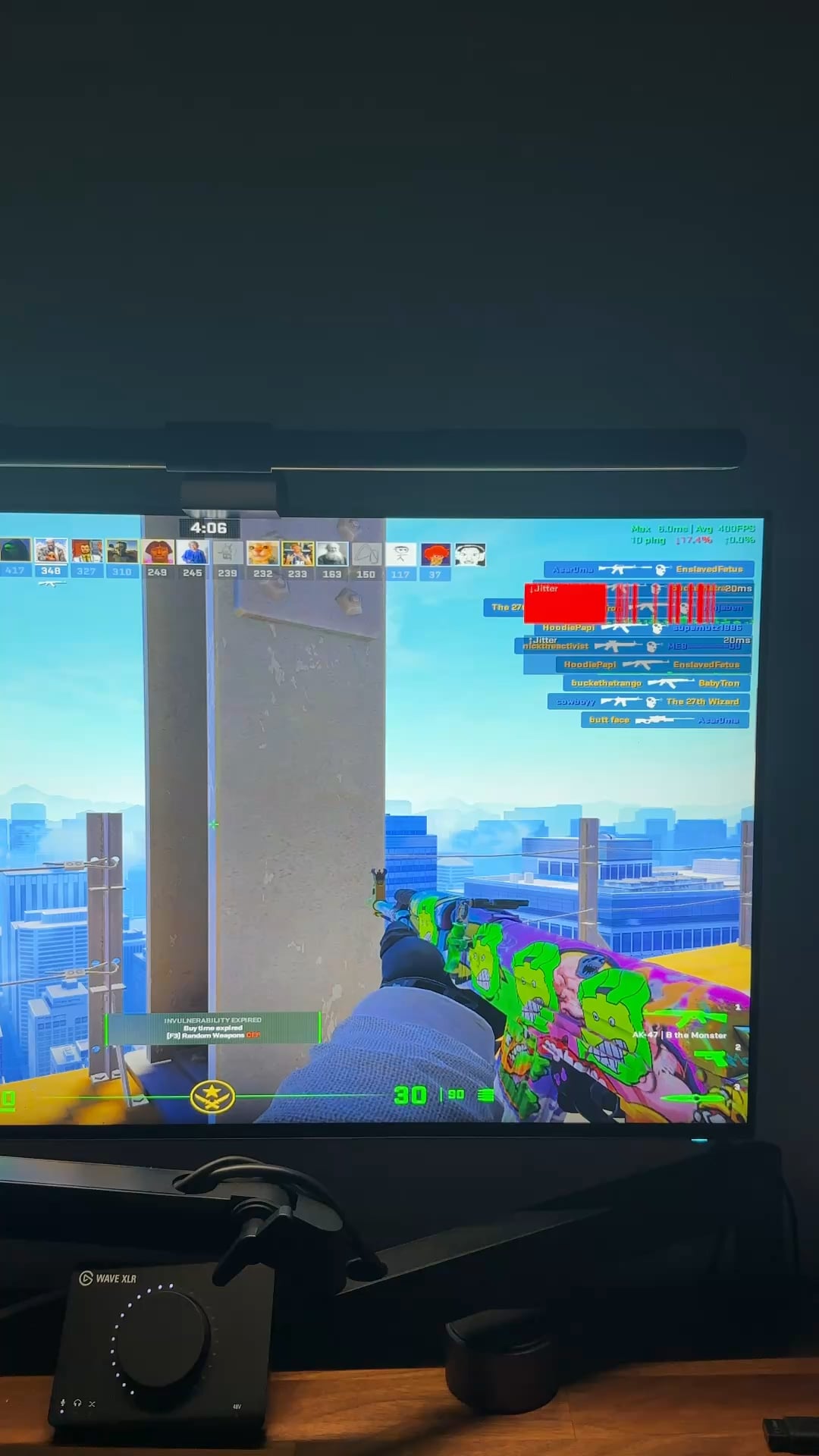
Tried different res same result switching graphic settings mind you I play on low everything same thing. Doe every option and this is still happening what’s going on someone help!
Run this test just to see what it says. That’s some really bad packet loss.
You can also open cmd and run
ping 8.8.8.8 -t
which will run the ping command forever (until you cancel it by Ctrl + C) and see if your response times vary highly along if any packets drop. Run at least 30 seconds to a minute for preliminary tests. You’ll see some results as well after you cancel the ping test.
Identifying the root cause of this will help narrow down some solutions, because this is not a CS2’s fault
Sammstein08
Your game is trying to kill itself to make that AK craft go away
OZThunder
I had a similar problem yesterday and i reseted the Network adapter.
Problem is gone now for me.
DeadyDeadshot
Update your LAN drivers from the motherboard’s website and test again – if already done try rolling back to default generic drivers
MirthEnjoyer
I would run wireshark to get the IP of whatever CS relay you’re connected to (assuming official Valve servers), then use something like WinMTR run a live tracert to see where the packet loss is occurring. Depending on the way you’re being routed, you might be able to use a VPN to force different routing.

7 Comments
I9 14900k
Astral rog 5080
1 gig fiber internet up and down speeds
Eero router switched to brand new one also tried Qos on and off changed hard wired connection cable nothing.
ISP came out says my connection is great nothing on their end.
Updated nvida drivers still same issue.
Rolled back drivers still same issue.
Disabled firewall same problem
Verified game files 100x times..
Deleted direct x cache cleaned ssd drives still nothing. All drivers and bios are up to date.
Switched cs2 to another drive worked for 1 day then it’s back.
Tried different res same result switching graphic settings mind you I play on low everything same thing. Doe every option and this is still happening what’s going on someone help!
Try calling you internet company lmao
https://www.waveform.com/tools/bufferbloat
Run this test just to see what it says. That’s some really bad packet loss.
You can also open cmd and run
ping 8.8.8.8 -t
which will run the ping command forever (until you cancel it by Ctrl + C) and see if your response times vary highly along if any packets drop. Run at least 30 seconds to a minute for preliminary tests. You’ll see some results as well after you cancel the ping test.
Identifying the root cause of this will help narrow down some solutions, because this is not a CS2’s fault
Your game is trying to kill itself to make that AK craft go away
I had a similar problem yesterday and i reseted the Network adapter.
Problem is gone now for me.
Update your LAN drivers from the motherboard’s website and test again – if already done try rolling back to default generic drivers
I would run wireshark to get the IP of whatever CS relay you’re connected to (assuming official Valve servers), then use something like WinMTR run a live tracert to see where the packet loss is occurring. Depending on the way you’re being routed, you might be able to use a VPN to force different routing.