
Hello!
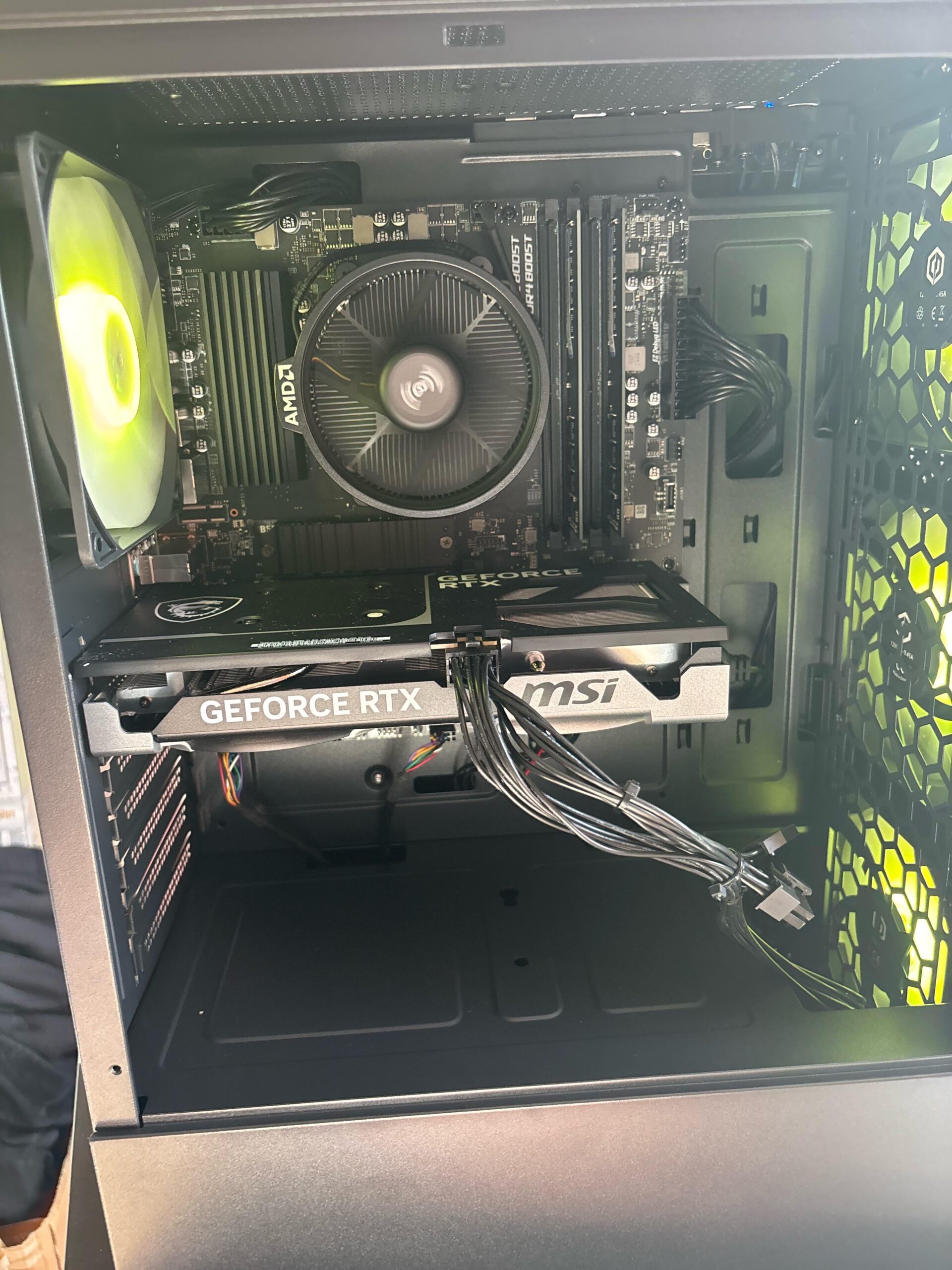
I just recently joined the world of PC gaming and decided to immediately upgrade to a gaming PC from my laptop – as per my lack of knowledge, I thought a prebuilt PC (asking my bf to check the specs to make sure it would run everything I wanted to play) and it was advertised as a plug in and play system, no set up needed. (Apart from the boot up of windows of course.)
It arrived yesterday, I just plugged it into my TV via HDMI (as I don’t have a monitor), it beeped 3 times and there’s no signal on my tv.
Google said the beeping could be something to do with RAM??
I’ve made sure both sides of the cable are plugged in, and tried different ports, and a different cable. My PS5 and laptop connect fine.
Does anyone know if there’s anything I can do?
Did the PC arrive already broken? I’ve contacted the company who built the PC but it could take up to a week for them to respond so I thought someone on here may be able to help quicker 🙂
Specs:
AMD Ryzen 5-5500 processor
16 GB RAM DDR4
NVIDIA RTX 40 series GeForce RTX 4060Ti
1TB NVMe storage/hard drive.
Let me know if any other info is needed! I don’t know much at all but I’ll do the best I can!
3 Comments
Hello RxdFxlls, and thank you for your submission to Gaming PC! If you are new please check out our rules over at the wiki [here](https://www.reddit.com/r/gamingpc/wiki/rules)!
We have recently added the useful feature of Title Flair! You can set this manually by clicking Flair under your post once you have submitted your post, but if you missed it in the rules there is a much better way that will automatically flair your post!
To do this simply add what your post is about in brackets before your title. For example for a Build Log you can type [Build Log] before your post so that it looks like this; [Build Log]My new awesome build!, and the bot will automatically set your flair to Build Log! This works for Build Log, Build Showcase, News, Hardware News, Hardware Release, Discussion, and Miscellaneous!
Also remember that this is a place for discussing and sharing our love of Gaming Computers! This is NOT the place for help building or determining what parts you should buy, that is better suited for /r/buildapc. Troubleshooting questions should be directed to /r/techsupport. Thank you again!
*I am a bot, and this action was performed automatically. Please [contact the moderators of this subreddit](/message/compose/?to=/r/gamingpc) if you have any questions or concerns.*
Try removing both sticks of ram completely with the computer off, then put one in and make sure both sides click. If that works, do the other one but put a stick in the slot that one came out of, doesn’t have to be the same stick in the slot it came out of. (do both ram sticks one at a time, if one makes it stop working then you’ll know that stick is bad and you’ll need to replace it.).
As stated above, are you sure that you’re plugging the TV HDMI into the graphics card and not the on board graphics?