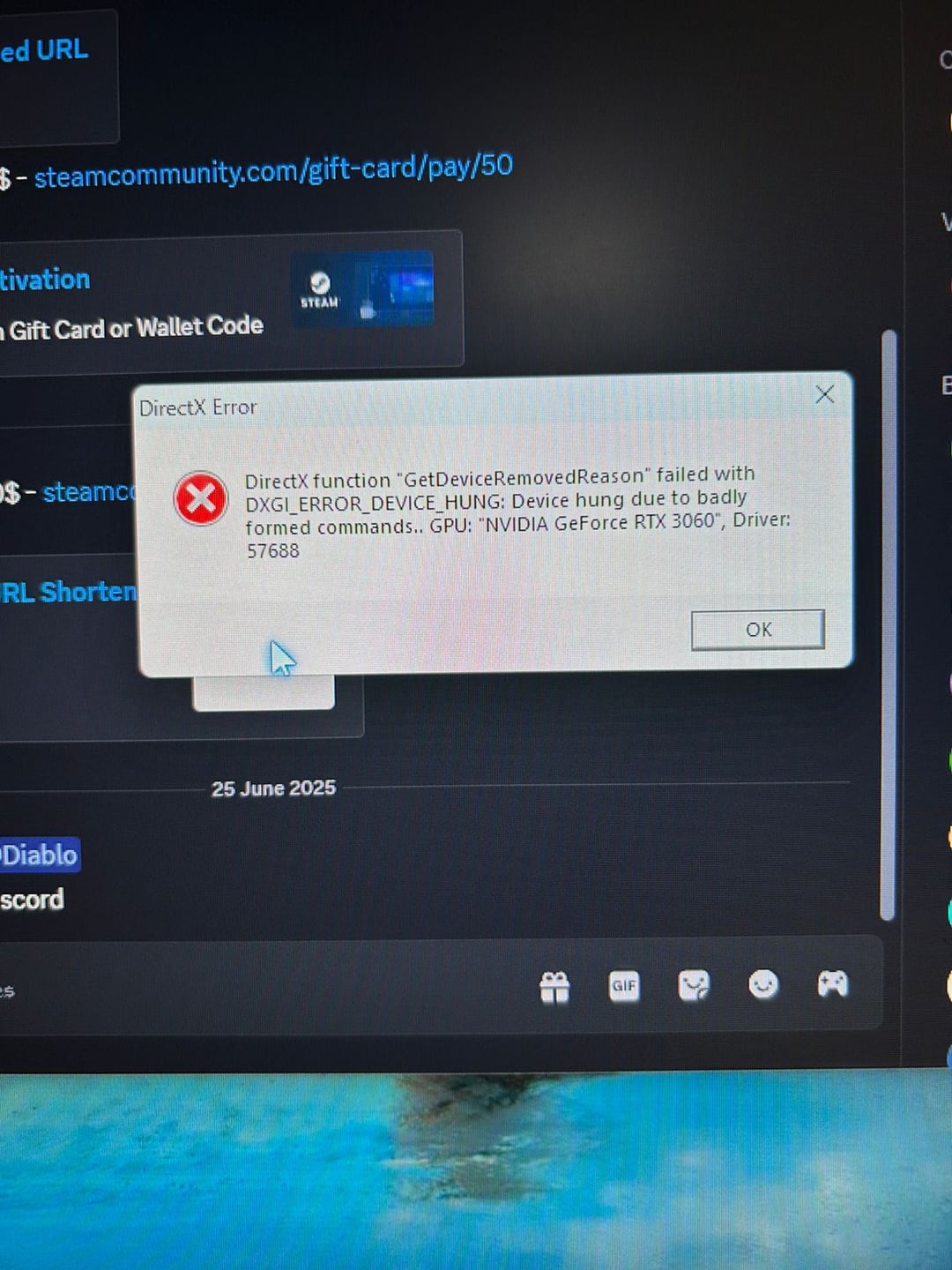
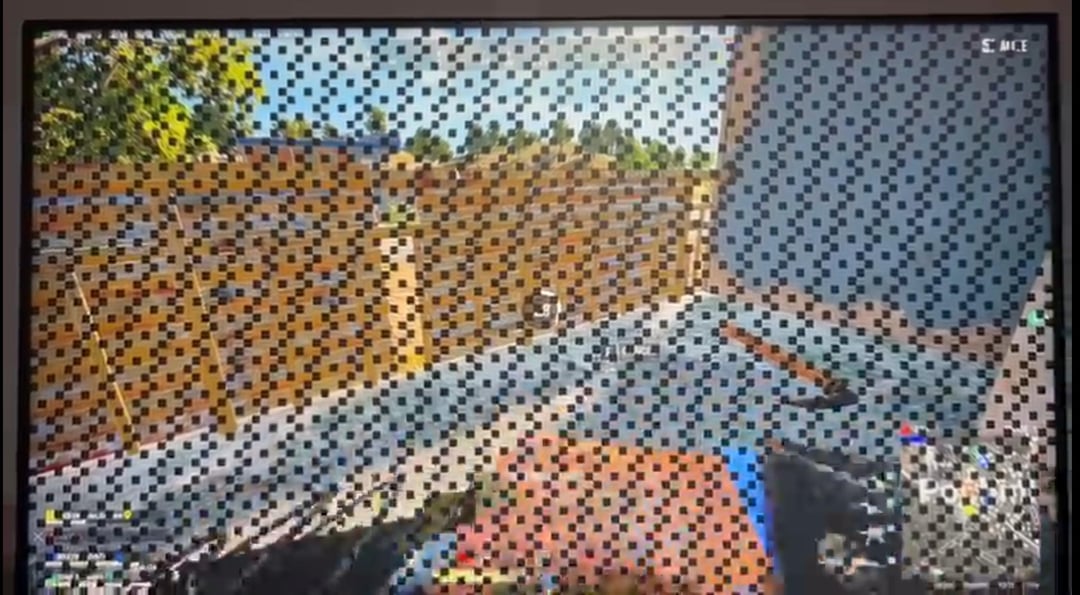
Hey recently I've been facing stuttering, game freeze and game crashes. I am sharing pictures too, can you guys please help me 🙏😭

Hey recently I've been facing stuttering, game freeze and game crashes. I am sharing pictures too, can you guys please help me 🙏😭
30 Comments
buy a new gpu
[removed]
how many years?
It’s starting to die, best thing to do is get a new one. 9060XT 16GB is the cheapest current gen gpu worth buying.
Have you tried reinstall driver ?
Do a nvidia driver rollback, if the issue persists check whether the GPU and cables are seated properly. If nothing works, RMA it. GPUs tend to have atleast 3 years of warranty. Some board partners even add a year or two to the warranty period. Hope it helps
You could try underclocking, or rolling back your driver’s but, shit looks cooked man.

If you don’t care about it possibly completely dying you could always try the oven trick!
Take it to the nearest hospital asap.
huh same thing used to happen to me
only if it overheated check thermals
i have a 3060 aswell.
Is it still within its warranty period? If so, send it back. If not, you’ll likely need to buy another. It’s possible you could try other drivers, undervolt it etc, but in most cases I’ve seen that happening, the card is dying. Try fiddle with it for a couple days, if you have no success, start shopping.
Best of luck with it. Worst case, new gpu. Update us and we’ll celebrate with you.
They don’t live forever. Run your standard diagnostics to make sure it’s not anything else, and replace it if you find you need to.
also don’t click on any of the phishing scams in the first screenshot.
Its dying mate; time to get a new GPU. Looks like a VRAM problem.
Try driver 566.36 from December
Damn, a 3060 died during minecraft. Talk about going out with a whimper
Yeah i built a new pc the other week. I kept crashing, no matter what game i tried and a lot of them gave me an error like this or no error at all, then it black screened and refreshed my graphics drivers.
I used occt to stress test, thousands of failures in seconds and it crashed there too.
I got a new graphics card a few days after and everything has been fine since
Have you tried re-seating the GPU in your motherboard?
Also try a different power supply. It may not be getting adequate power.
If those don’t fix it then buy a new GPU
Buy a new one.
A 3060 dying already? That’s wild. What brand 3060 is it?
Do the diagnosis others recommended. If you have a friend try throwing it in their rig to see if it has the same issue. See if you could RMA it, and worst case sell for parts and get a different one.
Damn I saw the first photo and thought maybe it was a driver issue but then I saw the second photo
o7 to your gpu
It may be dead but you still have a chance, this used to be a near 100% sign of GPU death, in the past few years it’s become more common thru bad drivers or other reasons idk to see this checkerboarding sometimes. My advice: download display driver uninstaller and nuke all gpu drivers then install an older driver could even be a few months old thru the nvidia website, if none of this has changed anything it’s probably the VRAM that’s gone bad in the card if possible try to RMA if not gg.
Reslot it, try another pcie slot. Ddu the drivers and reinstall them, if its still artifacts its gg bro 🙏
Op next post: help i think i got hacked in Discord!!!
Hey, in which update did void blocks get added to Minecraft?
Get a new GPU
Try to downclock the vram, the card might work for a bit longer that way.
Did you overclock the gpu? I’m also using a 3060.
You can try the oven trick, but only as a last resort. My 8800gt had a similar vram issue back in 2010( Same artifacts in the second picture), did the oven trick and managed to get 18 months of use after, not a 100% working solution but either that or to toss it away.
Cry