Because Windows is flawless, never had any issues and will surely never have any issues.
You’ve also made the greatest choice of your life choosing Windows 11.
Soft-Western-6433
Try Linux
M-Rayan_1209XD
very helpful comments so far guys
Yota_Ninja
That’s hilarious, sorry I don’t have a solution.
LaoEmperor
Of course the we have usual unfunny reddit “comedians.”. Try going into display settings and changing your main screen to the other screen and back for starters.
qu38mm
No idea. Try disconnecting one monitor then reconnecting it and seeing if it fixes itself?
FoodTiny6350
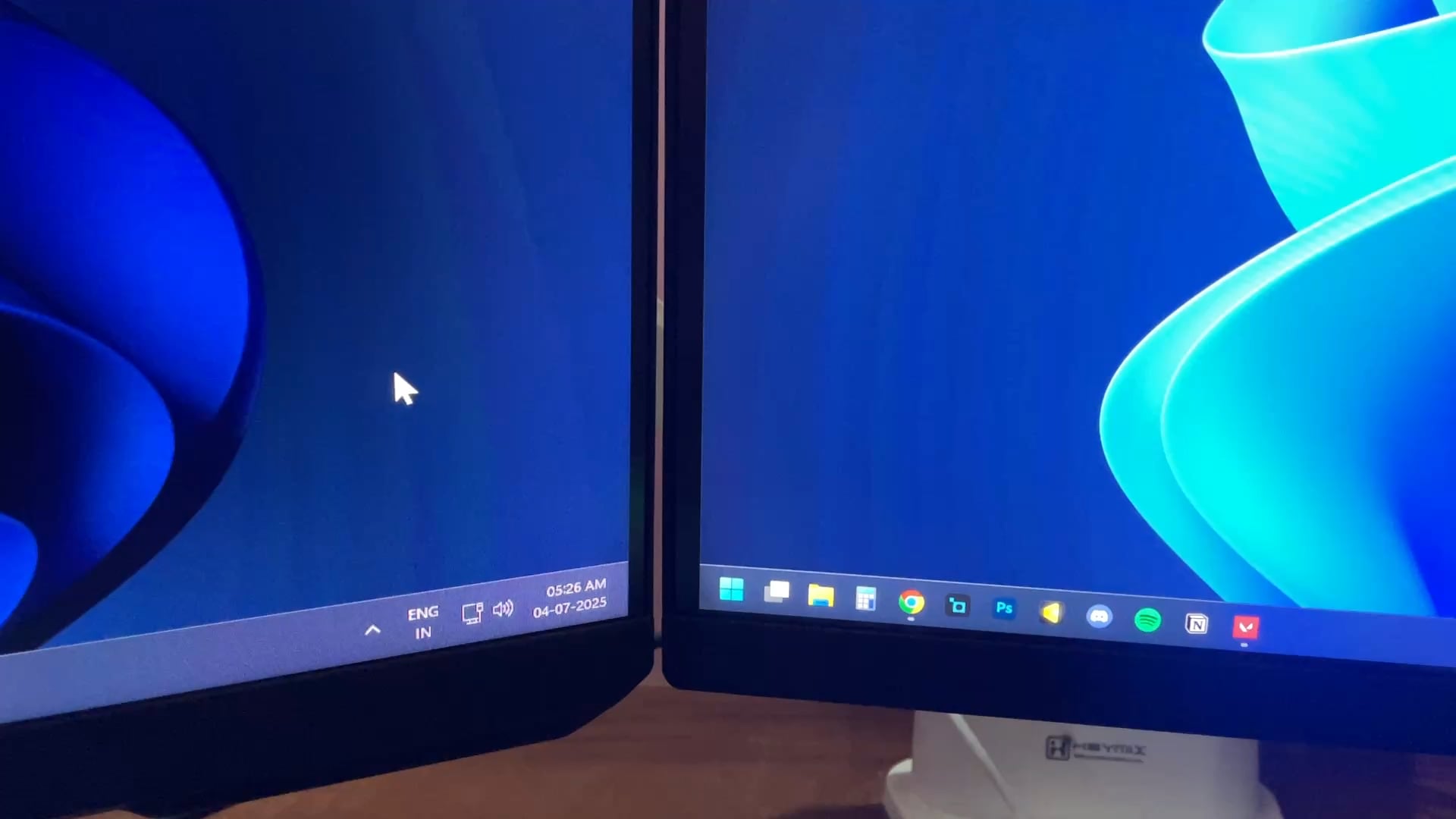
Have you tried centering the task bar, restarting, and then setting it back to the left side and checking if the problem persists?
LBXZero
As an experiment, I would suggest opening Display Settings and rearrange the monitors so that Windows thinks the left monitor is the right most monitor and then test it. Afterward, switch back to the proper arrangement.
Altixis
Refresh rate set to monitor maximum? Pointer trails disabled in pointer options?
Desperate-Intern
It’s genuinely a Windows issue. Short term fixes usually for me are restarting the file explorer or switching to one display temporarily and then extending back again.
I gave up on this a while back and been using Start 11 which just overrides the quirks of Windows 11 taskbar.
Edit. I now realize OP was asking for the why and not how to fix or mitigate. My bad.
Edit2. I see from some other comments, the downvotes are not necessarily for not answering the question but rather hating on windows. Sigh. I apologize.
Euriel
It’s glitched, try setting the monitor on the right as the primary, then switch it back to the monitor on the left and test it out
LincolnArc
Which monitor is set as your primary? I have dual monitors, but the button to open that window is only on the task bar on my right monitor.
TheHappyTaquitosDad
Check the resolution on both monitors in the nvidia control panel and also do what others said and check the configurations of monitor 1 and 2
itsPrime005
Thanx for the laugh. Hope you find the solution.
DeClouded5960
Because windows 11 is fucking trash.
FudgeTerrible
Because you haven’t installed Bazzite
Ok-Bill3318
Because windows is garbage
ShallotEcstatic
Techinologica
TheViking_Teacher
I’m so proud of this thread, I’ve come here to provide an answer, but some answers, most actually, were incredibly helpful, there’s no need to post a redundant message.

21 Comments
#INCEPTION
It’s windows 11
Because Windows is flawless, never had any issues and will surely never have any issues.
You’ve also made the greatest choice of your life choosing Windows 11.
Try Linux
very helpful comments so far guys
That’s hilarious, sorry I don’t have a solution.
Of course the we have usual unfunny reddit “comedians.”. Try going into display settings and changing your main screen to the other screen and back for starters.
No idea. Try disconnecting one monitor then reconnecting it and seeing if it fixes itself?
Have you tried centering the task bar, restarting, and then setting it back to the left side and checking if the problem persists?
As an experiment, I would suggest opening Display Settings and rearrange the monitors so that Windows thinks the left monitor is the right most monitor and then test it. Afterward, switch back to the proper arrangement.
Refresh rate set to monitor maximum? Pointer trails disabled in pointer options?
It’s genuinely a Windows issue. Short term fixes usually for me are restarting the file explorer or switching to one display temporarily and then extending back again.
I gave up on this a while back and been using Start 11 which just overrides the quirks of Windows 11 taskbar.
Edit. I now realize OP was asking for the why and not how to fix or mitigate. My bad.
Edit2. I see from some other comments, the downvotes are not necessarily for not answering the question but rather hating on windows. Sigh. I apologize.
It’s glitched, try setting the monitor on the right as the primary, then switch it back to the monitor on the left and test it out
Which monitor is set as your primary? I have dual monitors, but the button to open that window is only on the task bar on my right monitor.
Check the resolution on both monitors in the nvidia control panel and also do what others said and check the configurations of monitor 1 and 2
Thanx for the laugh. Hope you find the solution.
Because windows 11 is fucking trash.
Because you haven’t installed Bazzite
Because windows is garbage
Techinologica
I’m so proud of this thread, I’ve come here to provide an answer, but some answers, most actually, were incredibly helpful, there’s no need to post a redundant message.