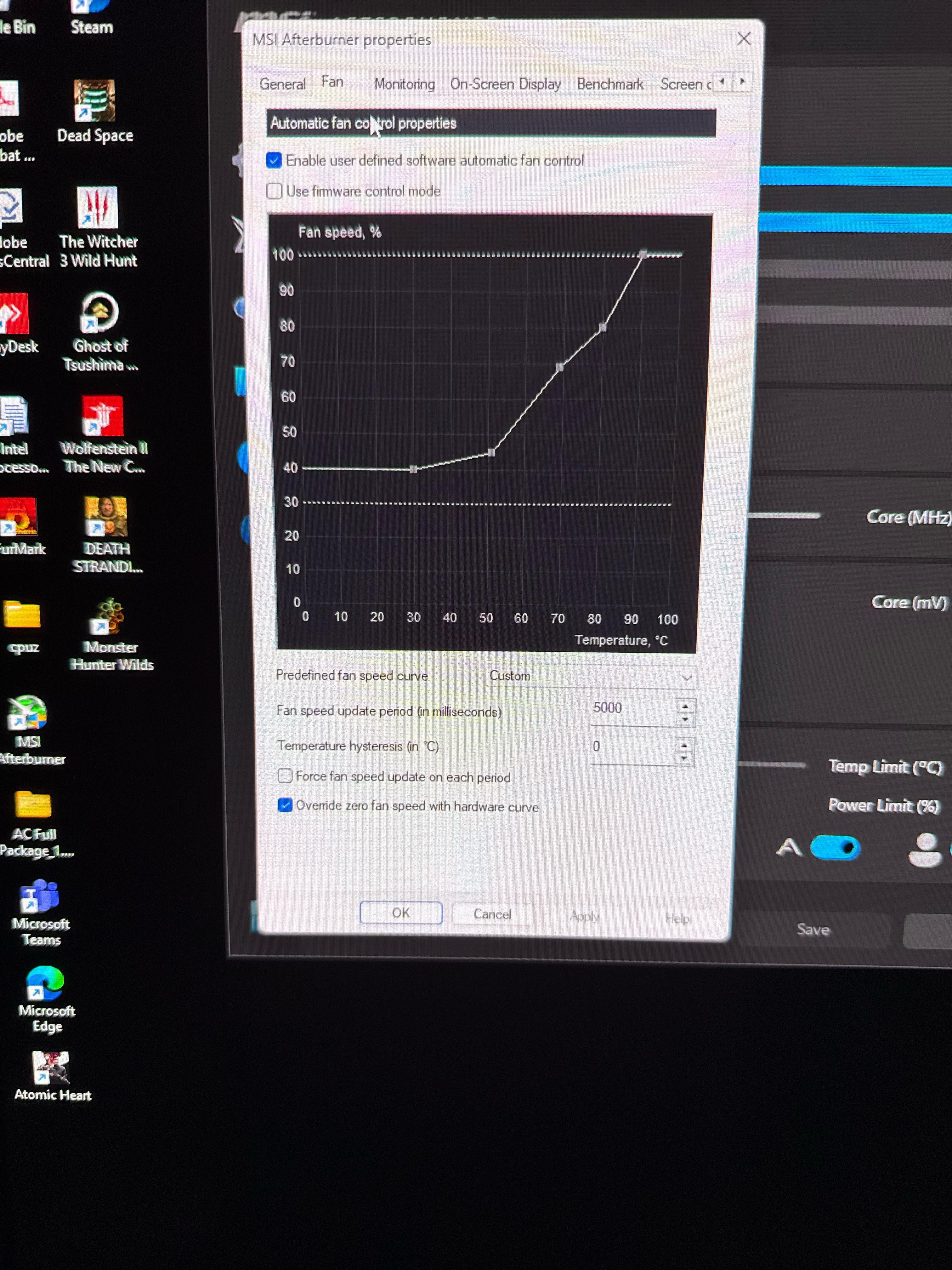
Share Facebook Twitter Pinterest LinkedIn Please is this a good fan curve, gpu:5980 msi vanguard game pcOver ClockingPC 5 Comments Lupercal-_- 1 year ago You want 100% fan speed to be below thermal throttle temps. Remember your GPU hotspot will always be hotter than your reported GPU temp the curve is measuring. I put 100% at around 70degrees C. To keep hotspot below 85. WesBarfog 1 year ago I don’t know about this 5980…. Is it better than the 5090 or 5080? minilogique 1 year ago yes, but only for 5980 intelalways 1 year ago It’s OK. It could be fine-tuned by utilising all eight points on the curve. alexcuk 1 year ago Vanguard is a very cool GPU, I only kick fans after 30C. I get zero before that. Write A CommentYou must be logged in to post a comment.
Lupercal-_- 1 year ago You want 100% fan speed to be below thermal throttle temps. Remember your GPU hotspot will always be hotter than your reported GPU temp the curve is measuring. I put 100% at around 70degrees C. To keep hotspot below 85.

5 Comments
You want 100% fan speed to be below thermal throttle temps.
Remember your GPU hotspot will always be hotter than your reported GPU temp the curve is measuring.
I put 100% at around 70degrees C. To keep hotspot below 85.
I don’t know about this 5980…. Is it better than the 5090 or 5080?
yes, but only for 5980
It’s OK. It could be fine-tuned by utilising all eight points on the curve.
Vanguard is a very cool GPU, I only kick fans after 30C. I get zero before that.