
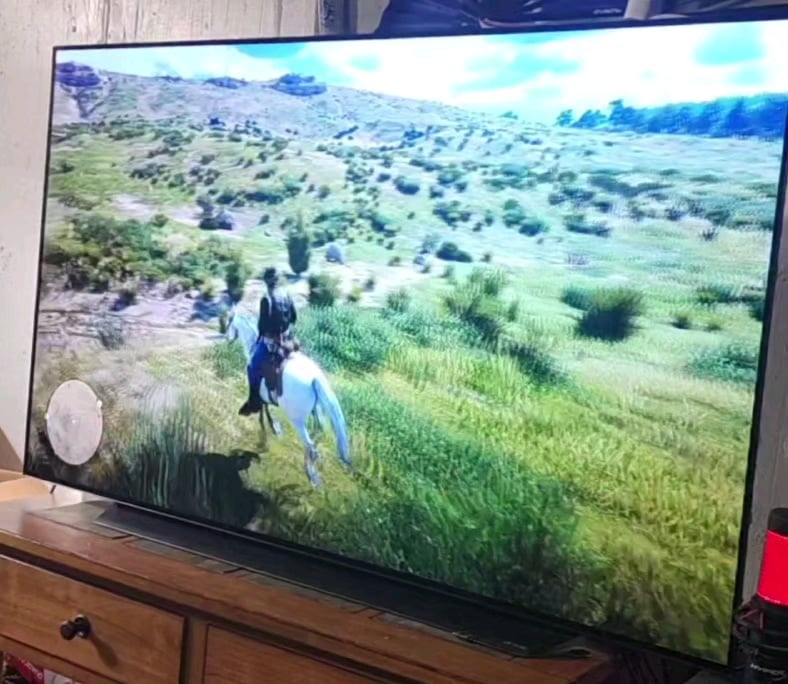
I've had this 4070 TI since August 2023 and have had no issues with it. Recently, I've been playinga heavily modded, maxed out rdr2, at 4k ~60 fps. This is the hardest I've ever run my GPU and this started happening yesterday. I saw it once or twice but today it's happening much more frequently. Everything is updated and restarted. I'm wondering if this card isn't quite built to handle what I'm throwing at it or if it's on its way out.
32 Comments
Looks more like a Monitor/Cable issue to me. Try running a VRAM test.
Those artifacts could be a sing of instability, it could be due to an unstable overclock/undervolt, a bad or failing PSU or in the worst case, a failing GPU.
It wouldn’t hurt to test with another display cable first.
Then I suggest you do a complete reinstall of the display drivers with DDU, also remove any OC/UV on the bios and try to test again.
You can also try a complete windows reinstall to rule out any software issues.
Edit: order.
Heavily modded! If this is not happening in other games or apps, you know the answer.
No, i had this happening to me, it’s either the cables being loose or try another cable
cable
This could be anything.
I’d shy away from the GPU – you’d usually see more than a single frame going to crap, especially in games where previous frame data is required for effects.
I’d be looking at the display cable first (as it’s cheapest).
Also the thermal paste on GPUs eventually goes bad and needs replacement.
I definitely need to reinstall this game!
Definitely your cable. Change it. Graphics cards dont usually run perfectly fine and then flicker. Usually they die by creating nice red and orange patterns on your screen.
You should try repasting the cooler. Sometimes, the factory thermal paste is no good. It makes the processor hot, and then you get degradation like that.
Also, you may just be running the graphic settings too high for your graphics card.
Monitor your gpu temperatures. That’ll tell you a lot.
Heat kills gpus early, and in the meantime, it degrades performance. More fps and higher graphics = more heat amd less performance stability. Good ventilation, good thermal paste, and using the correct settings for your gpu = less heat and more stability in performance.
I have seen this happen with bad display connectors. It could be the cable or port on the gpu/tv.
I suggest moving the cable around on both sides, if it still happens and you have a spare or can swap it with one on another device then try that first.
If you tried two ports on both devices and a different cable then test the tv. Connect something else to it, if a smart tv just stream something to see if it still happens.
If its not the tv or cable then move onto GPU troubleshooting.
– Does it happen on other games?
– Uninstall drivers, Use Display Driver Uninstaller or similar program to wipe the drivers and then install the latest.
Most likely cable. Errors with the video card generally don’t clear up.
Sorry about your GPU
But I just wanted to say that one of my best gaming experiences in recent years was playing RDR2 on my 55″ 120hz TV with a 4090. Such a stunning game. I can’t believe it came out 7 years ago…
1. Have you tried playing other games?
2. First see why it’s happening, only then be worried.
3. Check the tempatures make sure the temps aren’t going over 90C.
4. Have you serviced your PC/GPU Have you repasted it? Cleaned out the dust and debris?
Is that an LG OLED? Mine has been doing that since new. Toggle gsync on and off and you’ll fix it for a few weeks.
Does this only happen with RDR2? does it happen with other games at desktop?
First thing blow all the crap out of the heat sinks, and replace the thermal paste on the CPU and GPU. Start with the basics.
Try another, properly rated video cable first. A low-grade hdmi or displayport cable can cause problems.
Check your cables, change it and then retest. I thought my 3080 10GB was going out… Turns out my DP cable was bad.
Subliminal messages. Do you suddenly feel an urge to paint or destroy rainbows?
Do a fresh driver install,they sometimes get corrupted.
I spent a fortune on an upgrade just to find it was the drivers all along, my mate got a cheap 1080ti out of it though.
Reinstall recent drivers tbh
Looks like cable problem. Try new cable.
Seems like a cable problem. I had so many issues running 4k/120 until I got a legitimate certified 8k HDMI cable. I had flickering, gsync issues, sound cutting out, etc.
Are you running 4k/120 with a 60fps game cap? If so try setting refresh rate in windows to 60 and see if that helps.
Toberculosis side effects kickin in
My first thought would be faulty cable, which is a lot easier and cheaper to fix!
Someone was frying noodles in the video below this one in my feed. All I heard was crackling and sizzling, glad that wasn’t your shit.
Dude, is everyone here not aware of the plethora of black/white screen frames with Nvidia drivers since January??
OP try an older driver version like 566. Also test games with lower framerate, issue usually happens with 90+ frames for me when using lateat drivers and gsync (4070 ti S)
I get similar artifacting only on my TV but I know its because of a cheap adapter from display port to HDMI. It’s probably just weird cable issue. I have an RTX quadro 5000 (only card with more than 8Gb of memory I could get during the pandemic shortage worth the price)
This looks like a cable or port issue, not a GPU issue. It’s hard to tell without further investigation.
Check the cables first
Typical case of Chinese fake HDMI Cable.
Look for one with an Actual HDMI Foundation Certificate QR Code on it.