
hello
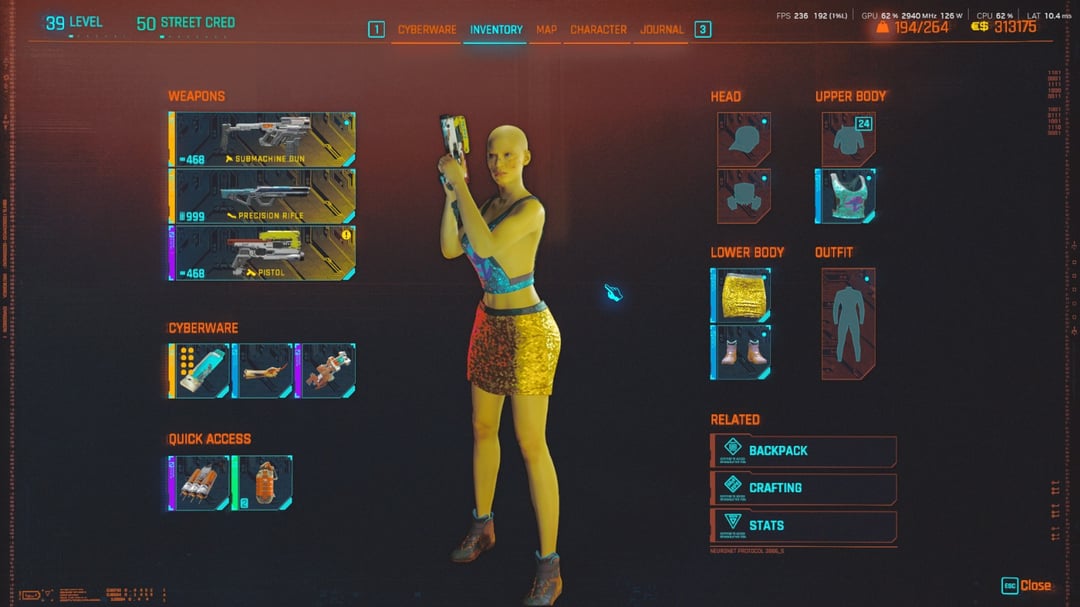
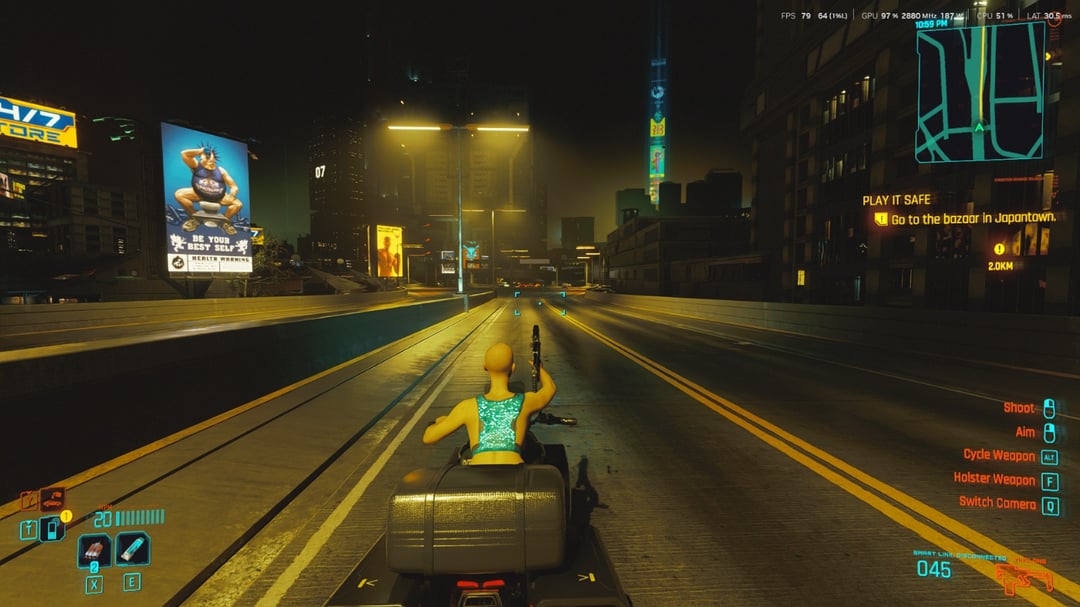
my game has a yellow tint, and my V looks very sick, sever case of jaundice
specs – 4070, r5 7600, 32 rams
i used mods, for hairstyles and appearences, and also no FX lighting mod, for improved visuals but that plagued the current visuals however after getting pissed at the yellow tint i deleted all the mods, reinstalled the game and also deleted usersettings.json
fresh install no mods still has my V very jaundiced
settings used 1080 path traced with no fg and dlss quality
also reseted grphical seetings to defaults but to no avail, any idea what may cause the whole yellow situation?
32 Comments
https://preview.redd.it/xy1x6e9b8q7f1.png?width=413&format=png&auto=webp&s=21cbff0be91f3af59b06e6800103f82eb1dfee50
Check colorblind mode in settings.
Try rebooting the entire computer.
I get weird colour time to time and the ONLY fix is a full reboot of the PC.
It’s fuckin weird.
Your game has the pee bug
CyberSimpson 2077
cool. would be a lot cooler if it was green instead
JaundicePunk 2077
https://preview.redd.it/zkfmku57cq7f1.jpeg?width=4032&format=pjpg&auto=webp&s=29dc688ef4696f4dd089c0fb990352dba90b4f1f
idk, it seems to me that even ingame the yellow is predemonant
just like the yellow breaking bad filter that simulates anything related to mexico
Any chance you use “Wallpaper Engine”? I had the game The Division show a grey filter over my game until I closed wallpaper engine. It has never given me issues on Cyber Punk 2077 but it’s my only idea.
Little did we know that Night City is actually Springfield in the future.
Had something similar happen when I jumped off something super high so the game went into the black and white filter but I managed to land on a ledge and survive and then everything was in black and white…
Cyberpunk 2077: Tijuana Phantom
Ah yes, the Mexico filter.
Is it only happening in 2077? Monitor settings maybe?
johnny must’ve given v liver problems from all that drinking he does
Are you on the most recent driver version? There’s an open issue regarding 2077 and Path Tracing.
Does the issues persist if you turn off PT?
Have you tried rolling back to an earlier driver version?
https://preview.redd.it/4wa0xuclkq7f1.jpeg?width=4032&format=pjpg&auto=webp&s=74320f3e6b22098340a629b7f6f4c5c5f4bdb43c
the whole menu has a yellow tint, not just ingame. turned the menu from the usual red to a slight orange
its like my cyberpunk is taking place into mexico city instead of night city
OP did you turn off all the mods/run the mod list? Also its unlikely your gpu if youre not having the same issues with exp 33
Id try disabling all mods and then fresh install. Mad annonyjgn
[https://www.reddit.com/r/cyberpunkgame/comments/16vq1l2/does_anybody_know_what_this_effect_is_yellow_tint/](https://www.reddit.com/r/cyberpunkgame/comments/16vq1l2/does_anybody_know_what_this_effect_is_yellow_tint/)
[https://www.reddit.com/r/cyberpunkgame/comments/16tfk74/why_does_my_screen_keep_turning_yellow_i_dont/](https://www.reddit.com/r/cyberpunkgame/comments/16tfk74/why_does_my_screen_keep_turning_yellow_i_dont/)
People seem to say it could be a bug related to the edgerunner perk maybe?
Simpsons Hit and Run 2077
The Simpson: Hit and Run Remake
Try loading a different save or try starting a new game to see if you have the same issue with a different character.
Catastrophic liver failure
I had something happen with colours after I died and loaded a save, but mine was contained to the character/inventory window.
https://preview.redd.it/xmfsdx2omq7f1.jpeg?width=3840&format=pjpg&auto=webp&s=a002630e6150a1c1cf191bbc05ae2d06fbd1712f
I thought it was cool so I kept playing, but noticed it reverted to normal after quitting the game.
This is how Cyberpunk woulda looked if it was released in 2008
Deus Ex Human Revolution filter
Honestly, it sounds like the graphics/lighting mod changed a setting or file somewhere in a strange directory that’s not getting deleted when you uninstall or reset settings to default. Try this:
Option 1) Try using software like REVO Uninstaller free to completely remove all traces of the game from the registry and file structure. Use the “thorough” option. BACK UP YOUR SAVES SOMEWHERE EXTERNAL FIRST!! I would also do this to the mod loader if it’s a separate application. Afterwards, reinstall the game and see if anything’s better.
Option 2) Reinstall and reconfigure any graphics or lighting mods you installed. See if there are any “reset to default options” in those, or if tweaking any of their settings adjusts the colors. If so, you may have to manually dial in color settings and then uninstall it.
cyberpiss 2077 just dropped
Maggie finally grew up!
At this point, try reinstalling the game. Could be corrupted files from a previous mod or similar
V’s immune system gave her jaundice
Leeeeser Sampson
https://preview.redd.it/u020z2o11r7f1.jpeg?width=385&format=pjpg&auto=webp&s=139c48a9c7679747295288557b53c19dfe24d416