
Hi there. I've been having this problem for a few months now. A couple of driver versions back this wasn't an issue but at some point I had to update for some new game releases to work smoothly. Can't seem to find anything about this issue. Hopefully some of you might know what's going on!
GPU: 4070ti Super INNO3D 2x running on Windows 11.
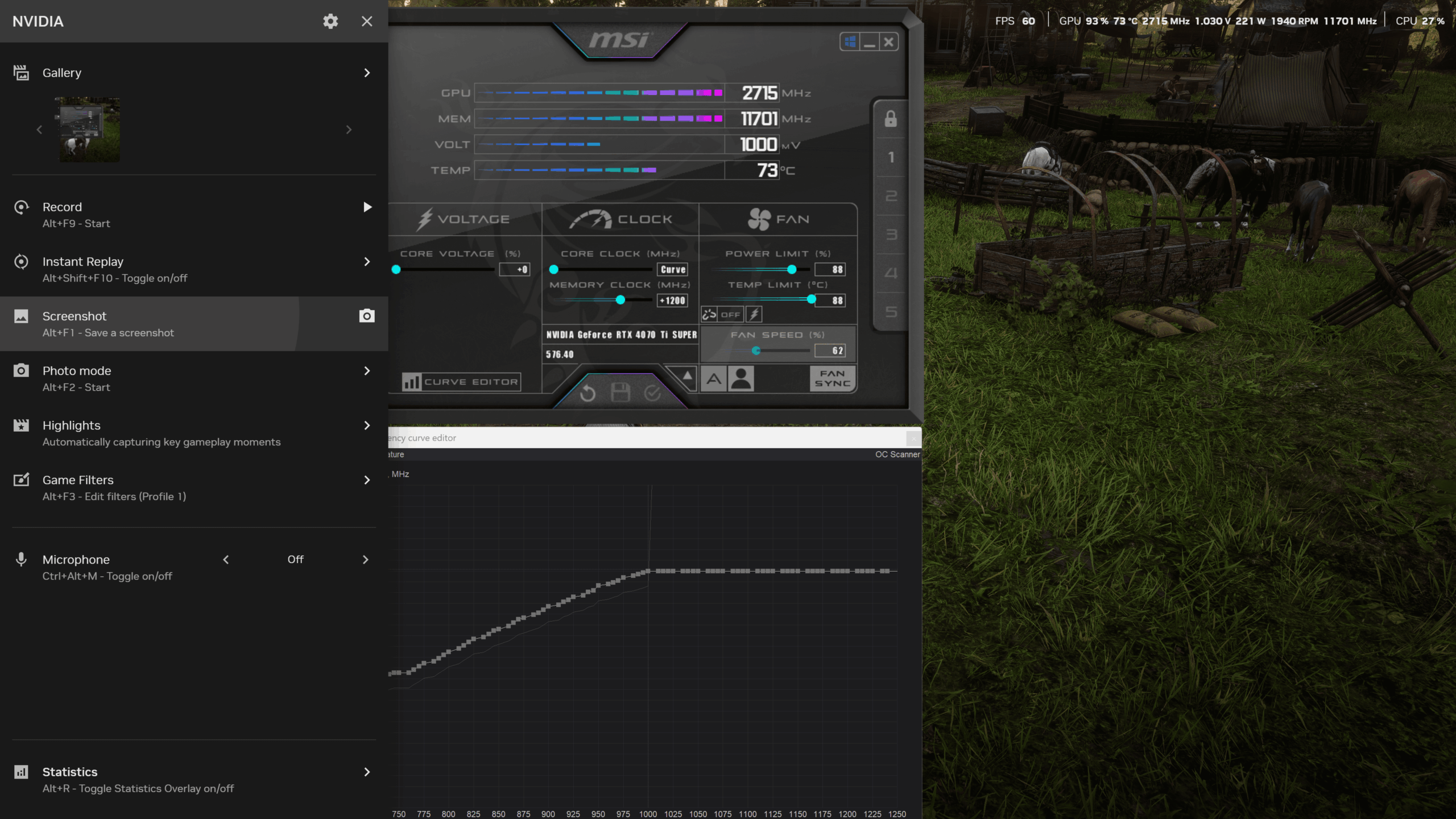
Basically Afterburner always perfectly follows the curve I set, but the Nvidia App overlay shows a whole different story. The GPU can sometimes run anything around .15 to .30 mV higher. It was even worse without the power limit I've set. You can see it in the screenshot while playing RDR2.
I've tried flipping every setting in Afterburner with no luck, uninstalling or updating it doesn't change a thing. Clean driver uninstall\install also no luck. I even tried GPUTweak, but the issue stays the same even there. Only thing that fixes the problem is downgrading to an older driver version (I don't remember which specifically since it was a while back, and I can't stay on the older driver anyway)
Before all of this I could get a rock solid undervolt + overclock. Now it can be all over the place without a real reason. The values in Afterburner are always correct though, and that's how it used to run.
1 Comment
Make sure the issue doesn’t happen on an older driver, because from your post it sounds like you’re just assuming it didn’t, not that you’re completely sure. You can’t fully control your GPU without flashing a custom BIOS, which is the only way to lock specific voltage and frequency points from shifting due to temperature changes or hitting power limits.
Also, check the voltage in HWiNFO – is it actually higher, or are they all around 1V? It might just be the NVIDIA app showing incorrect values. Personally, I don’t install the NVIDIA app.