
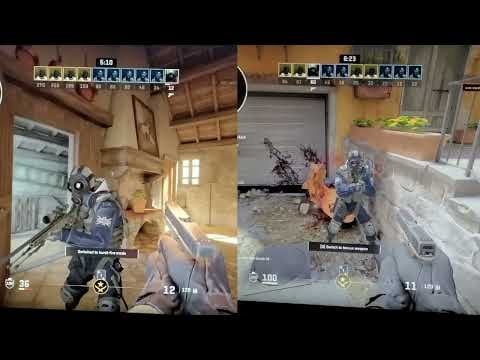
I wanted to post this to help others with high tier PC's struggling with the game looking like shit, I tried so many methods past 2 years and nothing worked, it got me to the point where I stopped playing completely. Even with 250+ fps my game looked like I had mouse polling rate at 125hz with 60hz monitor. I probably tried over 100 different methods and nothing worked except turning vsync on ingame, but that gave me disgusting input lag, but yesterday my friend told me to enable g-sync, vsync and ultra mode on nvidia control panel but turn vsync off ingame and it worked like a charm, now my game looks like watching a 4k 60fps video on youtube and i have zero input lag. My specs are RTX 3080, RYZEN 5 5600X, 32GB RAM.
HOW TO: (These are my settings, you dont have to change anything else but ENABLE g-sync and v-sync and set low latency to ultra, other settings are most likely irrelevant.)
-Go to your Nvidia control panel
-Manage 3D settings
-Program settings -> Find Counter-Strike 2 (cs2.exe)
-Low latency mode: Ultra
-Monitor technology: G-sync compatible
-Power management: Prefer maximum performance
-Preferred refresh rate: Highest available
-Vertical sync: ON (do not use Fast setting!!!)
IN-GAME SETTINGS
-Remove all launch options, in case you have -noreflex or something else on your launch options, it might affect this
-Nvidia reflex: ENABLE + BOOST
-V-SYNC: DISABLED
This won't boost your fps if you have old pc but it will fix the shitty stutter and jitter and 60hz feeling from high tier computers with good fps. The problem is that for some reason this game won't work well without V-Sync on some monitors/computers.
EDIT: I recorded slow motion video with my phone that shows a bit how badly the screen was tearing: https://youtu.be/XK3MPYYWl-4
It doesn't even look that bad on the video, it looks a lot worse in person, but thats the best I can do. Even tho it doesnt look that bad, the difference is still huge.
20 Comments
i thought this setup was common knowledge? either way, good if anyone doesn’t know how to do this properly.
if anyone is wondering why this works, with numbers and internals etc: https://blurbusters.com/gsync/gsync101-input-lag-tests-and-settings/
Thanks so much man.
It wasn’t as bad as 60hz feeling on full AMD but I do find the flicks more smooth when enabling VSync. Seems like FreeSync is not working completely but still does something because it wasn’t a 60hz feeling either.
It wasn’t as bad as 60hz feeling on full AMD but I do find the flicks more smooth when enabling VSync. Seems like FreeSync is not working completely but still does something because it wasn’t a 60hz feeling either.
Doesn’t NVIDIA reflex make low latency mode in nvcp irrelevant?
You basically handed an X3D chip to run CS2 smoothly, on anything else it performs like shit
Have to do so much for CS still feels choppy where as valorant feels smooth out of the box
This post has some proof it is better:
https://www.reddit.com/r/GlobalOffensive/s/gb3ulnkLcf
My monitor gamma flickers with gsync, it is too annoying for my eyes. I have va panel, i have heard that oleds suffer gsync flicker too rip..
Disable Nvidia reflex and cap fps in game to 3 fps under monitor max hz eg 237 fps if 240 hz, when using g sync + v sync. Gives a bit more fps.
why not using fast for vsync
I dont know if this is a placebo but I feel like this has fixed it all
Is the NVidia control panel vsync better than the built-in option?
Yea, like someone else mentioned, there have been multiple reddit posts about this for the past couple months. Thourcs2 made a video about u/–bertu post on gsync.
https://youtu.be/5t7DFRI4jCk?si=lmnHijiuiG-T7F8d
Here’s a more general video on gsync for all games (and you should use it for other games as well). Blurbusters Gsync 101 post also has this same info.
https://youtu.be/5mWMP96UdGU?si=9tVj730krwekYZ6B
vsync on? wt? and g sync on? not the competitive setup sry you’re begging for issues
everything else is just placebo
did you even enable the monitor to run high hz?
it looks better but it is much slower, not as much as vsync but enough that switching between on and off is really noticeable.
So much input lag with settings like this, feels like xhair is floating. It does appear smoother but at the cost of precision
Thanks for sharing this. I’ve been facing laggy fps on my 7600X, 4070 Super setup – which was pretty annoying because it’s not a bad setup.
Quick question though: I use a 165 Hz 1440p monitor. Should I lock FPS to 165 from CS2 in-game settings? Or let it run max 1000?
Am i the only one that had the best results with default nvidia & enabled reflex ingame with 0 launch options? I don’t play now but I tried stuff before, they only made it worse.