
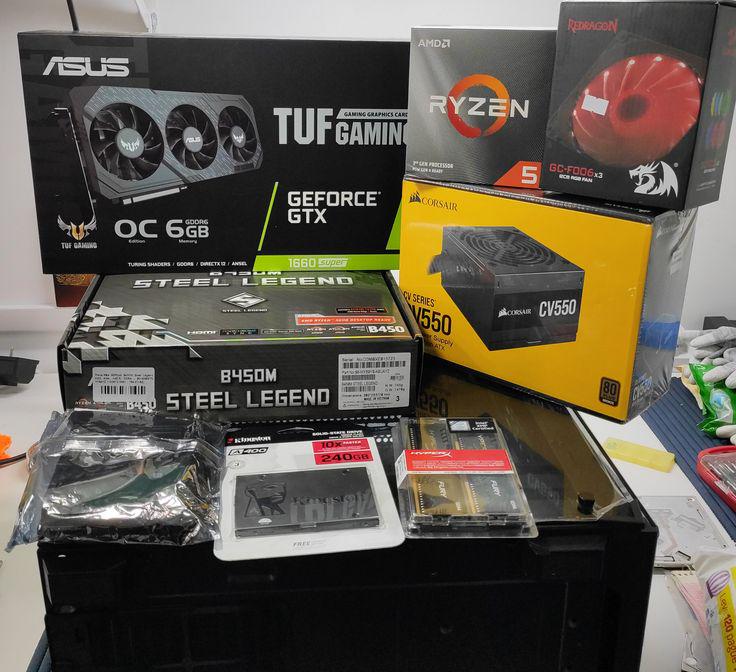
Hey everyone!
I'm curious to hear about your personal experiences with building or buying your first PC.
•What were some mistakes you made during the build process or things you didn’t expect?
•What did you learn after getting your PC and using it for a while?
•Any advice you wish someone had given you back then?
I’m asking because I really value learning from real experiences—not just YouTube guides or spec sheets. I know a lot of you here have been through it, and I’d love to hear your stories, tips, or even funny fails.
44 Comments
Don’t bottleneck yourself by skimping on a mobo.
Sleeve bearing fans
Order of component installation. Preparing the case to make it easy to connect fans etc. Really saves alot of time preventing you from having to uninstall something because you need to install something else first. Especially that pesky power connector on the top left of an ATX motherboard. My large fingers always have a hard time with that one.
– I didnt properly seat certain cables properly so I burnt out the front header and I used thermal glue instead of thermal paste
– I learned in my next build how important proper cable management and installing components is.
– Take your time, do your research, dont rely on Reddit.
IO shield installed incorrectly.
I had a brain fart and tried installing it into the case and then the motherboard in that order
I managed…
Building my First PC I learned my next PSU would have to be Fully Modular to have better cable management.
Building my Second PC I learned to how to organize cables.
My recent upgrade I learned what daisy chaining is and how to properly power a 2×8 pin GPU.
HI I LOVE FING BOXES MANNNNNNN
Don’t let others help you, they’ll mostly do something wrong (Applying the thermal paste under the mobo and using the wrong screws)
I severely underestimated the size of a full tower case, and overestimated my actual need for one.
Buying unlocked CPU with no proper Mobo to do it, with the intention to do it in the future, then realizing i didn’t need to overclock at all.
BIOS update on Gigabyte. Just extract the actual exe that has the name and put it on usb. Everything else, including the manual how to update is overcomplicated and totally different. I almost taught i bricked something, till i found some video.
My first mistake was buying an atx case when my motherboard was micro-atx. My second mistake was buying when not on sale, turns out some merchants will resupply so never panic buying a part.
Skimping on PSU, spending too much on mobo and CPU.
While building: HP is proprietary and having an matx or atx standard motherboard matters.
After use: windows activation socks and reseating the ram is usually the solution if adding ram doesn’t work.
Wish I had gotten: PSU wattage determines the GPU you can have. Also 500w sounds more impressive than it is.
i don’t think anything i learned building my first PC is relevant anymore 😀
at that time the expansion cards still used ISA slots and having 4MB RAM (yes, megabytes) was considered top notch.
I tried to use a motherboard and case I got for free, even though it probably wasn’t worth it in hindsight. (it was an AM3+ motherboard with an FX-8350 back in 2020)
I was a bit of a know-it-all in school. My 8th grade teacher was building a PC, and I had been working in a whitebox shop (under the table) to get copies of video games from the front counter during the summer. I had built, I dunno a couple dozen machines by that time for other people.
In science class the teacher wanted to show everyone how to build a PC from scratch, so he had a table setup in the middle of class with a motherboard on an open bottom (inwin cases could slide the motherboard at the time) it was really pretty and cool for a demo.
But I watched him plug the black ends of the power adapter to the motherboard THE WRONG WAY AROUND. I had been shown on a broken mobo at my job what happened rather dramatically by an old hand in exchange for burning mp3 cds for them.
The teacher was going to plug it in and turn it on and I said pretty loudly “Wait no, that’s gonna break!” and I was threatened with disrupting the class. I then shut up, and prepared myself by putting a binder in front of my face (as the table was right next to my desk.) Sure enough, the capacitors nearest to the power plugs started smoking instantly and popping off the board.
It wasn’t my mistake, but from then on I just didn’t say *anything* in class about computers until I moved to a different school. I was even asked to help out and I said “I do that at work.”
Bought a MoBo with DDR3 when DDR4 was already available. This made my Computer non-upgradable and made it necessary to buy a new one sooner since no better CPU was available.
using a mac to download windows install onto a USB. i eventually found a tutorial on how to do it but geez, never again.
Two issues on my end.
1.) Built with my old man (in my 40s and still fun shit with the guy) and one of the fans on my Phantom Spirit fell off during transport home. I’d need to take out the GPU to get it back on, and the temps are ice cold so it waits until I need to get my hands back in the case. It obviously has the other fan on the cooler going.
2.) I didn’t realize the new nzxt fan hub used a pci cable. I was short so it got daisy chained with the GPU. I did what research I could and it should be fine given that I am running a 4070 super. However, I plan to get a different PSU with an additional cable and slot so I can put it on its own cable.
‘90’s throw back.
Setting the jumpers in the right configuration!!!!
It was so long ago I forget. One of my later builds getting sli 8800gt’s.
I bought a monitor without amd freesync support🙂
Good products with long and good warranties should always be the only option – at least with PSUs.
My CX550 started to die on its fan bearing with 4 months left of warranty. Corsair accepted it no questions asked, refunded my money with inflation, and I bought an RM750x Shift by adding only 28 bucks.
Modular PSUs cost more, but damn they’re worth every session of maintenance, cleaning, troubleshooting, and upgrading that have to – at worst – unplug a single cable from either end and that’s it.
Prioritize airflow, fan amount, and dust filters over aesthetics and looks.
My first case was a fucking Thermaltake V200. It’s spacious, but only one fan. If it weren’t for the poor airflow (allowing for humidity to flow into places it never would in a case with proper airflow and positive pressure) and inexistent dust filters (which buildup faster and allowed for corrosion), two of my components would’ve lasted longer or would even be 99% pristine today.
If you get a small (>240Gb) SATA SSD to use as a boot drive only, windows, cache, and applications’ files that need to be in C: disk will eat through its TBW like termite on wood. So don’t expect to use it for life.
If something doesn’t work as intended, return it and demand a replacement or RMA it.
I had a B450 with cold boot issues from month 1, but, for not having knowledge and experience yet, I went on with it the way it was. It died at ~4y of use and during the week before Christmas 😐
Wow. So, I think I would have suggested that you chose components that you could continue to build on.
Like what’s the point of a modular system if you don’t have room for upgrades.
Good luck with whatever you plan on doing with your dated parts. I hope you’re just playing video games. And if so good for you.
-used a 120mm AIO despite the fact that they are objectively worse than air coolers for the same price
-did not know the difference between base model and TI cards and bought a 1080 because it was cheaper and thought for the longest time it was a 1080TI
-no case fans except the ones that came stock with the (absolutely terrible) case
-no WiFi on mobo so had to use a USB dongle
* install IO shield before doing anything
* install cooler and NvME before installing the mobo
* don’t never ever lose a screw
* stock coolers aren’t enough (at least it wasn’t on my case)
I bought a 3050 8gb, lol
The power supply on my first machine exploded on me. Do NOT ever cheap out of the PSU.
I did pretty deep research when I built my first system so.. I made zero mistakes, but I did learn the value of a screw driver with a magnetic tip. I can’t imagine my pc build without one, it saved me from many situations.
Built my first “Frankenstein” PC back in 2006. Didn’t have much money back then, so I had to scavenge random parts to make one. Got ahold of a BFG GPU to work with it and got it to play Oblivion. My mistake was not having the money to have a case yet so the motherboard was just sitting on a cardboard box lid and I adjusted it while it was powered and shocked the shit out of my hand along with burning a hole in my finger lol. I was still happy I could finally play Oblivion.
I had my IDE cable backwards.
my lesson is never cheaped on power supply, get a good one from reputable brand
I forgot to install the chipset drivers for quite a long time.
passive cooling gpu (no fans)
It really pisses me off that both times I built my PCs it was because my last one suddenly died and I needed it asap.
For my first one, back in 2016, I would’ve waited three more months in order to buy a 1070 instead of a 970 and a 6600k/6700k instead of a 4790k, and DDR4 memory of course. And what was little mistake that really bothered me later was buying a Thermaltake V4 as a case, where cable management was non-existent. Also, I understated the importance of peripherals for several years, didn’t know what I was missing out.
For my most recent build, not only I was on a rush but on a budget as well, so again I had to go AM4 instead of AM5 because the price difference was too much. I didn’t do enough research so I misstook a 5600GT for a “5600 with an igpu”. So yeah, I had to upgrade latter to a 5700X3D to be a better match for my newly purchased 3080. And again, I fucked up on the case. Bought a Sentey H10, lovely case with absolutely no airflow, who would’ve thought intake fans are needed??? But it looks lovely though…
Guess third one will be the lucky charm.
Made an Intel build and looked at the comments on this sub after I put it together.
The limitations on ARGB. So made a DIY controller with 7 outputs, programmed it and some features like CPU/GPU load and temperature controlled using iCue (was too lazy to program that part myself). The final conclusion was that 7 outputs is too little for the amount of fans used, 9 to be specific. Otherwise, my PC is well thought of and no mistakes so far.
1) listened to idiot influencer saying “get a 500 series mobo to make sure you’re compatible with Ryzen 5000” and “pcie gen doesn’t matter”, so I got a A520. That forced me to replace the RAM instead of adding extra sticks, bottlenecked disk performance, locked me out of some cheap GPUs because they would run like a 1050 Ti (which I had as a stop gap) due to x8 or x4 bus. If I had gone with a similarly priced B450 I would have still been able to use Ryzen 5000 because it would just have needed a bios update, I would have been able to upgrade the ram by just getting 2 extra sticks of the same capacity and my disk would have been fine (B450 had gen 4 for the nvme and gen 3 for the x16 slot)
2) cheap case. This is one of the least important components, but back then cheap cases were more expensive than current cheap cases and had different sizes than now. When I upgraded to 5800X3D and the stock cooler was not enough anymore, I had to either spend 50€ on a new cooler and 70€ on a new case, or spend 100€ on a new cooler that would fit in the 150 mm constraints imposed by the case. If I had spent the extra 20€ on the case from the start, I would have saved 50€ (net profit: 30€) on the cooler and gotten similar to better performance.
That’s about it for now.
I went AM5 and motherboards weren’t cheap. So I got one without WiFi nor Bluetooth to save some money.
Once I was done with the build, I realized the wireless Xbox controller wouldn’t magically work without something extra. Had to get a Bluetooth dongle.
It’s a pain to deal with all the RGB cables and various softwares due to incompatibly (at least it was a few years ago). Bravo Six, Going Dark next time.
Bite the bullet and buy a 2TB for your boot SSD. You’ll be dealing with a 90% full C drive in a matter of months otherwise.
No matter how perfectly gentle and clean you are, acrylic side panels *will* get scuffed and look tacky very quickly.
Check the mobo manufacturer’s list of compatible ram….
Not from my first PC, but ALWAYS make sure you know where your screwdriver is going before twisting. Don’t blindly twist, because you might THINK your screwdriver is in the screw head…. but it just might be between some capacitors. Twist it, and you just damaged your board.