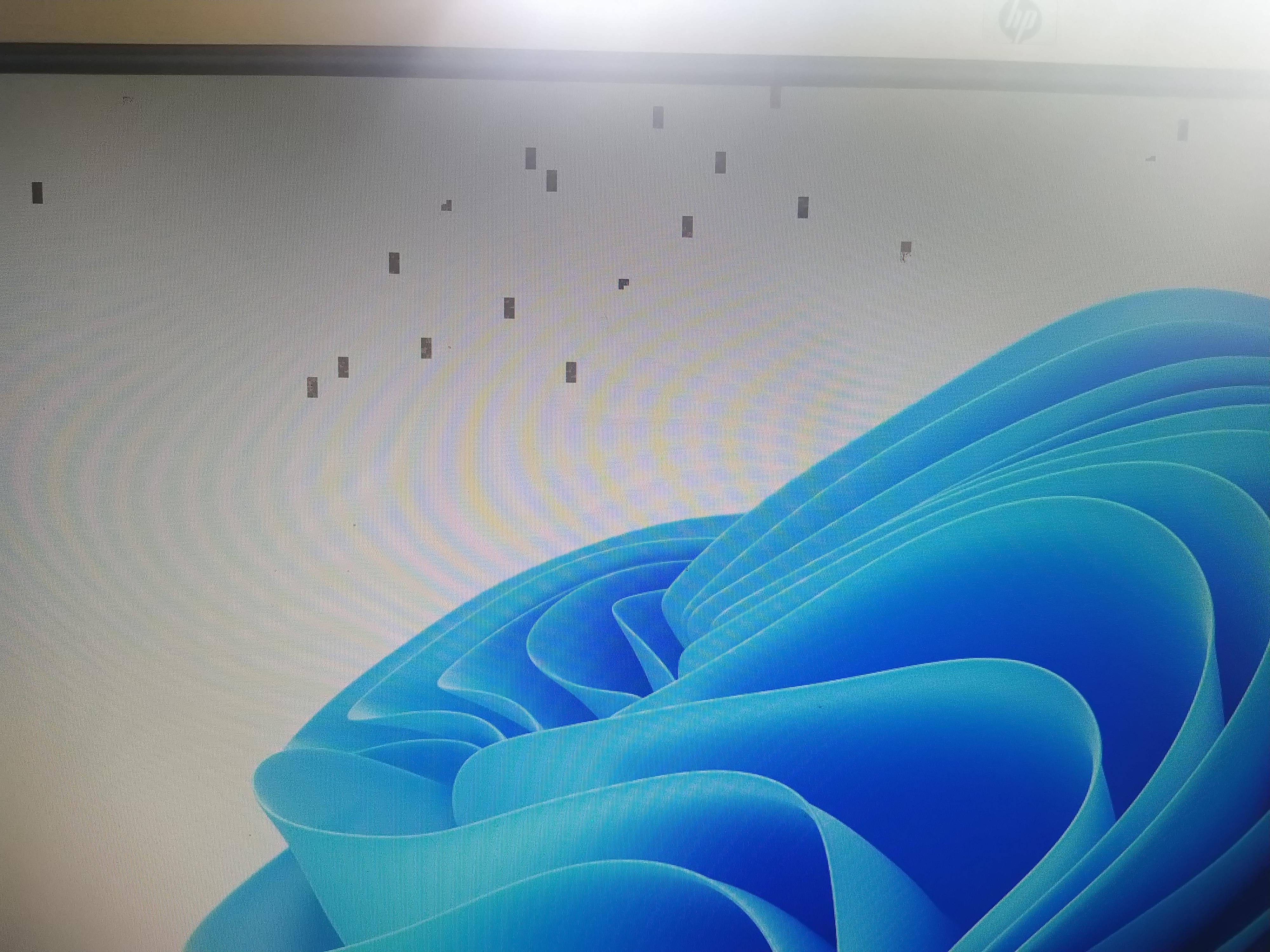
is that a problem or is just annoying?
is has work for years now and not one probel.
is it the GPU or can it something else.

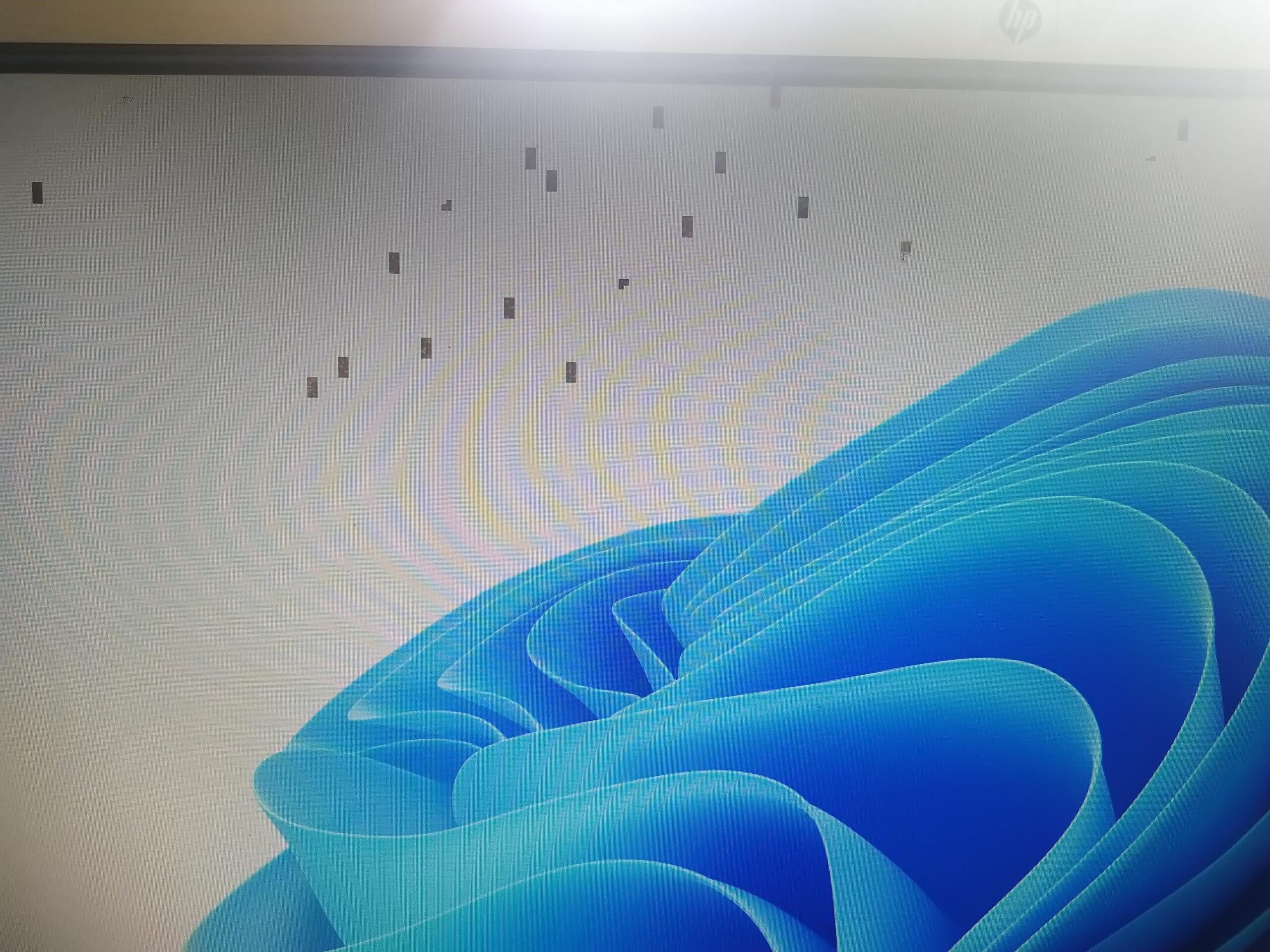
is that a problem or is just annoying?
is has work for years now and not one probel.
is it the GPU or can it something else.
41 Comments
Your GPU is dying, yeah. You’re gonna want to find a replacement as soon as you can.
Yep she’s on the way out
Dust off the ol wallet there chap.
I have the exact same thing on my 3080 12gb. I think it could be a driver/windows issue. This happens only in 2D rendering (like desktop or videos), but never in 3D. A restart fixes it.
Edit: After installing 572 drivers from February and on, I haven’t had it happen yet
Man , I gotta ask how is your 3080 8GB vram
As a next step, consider replacing the HDMI or DisplayPort cable with a new one. In some cases, this resolves the issue. However, such symptoms can also point to a failing GPU, so it’s worth ruling out simpler causes first. Given current GPU prices, it’s worth trying every low-cost fix before considering replacement.
Some people say its dying here but i would first check if its the cable or the ports. try another cable and if the problem persists try switching the slot.
Maybe its monitor ?
Is there gpu sag?
I get this with my 3080. It’s usually just Firefox that causes it. As soon as I close and reopen my browser they go away.
possible driver issues. but higher chance that it’s dying
How are these gpus dying so fast nowadays?
I made my uncle a gaming PC and gave him my 1080 and it’s still going strong to this day and he’s gaming constantly.
I have a 3090
i’ve had the same artifacts with reBAR -> Resizable BAR wasn’t available when the 30 series initially launched and if you got a card manufactured within the first 8 months or so of the 30 series launch, those didn’t come with ReBAR support out of the box. -> update vbios
Hi, I had the exact same issue happening. 3080 ti 12g. So I rolled back Nvidia drivers to 572.60 that fixed the issue for me. Also if you use Afterburner to overclock, disable that.
If they stay in the same place until a screen redraw it’s likely a driver/app issue. If they’re moving around, replace the cable from the GPU to the monitor.
Looks like artifacts from an overclock pushed too far
So, interestingly i had this exact issue on my 3060 12GB when playing games yesterday. And i have this GPU for like a month. What i think fixed it for me is setting the virtual memory. So if you did not do that yet it’s worth a shot, just look up how to set virtual memory. Other than that try restarting and see if it persists.
If you can screenshot it – it’s software
I currently have an rx6800xt, I thought mine was dying because the artifacts were gradually getting worse every minute I played Ghost Recon Wildlands.
Long story short, I undervolted and overclocked too much. I used the default settings then voila, it’s gone.
this happens to my 3080 about three times a year and i fix it with either restarting or reinstalling the GPU driver.
My 3080 Ti does this, and so does my dad’s 3090 Ti.
Your GPU:

There was an 8 gig 3080?
Uh oh…
I was getting artifacts on my 2080ti and I tried everything. The only thing that fixed it was re-flashing my VBIOS. I tried DDU and clean driver install, reseating, underclocking, undervolting, fresh windows install. After I re-flashed VBIOS it’s working better than ever. If it’s last ditch before replacing it I would try.
Happens to my 3090fe every once-in-a-while, I just do a clean install of drivers, preferably with ddu, if I’m impatient, a normal clean install via nvcleaninstall. Good for a few months everytime.
I had a similar issue with my 3070.
It was related to hardware acceleration and it would appear when using web browsers, particularly on YouTube.
I don’t want to scare you but the last time that this happened, it was because of a dying GPU. I had a pre-built at that time so the company just gave me a 1-to-1 replacement.
I had this it was the problem with my browser’s hardware acceleration settings i turned it of and it was gone.
Bad vram, slowly dying
It is NOT a videocard issue or any other hardware issue, nothing to do with vidcards or cables!
It is a Windows Multi-Plane overlay issue!
You can try disable MPO, or in case it is already disabled, enable it again.
To disable MPO save the following text in a *reg file and import in your registry:
Windows Registry Editor Version 5.00
[HKEY_LOCAL_MACHINE\SOFTWARE\Microsoft\Windows\Dwm]
“OverlayTestMode”=dword:00000005
To enable MP save following text in a *reg file and import to your registry:
Windows Registry Editor Version 5.00
[HKEY_LOCAL_MACHINE\SOFTWARE\Microsoft\Windows\Dwm]
“OverlayTestMode”=-
It needs GPU drug to heal

It kinda reminds me of the issue that NVIDIA GPUs had with Chrome for quite a long time
This happened to my 3080 SuprimX exactly once after updating to NVidia App – uninstalled and went back to GeForce Experience, never had the issue again
99% driver issue or something wrong with windows installation. I used to have this exact problem. After doing a clean reinstalling and using ddu to remove drivers and install fresh everything works fine!
I had this problem
Had to roll back the driver
Do they go away if you lower your refresh rate? If so try a different cable.
Battlefront 3
This also happens to my 3060 12GB occasionally where everything will be laggy as hell. I’ve had it for like 3.5 years now and I encountered this for like 5 maybe 6 times and a restart always fixes it. I dug deeper into this before and found that it’s a known issue for a lot of 30-series cards.
Update drivers.