
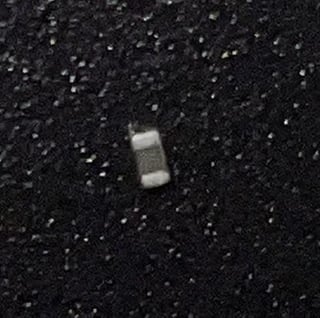
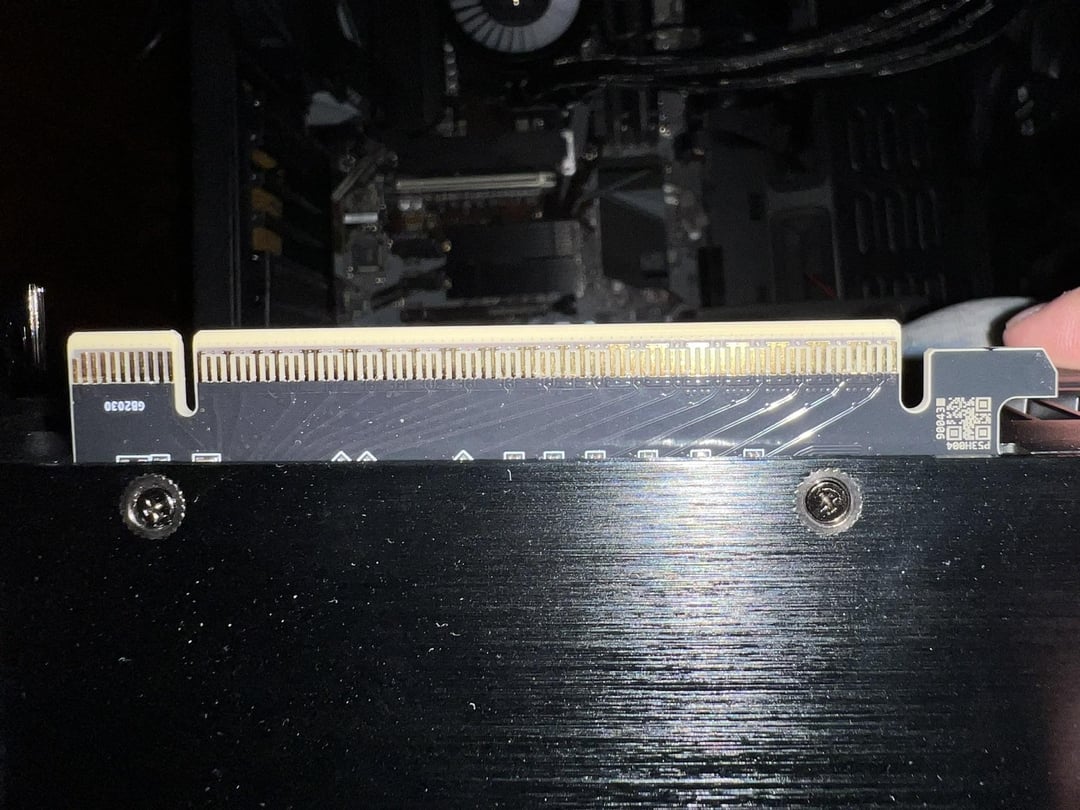
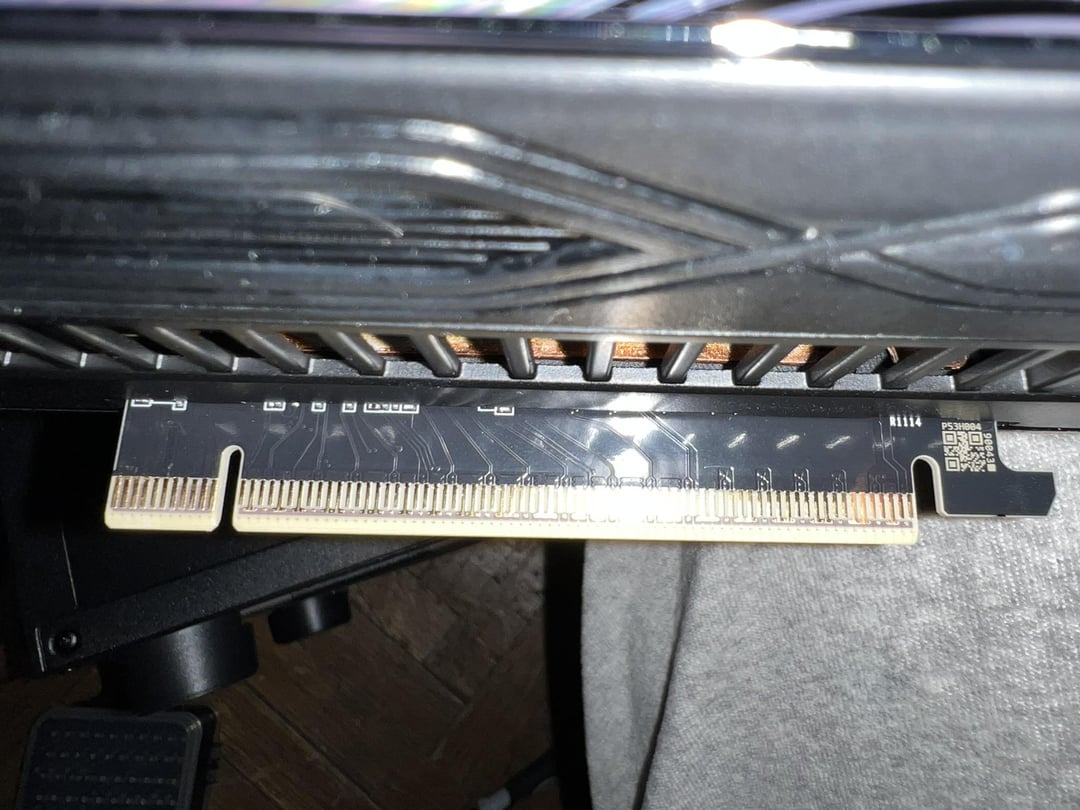
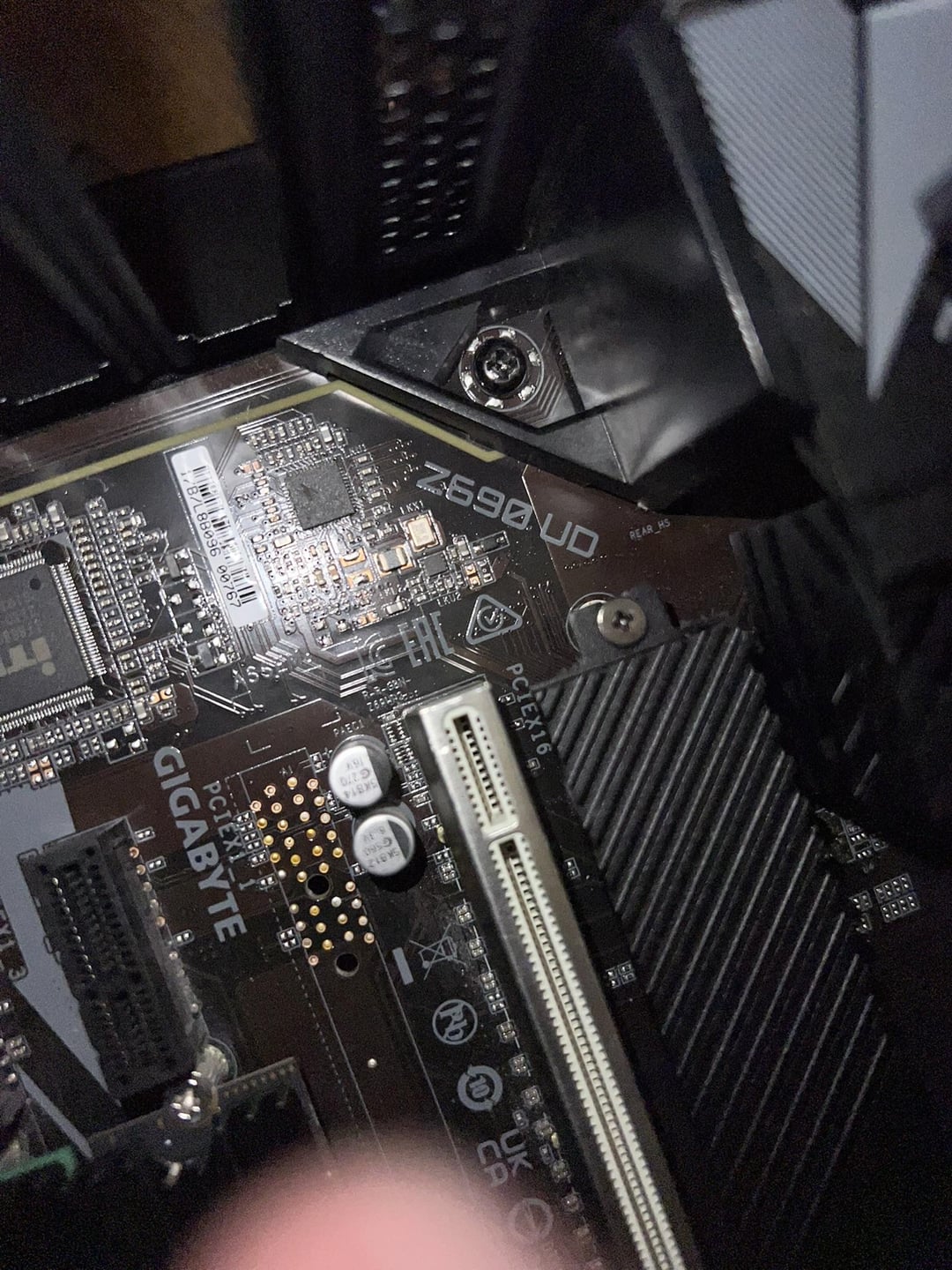
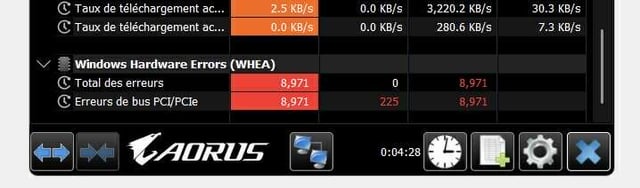
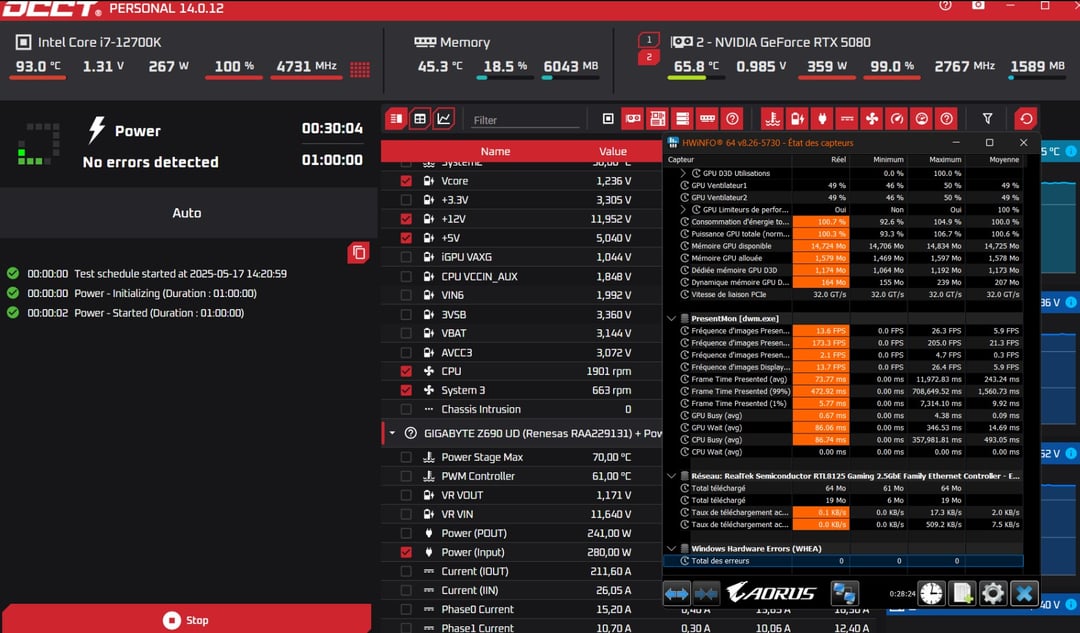
Ok, so after a lot of struggle with trying to fit in my Palit Gamerock RTX 5080 (changed case, changed PSU), I've managed to have a complete functional build (all specs and results in pictures and below). So, I've started to de-dust the PC. While doing so, I found this little SMD. Is it tied to all of these WHEA errors? After I switched off Platform Power Management in BIOS, Native ASPM – ON (lets OS control ASPM, not BIOS). Nvidia – Prefer maximum performance. Windows Power Options PCI-E link power savings – Disabled = It now returns with 0 errors after a full 30 minute power test in OCCT, 1 hour of maxed out DLAA 1440p Cyberpunk and 1 hour of maxed out DLAA 1440p Expedition 33.
My sincere question: Now that the system works properly, could I just keep it like this? I don't have anymore cash to spend on a new mobo/CPU. Or do I risk breaking something? Were the WHEA errors from the PCI-E or the 12V-2×6 cable?
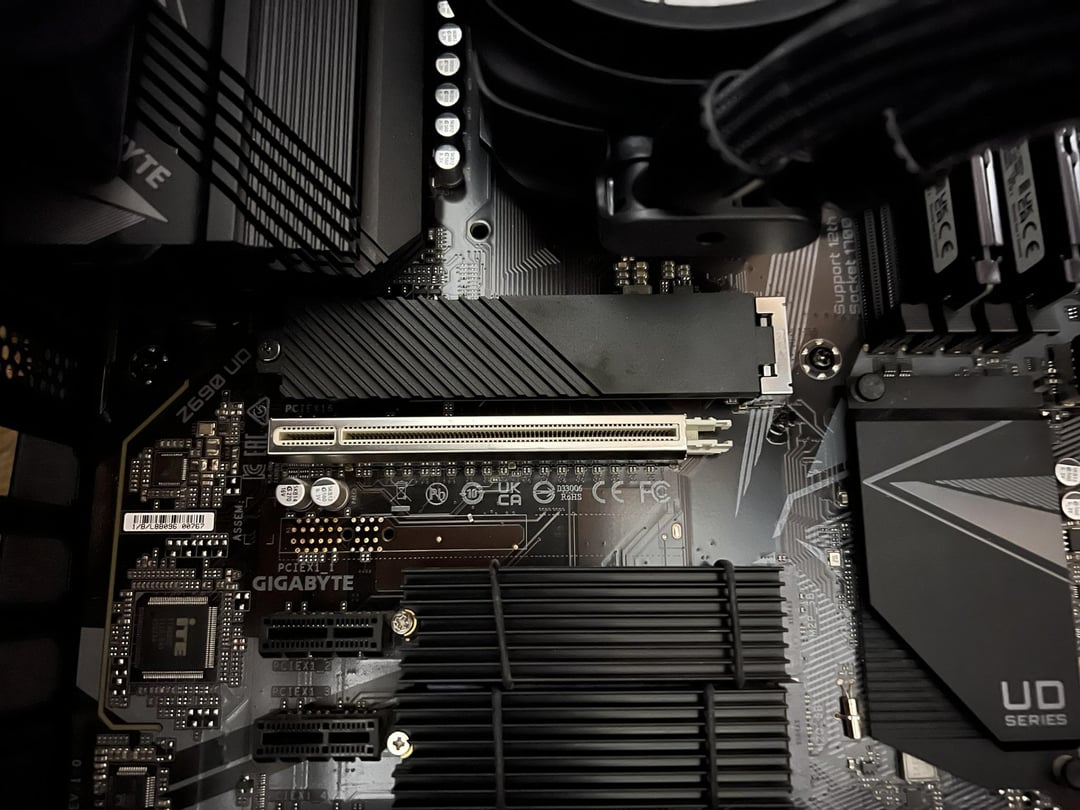
Gigabyte Z690 UD DDR5 "future-proof" PCIE slot – broke the little PCIE plastic lock thing after 2 reinserts of my old RTX 3070 (can be seen in the pictures, worked without issues for years).
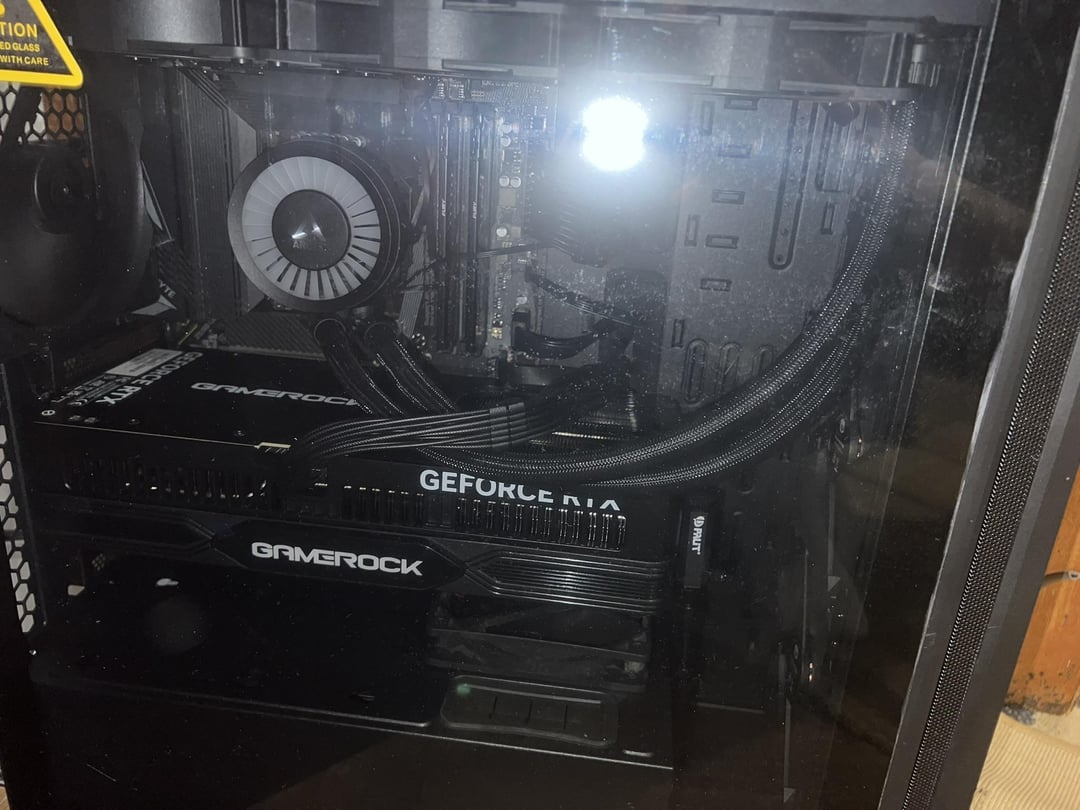
In the photos: 1. The SMD i found; 2+3. The RTX 5080 Pci pins (they are mint); 4. PCI E 5.0 slot showing the broken release latch. 5. Mobo closeup 6. Original WHEA errors after dusting 7. After reseating of gpu + 12v-2×6 power cable, turned off ASPM results 8. PC overview (not opening it again lol)
Full system specs:
Gigabyte Z690UD DDR5 rev.1.0 F29
i7-12700k OC to 5.0GHz all-core (max 272W) cooled with arctic cooler III 360mm
Kingston 32GB DDR5 5200MHz (OC to 5600MHz) CL40
Palit RTX5080 Gamerock (NV App Tuning OC +124 Mhz core, +200Mhz vram). Using the built-in Palit stabilizer stick which screws in the front of the GPU. Used a level bubble tool to ensure it's straight.
PSU Corsair RM1000x
3x SSD (SN850 500gb, SN770 2TB, Samsung OEM 500gb) – latest firmwares.
Win 24H2 latest everything with AtlasOS v0.4.1
Endorfy Arx 700 Air with 5 built in fans.
no rgb
OCCT, when it stopped for 5 min error:
00:00:00 – Info – Test schedule started at 2025-05-17 13:27:05 00:00:00 – Info – Power – Initializing (Duration : 00:05:00) 00:00:03 – Info – Power – Started (Duration : 00:05:00) 00:02:49 – Warning – 7 WHEA error(s) found 00:02:54 – Info – Power – Test stopped 00:02:54 – Info – Schedule stopped by user request
Event Viewer (got my Windows in french):
Une erreur matérielle corrigée s'est produite. Composant : PCI Express Root Port Source de l'erreur : Advanced Error Reporting (PCI Express) Bus principal :Appareil :Fonction : 0x0:0x1:0x0 Bus secondaire :Appareil :Fonction : 0x0:0x0:0x0 Nom de l'appareil principal :PCI\VEN_8086&DEV_460D&SUBSYS_50001458&REV_02 Nom de l'appareil secondaire : :
28 Comments
So where does the resistor came from?
Depending on where it’s from your pc could blow up at any second or you might never notice it
That’s definitely a resistor. No clue where it came from though, so good luck finding the location if you want to solder it back on.
Unfortunately it could be required for your system to operate correctly, or it could be a redundancy for the component. Won’t know till you locate where it came from and get confirmation from “insert component’s maker”‘s support team, or turn your computer on and run it. If it’s important your system could either be unstable (frequent crashing, power cycling, etc etc.) or it’ll burn out components (might not be instant, could take a few hours, could take a few years). If it’s redundant your computer will run like it normally does until whatever it’s a redundancy for fails, then you’ll get the same affects as the important path.
You can see a couple of those resistors on spots on the motherboard. on picture four in front of the PCI slot you can see there’s one and then right below it There’s a spot where it looks like It’s missing one.
They all have a white square around them. There’s a white square but no resistor.
Maybe find somebody with the same board to have them take a picture of that area and see if it’s missing.
Amazon might have a picture of the motherboard as well
Comes down to luck really. You won’t be able to know it’s impact without the schematic, which you can’t get, and some of the pads won’t be populated by default so inspecting the MB won’t reveal anything either.
If it’s a bypass capacitor for example, you’re fine. If it’s a series termination resistor or pull-up or pull-down resistor you will find trouble with that specific interface
It’s probably a ~~capacitor~~ (Edit: it’s actually a resistor) that looks like it came from that chipset you took a picture of on your motherboard. I see two solder points but no resistor. Depending on that chip (which you can read and look up) it could effect functionality of something.
Looks like it could be a USB driver system or BIOS. It’s not the audio driver as that’s to the left. I’d check all your USB ports and see how they function. At best it does nothing as that was a filtering or ESD cap. Worst is it disables the functionality of the chip.
I’d suggest looking at that chip and reading what it is. It will tell you exactly what could malfunction.
Maybe the cap came off here
https://preview.redd.it/95uw5pviad1f1.jpeg?width=1536&format=pjpg&auto=webp&s=5c4d197c0f7bd615dc6950202bd04f7d5f4afa95
Maybe the cap came off here ( marked in red)
https://preview.redd.it/7jxuhlnsad1f1.jpeg?width=1536&format=pjpg&auto=webp&s=5cd8c37aac693102e8b3865369c13e83ead32e3d
youll be surprised how resilient some pc are.
i seen a video of someone pulling those
and and he pulled a lot of them before the machine started to fail.
De-dusting with a hammer?
first thought this was a asteorid photo taken in space
https://preview.redd.it/o1yjykqdld1f1.jpeg?width=1320&format=pjpg&auto=webp&s=c54dc3077cce68e6111f1438c03de606efdd1176
This area looks a little different to the others. The area looks devoid of solder which is found on the other blank spaces.
i think it came from… https://i.imgur.com/HQgHawR.png
That must be that spyware. (Looks like a tiny retro mobile phone!)
its like a ticking time bomb without the clock showing you the time, you know something will happen, you don’t know when lol. And when you think you’re safe then it happens….
given that it seems your rig is still working its probably fine for now… but dont be surprised if you need to replace something soon. its either a capacitor or resistor and depending on what circuit it was a part of you may start seeing issues further down the line.
I accidentally took one of these off of a 3090 while trying to remove the shroud and it continued to work fine.
This is capacitor, need to solder them back)
Yer fuked
It’s a surface mount capacitor
Just a spare 😂😂
Same happened to my 3090. Changed absolutely nothing
I had this problem before. And it was the ram. The pc wont boot. So i have to remove then insert the ram a couple of times for my pc to work. It will work unless i remove the ram again. Then I might get freezes 1-2 times a month and thats it.
If you know what the SMD is from and that component is under warranty RMA it saying performance issues, if not we’ll fingers crossed and pray that it dosent damage anything else.
Ehh looks like a decoupling capacitor. Tons of these are used (like thousands) to prevent electrical noise from becoming an issue. Loosing one usually isn’t a big deal at all. Might cause a floating point precision error and shift one pixel one hue one time.
smt capacitor would recommend inspecting board and gpu just in case, is possible it may not have been even connected and was logged somewhere from the factory.
9000 WHEA errors is insane
op you’re gettin a lot of confused comments here, but i’ve got packs and packs of smd components and have been a pcb designer for almost ten years. if there are numbers on the other side then it’s a resistor, but if it looks similar then as i suspect, it’s most certainly a ceramic smd capacitor. if so, it’s a decoupling capacitor also known as a bypass capacitor, you use a lot to basically clean up the dc voltage near a component that needs a very clean voltage. and there’s typically a few in different values targeting different frequencies. you’re most likely fine with it out, the issue is if you start losing a bunch of them, then your dc line is very noisy and can cause issues on things like enable or reset lines, or issues with data integrity. i wouldn’t even consider soldering this back because you can’t be certain where it came from, and it’s practically a given to design a pcb with a bunch of config variations since it’s much more expensive to respin a pcb than to decide later how you want to configuraate your board, which basiaclly means you’ll normally find a bunch of unpopulated components on the board, and that’s fine. now if you find one and assume it’s this component when it’s not, then you can actually introduce problems, and i doubt you’re going to dig through the hundred or more page NDA’d data sheets for whatever components have unpopulated components to make sure what you put there is right.
tldr, it’s a capacitor, and it’s fine to leave off. if you really really care, find a friend with a multimeter, on resistor mode you’ll probably read its esr value as some low ohmic value, and on farad mode you’ll probably read 0.1nF.
take practically all of the comments in this thread with a large grain of salt, including mine. for confirmation, ask on the electronics sub. but i put my money on what i said.