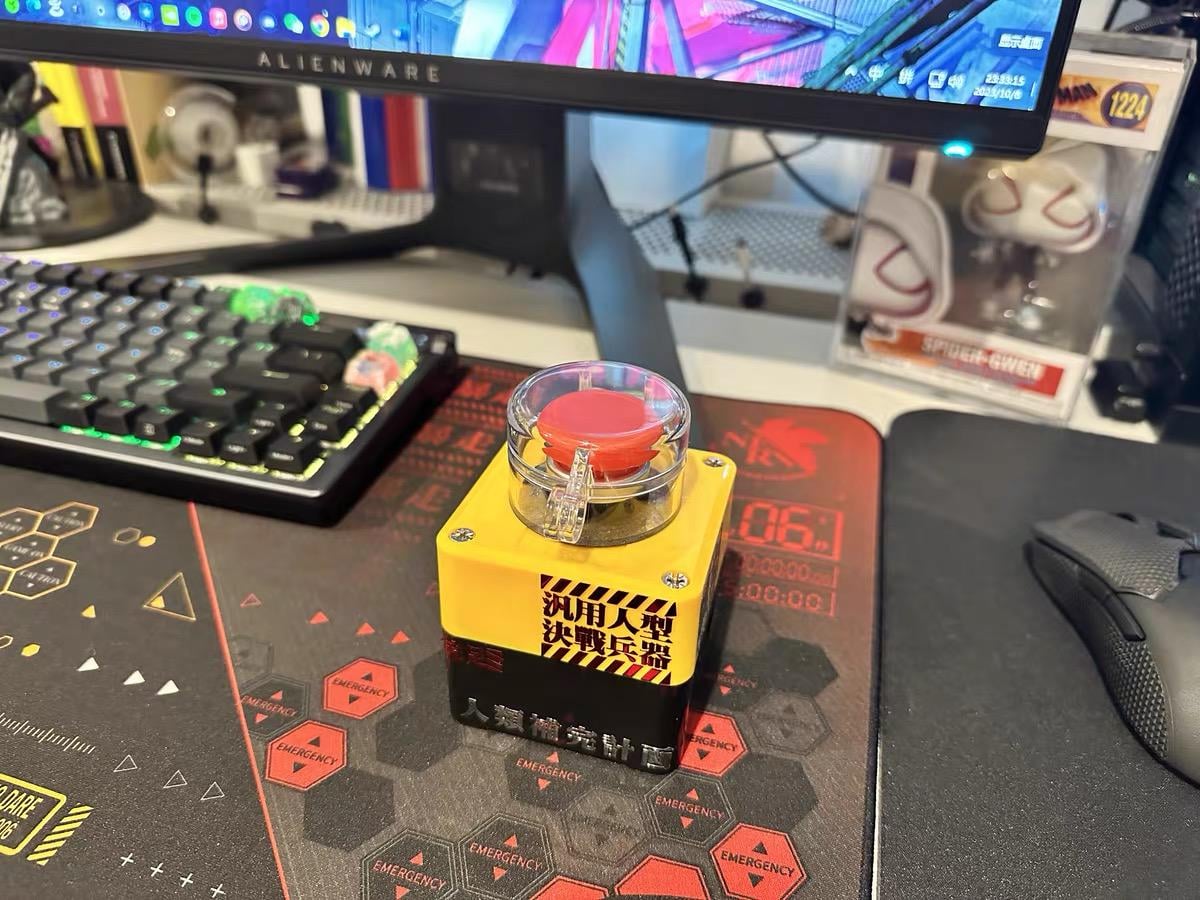
Now I don’t have to crawl under the desk to turn on my PC — and it kinda feels like launching a nuke every time I press the button.

Now I don’t have to crawl under the desk to turn on my PC — and it kinda feels like launching a nuke every time I press the button.
17 Comments
I recently added a little gadget to my setup — a wireless switch to turn my PC on and off.
Compared to the wired one, it really helps keep the desk cleaner.
What kind of external power switch do you guys use?
Wait ya’ll turn your computer off?

Neat! I love both it and the Eva mousepad.
Or you could do 3 clicks and hit start, shutdown, yes? Lol. Cool though
Shinji, turn on the computer.
Love the Eva desk mat
My friend has a car key fob to turn his PC on, best 25$ I ever spent on someone’s build. Makes him giggle every time.
Certified cat-proof.
This immediately reminded me of that video where someone asks if you’d kill a coworker for X amount of dollars and 1 pushes without hesitation, then follows it up several more times. Funny little clip.
as a huge evangelion nerd, where can i get that?
Looks more like a reset button to me lol
My last computer I broke the button so I just pulled the wires out of the case.
You pressed the bare wires together to push the power button.
Before that I had a screwdriver I’d short the contacts with.
Please tell me your system is not N2 Powered
Where to buy this?
Actually, isn’t that an Emergency Stop Button? You need one of the fast and furious type buttons that you flip open and turn on an LED light then flip open another one and press it.
Just hibernate or sleep then just tap the keyboard.