Use like keyboard manager or download a software to reassign another key as your “A” as temporary measure.
sabrefayne
thts wful
Pearcinator
Zoolander over here, can’t strafe left.
reirone
Don’t tell my breaky A-key heart.
csch1992
here is a free A for you
TheLordReaver
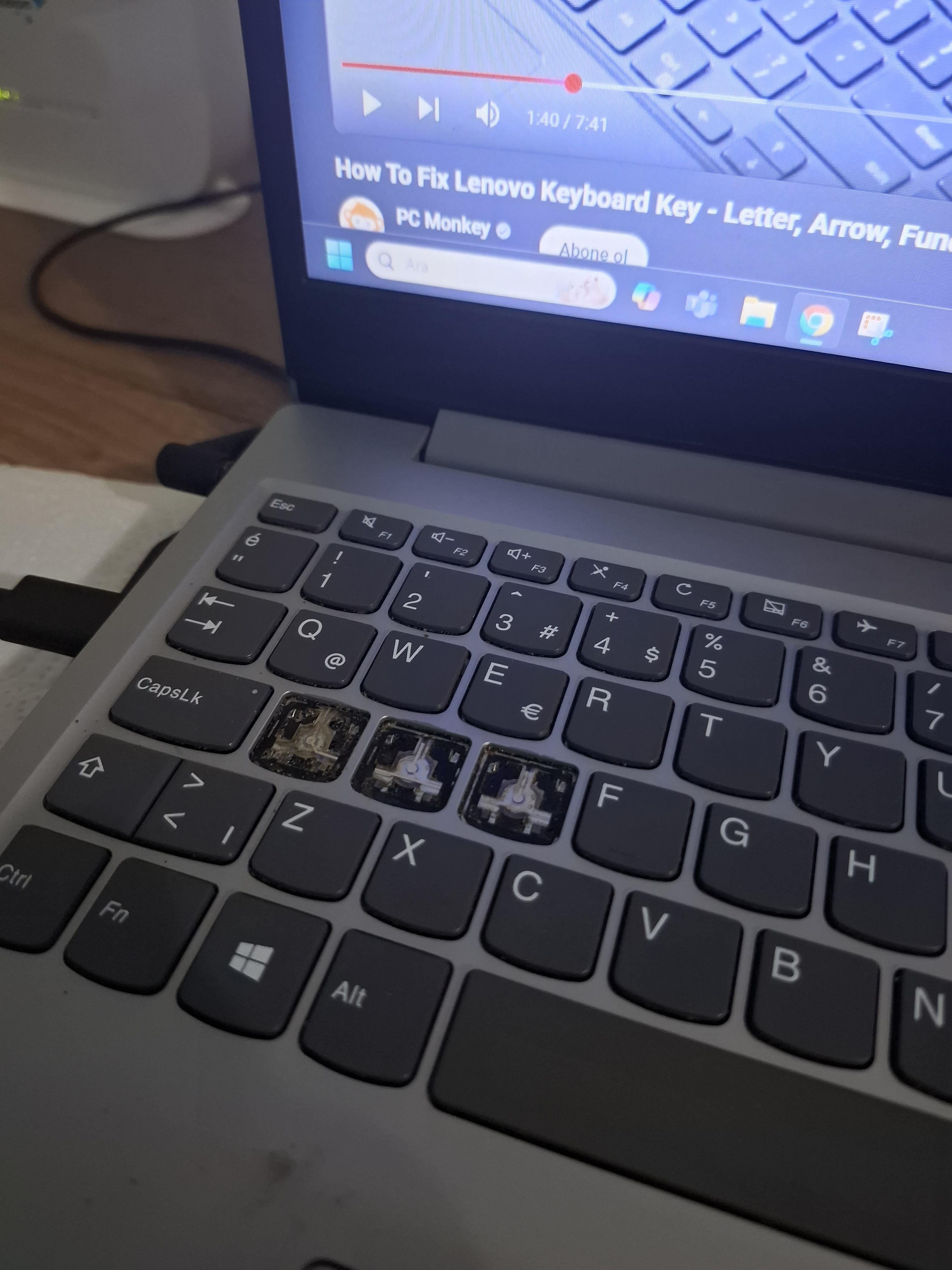
You can buy replacement keys for less than $10 a key. You literally just clip them back into place (there’s a slight bit of technique to it, but that’s the gist of it). The hooks that hold them on don’t look damaged at all, from what I can see.
iLikeDucks72
And ofc it’s a cheap budget lenovo.
Trumppbuh
Perfect TF2 pyro setup
Underhill
Don’t go showing off your bare A-hole like that.
MaatRolo
I got some bad news for you about the SD keys as well.
Training-Cobbler7124
Lenovo keyboards are literally shit 😭, had the same thing with my Lenovo laptop.
venk
Do you have something against walking forward?
AkwardAA
Is that a lenovo?
MaximumAdagio
No going back now!
05-nery
Well it’s not the only one
HugonaughtX
Depending on the model, keyboards can be replaced ranging from: DIRT cheap and take minutes to perform; all the way to requiring specialized tools and merit replacing the laptop OR just using an external keyboard.
What model is it(label on the bottom, generally a square or rectangle and has the specific model code on it)?

25 Comments
How did it happen, did it just come off without pulling on it?
Classic lenovo keyboard. Just buy & install (through repair shop probably, it’s a lot of work) a new one (or get a new laptop).
That’s quite *sad* — and you can’t even type that.
Use the force Luke..
https://preview.redd.it/b2l2f6mdv00f1.jpeg?width=2296&format=pjpg&auto=webp&s=47e631e8b47662c18e6560f303a5b8734b6380d4
I see the “W” is unscathed.
Thankfully as A is a very common letter you can just copy and paste… Although incredibly inconvenient
In the case of gaming, looks like you’re gonna have to get used to an awkward key bind 😂
https://preview.redd.it/v035uuyxz00f1.jpeg?width=3060&format=pjpg&auto=webp&s=6f21c4cd9224cb909385dd3ae3971d23068242fe
You’ll never guess how I repaired it
You can use On Screen Keyboard everytime
Or
Use like keyboard manager or download a software to reassign another key as your “A” as temporary measure.
thts wful
Zoolander over here, can’t strafe left.
Don’t tell my breaky A-key heart.
here is a free A for you
You can buy replacement keys for less than $10 a key. You literally just clip them back into place (there’s a slight bit of technique to it, but that’s the gist of it). The hooks that hold them on don’t look damaged at all, from what I can see.
And ofc it’s a cheap budget lenovo.
Perfect TF2 pyro setup
Don’t go showing off your bare A-hole like that.
I got some bad news for you about the SD keys as well.
Lenovo keyboards are literally shit 😭, had the same thing with my Lenovo laptop.
Do you have something against walking forward?
Is that a lenovo?
No going back now!
Well it’s not the only one
Depending on the model, keyboards can be replaced ranging from: DIRT cheap and take minutes to perform; all the way to requiring specialized tools and merit replacing the laptop OR just using an external keyboard.
What model is it(label on the bottom, generally a square or rectangle and has the specific model code on it)?
Here let me help you: Aa
I will throw a local extra: Ññ