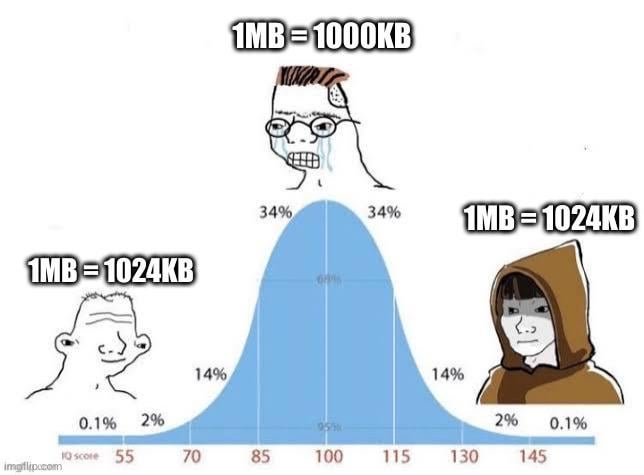
1 mebibyte is 1024 kibibytes. 1 megabyte is 1000 kilobytes. They are different.
However, Windows loves showing 1 terabyte as 931.32 gibibytes instead of 1000 gigabytes which is very annoying.
jokerswild97
Once upon a time…. There were two ideologically opposed factions.
On one side were the engineers and technicians. They understood computers and liked binary. So they claimed that 1KB = 1024 B.
The other side was the evil marketing teams. They were confused and scared of technology, but still wanted to make money from it. They noticed that when numbers got up into the GB and higher range, there was a noticeable difference in the sizes if you used 1000 instead of 1024. So in order to scrap a few extra pennies out of others, they decided that 1KB = 1000B.
This “cold war” continued on for decades, with technical people plugging in a 1TB drive and wondering why they were missing dozens of GB, while the marketing team had final say in advertising said drives.
Finally, one day, someone decided to end the argument, by coming up with a new suffex – “bibyte”.
These new words – mebibyte, kibibyte, gibibyte, tibibyte…. These all had solid, irrefutable meanings to the technicians and engineers who fought so long and hard with the evil marketing teams.
A tentative peace was reached…. For now.
firedrakes
its half standards and never really applied.
look at hdr…. 99% of display cant hit the standard for it. now there bs the term hdr which is very sad
nekrovulpes
Now somebody tell internet service providers about mbps and mb/s
anndrey93
I love when people are YAPPING about the size and binary and stuff.
The truth is in manufacturers. They do not build drives on binary they usually put literarly 1000204886016 cells of bytes.
The true 1 TB on hard drives is 1,099,511,627,776 in binary to show 1TB hard drive. But is not actually true because OS in the way that they function with boot sectors and file systems (like NTFS, ext4 etc.) they just chew space to make the system run very fast.
If there is no file system CPU does not know what bytes to use so he assumes to use the first bytes from HDD until it matches which will take a few days if not months until it finds a match.
SosseTurner
Never heard of binary prefixes? 1 mega-“something” (metre, kilo, byte, whatever) is 1000 kilo of that, that’s decimal prefixes.
What you look for are binary prefixes, afaik used only for storage sizes, so 1MiB (Mibibyte) is 2^20 Byte, or 1024KiB Kibibyte.
Windows just displays binary measurements with decimal prefixes, Linux or MacOS on the other hand show the correct sizes.
vladi963
Because 1TB looks better than 931GB on the box of the product you buy. It’s manufacturers who misleading customers.
MaffinLP
1MB = 1000kB
1MiB = 1024kiB
We have these different units for a reason
7h3_man
Me when I buy a 1 tb ssd and file explorer says it’s 938gb : 🤨
Julian679
“What do you mean it’s 931 GB?!”
Thats not 1000 vs 1024 question, its about reserve sectors

10 Comments
1 mebibyte is 1024 kibibytes. 1 megabyte is 1000 kilobytes. They are different.
However, Windows loves showing 1 terabyte as 931.32 gibibytes instead of 1000 gigabytes which is very annoying.
Once upon a time…. There were two ideologically opposed factions.
On one side were the engineers and technicians. They understood computers and liked binary. So they claimed that 1KB = 1024 B.
The other side was the evil marketing teams. They were confused and scared of technology, but still wanted to make money from it. They noticed that when numbers got up into the GB and higher range, there was a noticeable difference in the sizes if you used 1000 instead of 1024. So in order to scrap a few extra pennies out of others, they decided that 1KB = 1000B.
This “cold war” continued on for decades, with technical people plugging in a 1TB drive and wondering why they were missing dozens of GB, while the marketing team had final say in advertising said drives.
Finally, one day, someone decided to end the argument, by coming up with a new suffex – “bibyte”.
These new words – mebibyte, kibibyte, gibibyte, tibibyte…. These all had solid, irrefutable meanings to the technicians and engineers who fought so long and hard with the evil marketing teams.
A tentative peace was reached…. For now.
its half standards and never really applied.
look at hdr…. 99% of display cant hit the standard for it. now there bs the term hdr which is very sad
Now somebody tell internet service providers about mbps and mb/s
I love when people are YAPPING about the size and binary and stuff.
The truth is in manufacturers. They do not build drives on binary they usually put literarly 1000204886016 cells of bytes.
The true 1 TB on hard drives is 1,099,511,627,776 in binary to show 1TB hard drive. But is not actually true because OS in the way that they function with boot sectors and file systems (like NTFS, ext4 etc.) they just chew space to make the system run very fast.
If there is no file system CPU does not know what bytes to use so he assumes to use the first bytes from HDD until it matches which will take a few days if not months until it finds a match.
Never heard of binary prefixes? 1 mega-“something” (metre, kilo, byte, whatever) is 1000 kilo of that, that’s decimal prefixes.
What you look for are binary prefixes, afaik used only for storage sizes, so 1MiB (Mibibyte) is 2^20 Byte, or 1024KiB Kibibyte.
Windows just displays binary measurements with decimal prefixes, Linux or MacOS on the other hand show the correct sizes.
Because 1TB looks better than 931GB on the box of the product you buy. It’s manufacturers who misleading customers.
1MB = 1000kB
1MiB = 1024kiB
We have these different units for a reason
Me when I buy a 1 tb ssd and file explorer says it’s 938gb : 🤨
“What do you mean it’s 931 GB?!”
Thats not 1000 vs 1024 question, its about reserve sectors