
So, with your help, and some reading, I now know just enough to be dangerous. That's growth, right?
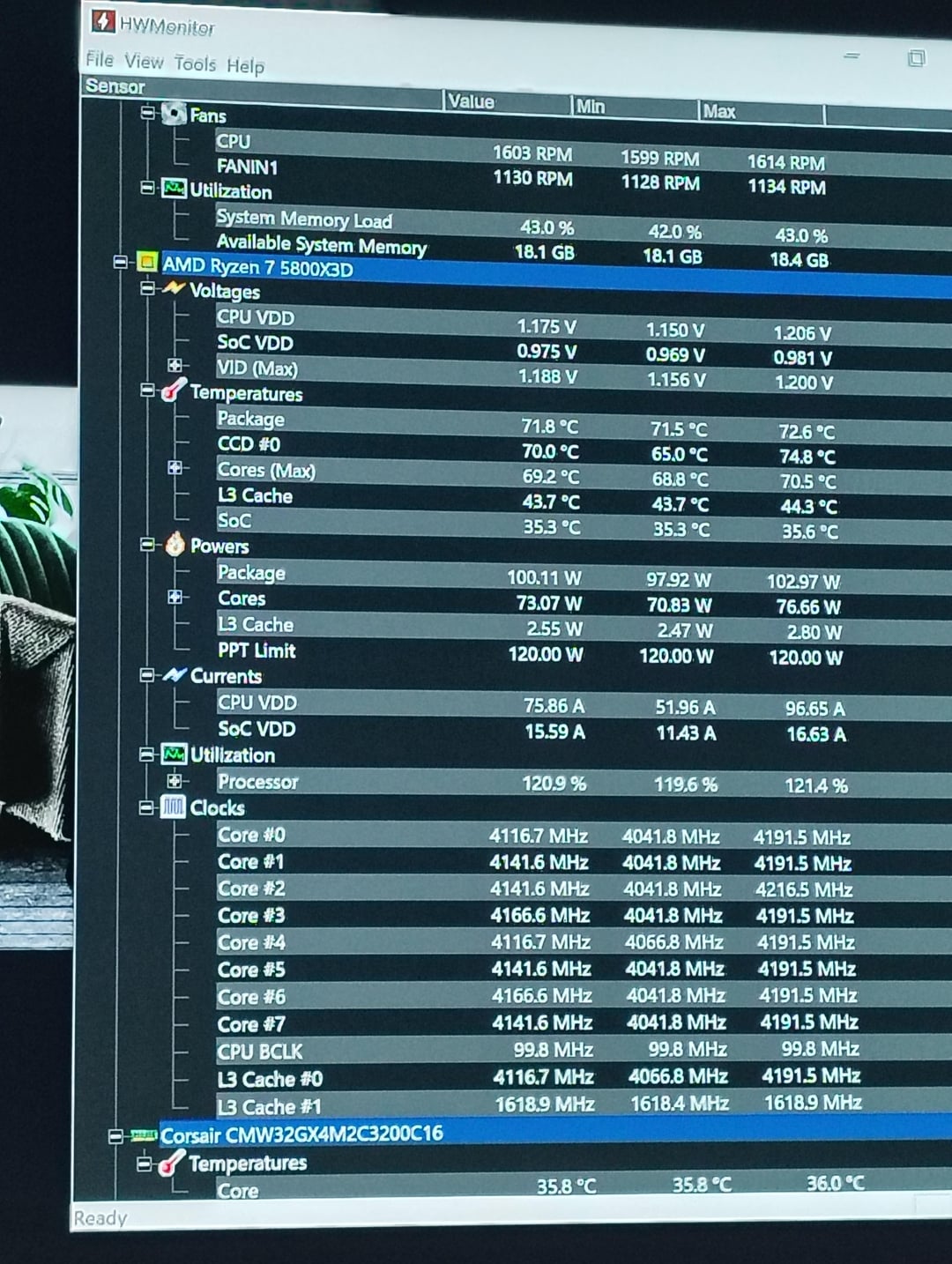
Since yesterday I've been able to fix the capping and wild changes in frequency. Slower changes in HWmonitor means more stability, right? Issue is that the stability I have is between 4.06 and 4.2, mostly hovering in the area of 4.12. So, that doesn't seem great.
Most of you said to use PBO2, and I will. But first I'm trying to learn the tools that we have in the bios. Then I'll use the tool. One of you said only use the CO. I'm not clear on why yet. Because I could overheat and cause damage to the chip?
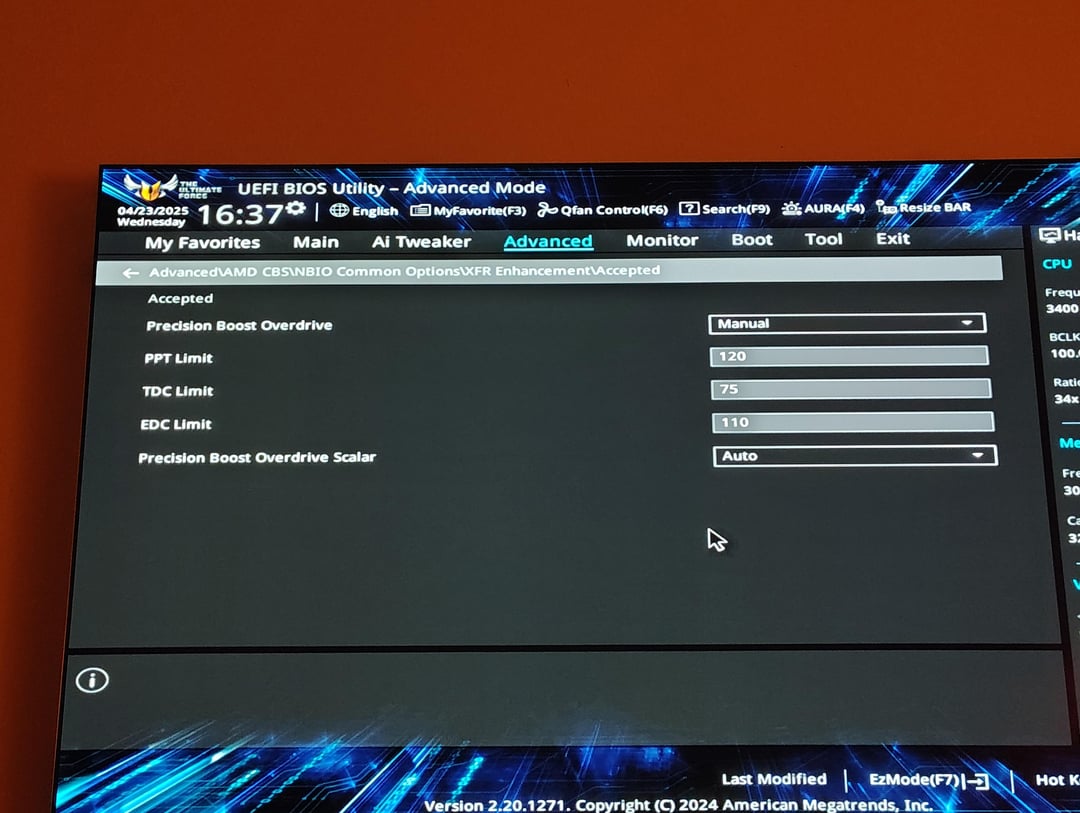
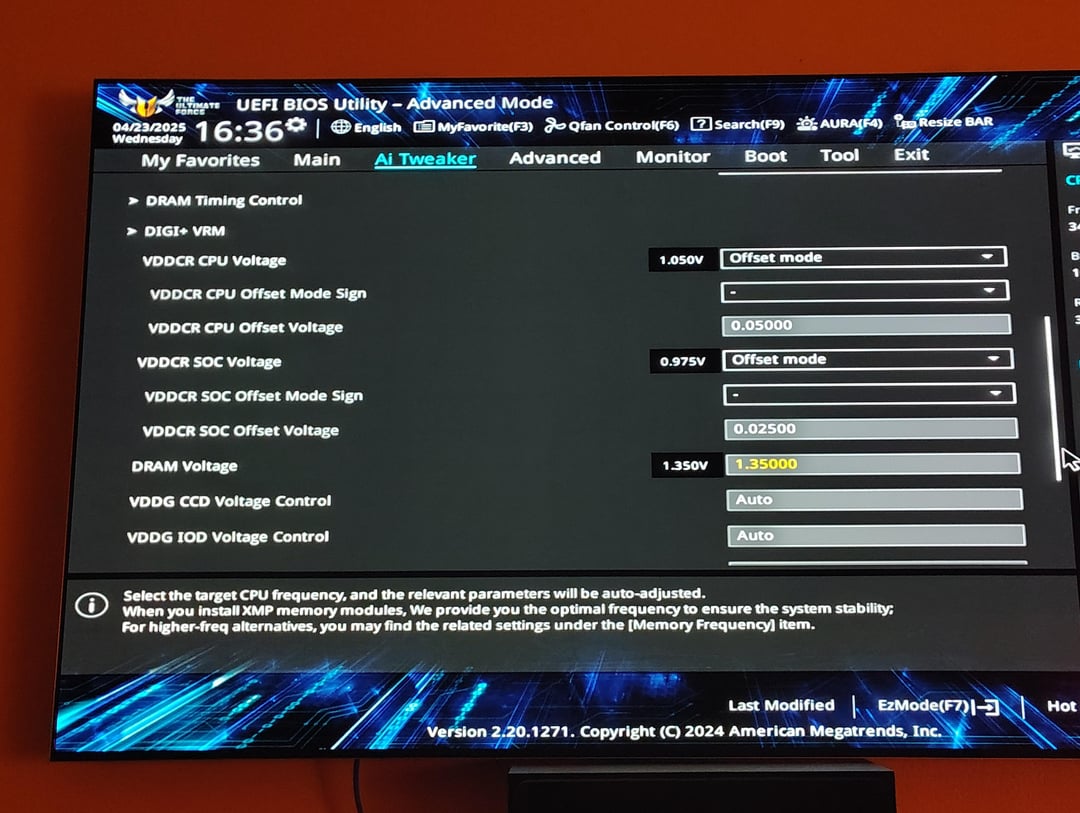
So what I've done with my newfound limited knowledge(see photos) is make adjustments to vddcr CPU and SoC. Small adjustment to SoC, because I'm worried the RAM will become unstable. That ram is a whole different post… I've also made adjustments to PPT, TDC, and EDC. I'm sort of clear on what these do, but not how much an offset I should expect to get before I get problems. Right now no matter what I do, I'm not seeing any real changes in speed. But 75 degrees max seems like it's a good thing.
Can any of you help me with if there's another setting somewhere I should be looking to learn about, or if I should make drastic changes somewhere? I do realize I'll have to undo all of this before I even download lead oxide. But, I feel like the time is worth the knowledge.
TL;DR: made some advanced since yesterday, but I think I've hit the wall with the GHz too low. I'm trying to learn the bios before moving on to PBO2.
Thanks again.
1 Comment
Try 122 PPT, 82 TDC, 124 EDC.
If you have curve optimizer in your bios, Typically best performance is -30 on all cores except your best ones, those you want -25. You can start at -10 all core & work your way down, the lowest it can go is -30. Corecycler AVX2 test can help weed out any instability with the cores, just keep an eye on temperatures when it comes to tuning CO. Ryzen Master will identify your best cores.
What’s your CPU cooler?