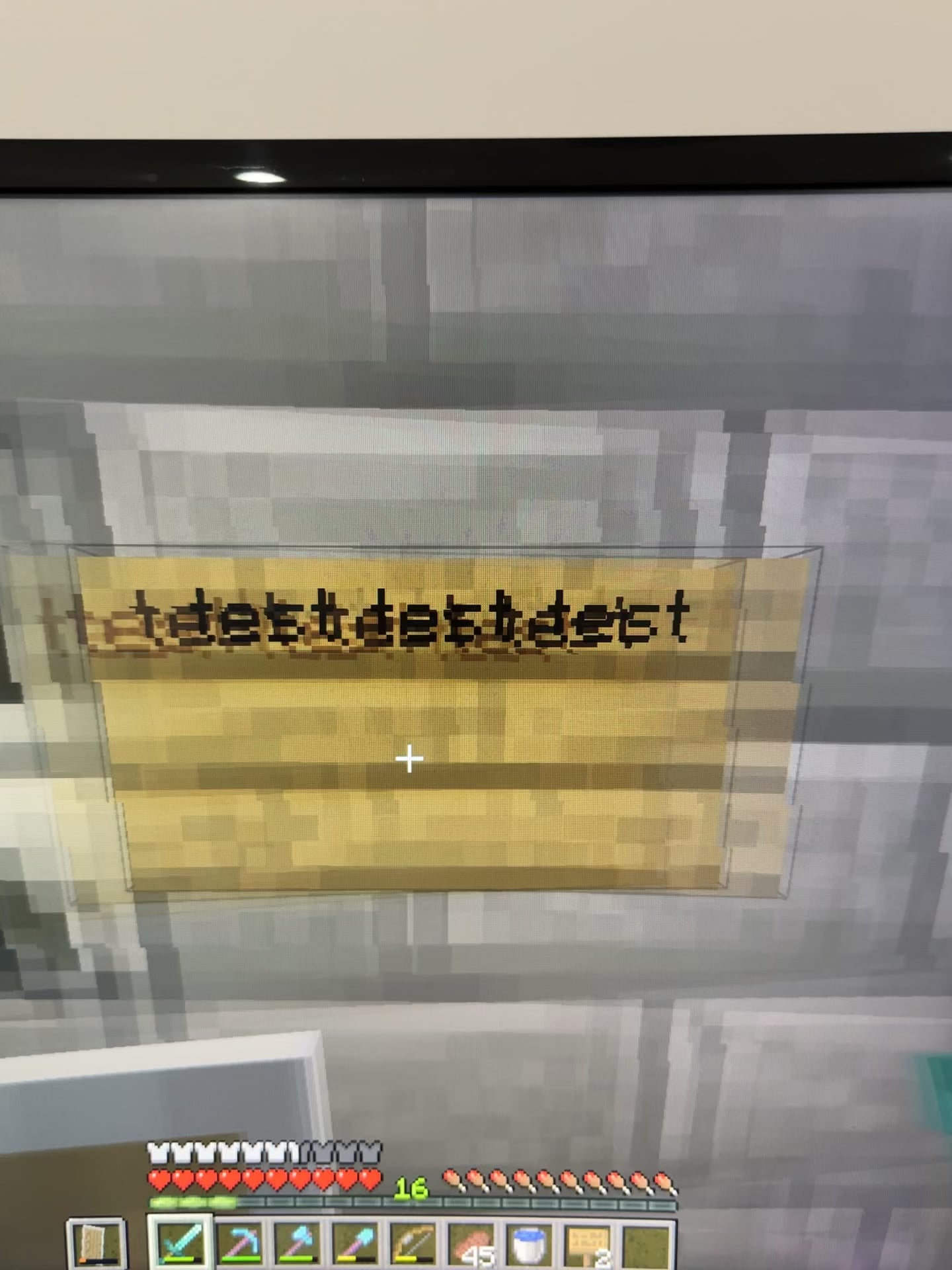
It’s most noticeable on Minecraft signs but it does it with a lot of black colors. I know it’s a monitor issue because my second monitor does not do this

It’s most noticeable on Minecraft signs but it does it with a lot of black colors. I know it’s a monitor issue because my second monitor does not do this
33 Comments
Black smearing. Happens with lower quality VA panels. If you have TN/IPS then I have no idea
response time is the term
not sure on the why, I’ve always just assumed anything with a crap response time is a crap monitor.
That’s the magic of a VA panel. Good contrast and deeper blacks compared to IPS, but… well, that.
If you don’t like it, you should look for an IPS or (really expensive) OLED monitor.
That’s exactly why I swapped off a 100 dollar VA…into a QD-OLED. (It was only 399 though) The smearing drives me nuts but your other monitor is probably IPS which negates that.
Only way to entirely avoid that is by using an IPS monitor (but they will have bad blacks and are prone to showing backlight bleed) or an OLED monitor (more expensive and will eventually burn out before an equal equality IPS).
Id list exactly what monitor you have
I also have a nasty VA monitor. I use color settings that basically wash the colours and contrast out of the screen making it smear way less.
Get an IPS monitor or preferably an OLED.
Clearly VA panel. If it’s cheap VA panel – nothing you can do. If it’s “better” VA panel – try adjusting black levels (by lowering it). My good old Samsung G7, which some folks say had the best VA panel on the market had the same issue. The guy I bought it from had some crazy settings, that’s all 😀
Slow VA panel
Cheap monitor. Try to enable overdrive or smth in the monitor settings menu
Sometimes you can set you monitor on gaming mode on the cheaper panels, you can try that before you buy another monitor
Umm interesting might be a hardware issue
Good news is, the 2nd monitor doesn’t do it! Could you play on that when necessary til you can upgrade displays?
My friend recently had this problem with a va panel. Turns out it was the display port cable. Try to replace the cable and see if it improves anything
Black is not a color.
check if there’s a setting in your monitor that is similar to response time. my cheap monitor does this too when the setting sets to High. I put response time to low and it’s gone
Shitty G2G. Nothing wrong with your monitor it’s just shitty and probably old.
Black crush, black smearing, inverse ghosting, response time.
Four horseman of VA panels, should be left 4 dead in 2025 together with TN
VA Panel
Mine does the same thing.
If I change the response time from fastest to faster, I can hardly notice it, fast I can’t notice it. I have a Samsung VA monitor.
https://i.redd.it/u2rlrbwhtque1.gif
VA versus IPS 🙂
monitor overdrive set to maximum?
Low end VA. That monitor is trash. High end VA with mini LED is good, this aint it.
welcome to VA panels mine has pretty bad smearing too but its high enough refreshrate to not notice immediately
you might be able to improve that by increasing the overdrive setting.
Ips or va?
Check over drive settings in monitor menu
Va sucks, get ips or oled
Not sure if your monitor has a feature like this but ensure all overdrive settings on the monitor are not set to their highest setting
Overdriving an LCD to reach faster response times can introduce inverse ghosting which looks like what you see here.
I wuould reset the panel to default settings and see if it continues
is your monitor settings response time on low? the monitors try to prevent ghosting and instead does all kind of shit like this.
Step 1: Buy the cheapest monitor you can find
Step 2: notice quality issues
Step 3: ???
Step 4: Complain
Temu monitor