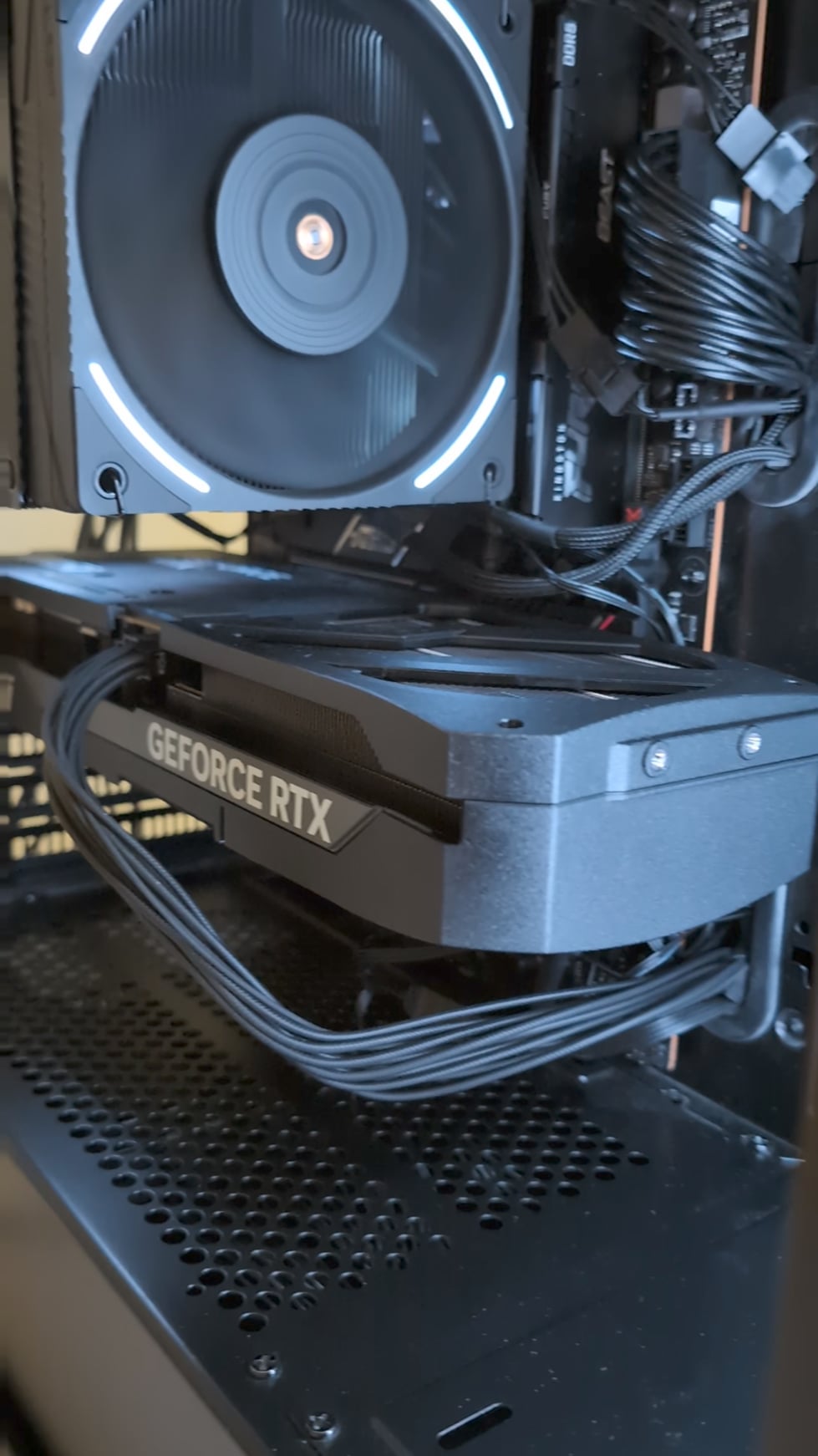
Coil whine is vibration in the power circuitry, so changing that vibration by dampening with a finger can absolutely make a difference. That being said, the noise could also be vibration coming from something else, a dodgy fan for example.
Salted_Cola
Maaaybe some slight magnetism or static current escaping through your body? Try grounding the card with a small wire and see if it persists by taping it to the backplate and a ground like maybe the case?
Izan_TM
not necessarily just coil whine, your entire GPU is resonating at a certain frequency, which could be caused by the fans or coil whine, it’s essentially acting like an acoustic guitar would, amplifying a small sound into a much louder one
putting your finger on it changes the resonant frequency of the GPU, making the sound much quieter
Cheap-Mistake-827
Clean the fans, its most common reason for sound like that
azicre
The coil now feels appreciated by your touch and has no more reason to whine until you start taking the coil for granted again!
Because any noise is vibration at a certain frequency. Change it or the resonance frequency of the thing, and it changes the sound or stop
gamermusclevideos
I think this is just something on the GPU or PC that is causing part of the GPU plastic or maybe PCI port bracket to resonate- the sound or resonance could even be some other place entirely on pc just touching GPU changes the resonant frequency for it to stop.
Coil whine I guess could do that but its normally super high frequency and often changes around at different loads so from my experience would be unlikely to cause a consistent relatively low vibration sound.
also this does not sound like any coil whine I have ever heard.
I bet its just GPU / Case fans happaning to cause the resonense frequency and the socket is slighty lose and hence when you put presure on it or use the bracket it stops the vibration.
If it were me 25+ years of dealing with computers id not worry about it. ( use the bracket / anti sag to stop it though as you generally don’t want a gpu or stuff in pc vibrating lol.
Interesting side point about resonance I do simracing and have tactile transducers and its quit interesting how hyper specific frequencies can cause things to vibrate litrally meters away from a transducer changing frequencies can also move vibrations around on a seat for example due to different resonent frequencies of parts of a seat.
Nutznamer
So many people using the thermalright phantom spirit 120evo like me haha nice one
johndue007
It’s just vibration of the card, your support stopped it, was more of a rattling noise
Armgoth
Slap something absorbant as a sag support and you are good. Helped me a lot with 2080.
ConstitutionDefense
My MSI 2070 did the same thing on the back fan, closest to the display ports. The fans lube wasn’t enough or has dried up, whatever kind MSI used.
I am mechanically inclined.
* I took the cover _of_ the heatsink off which has the fans attached.
* took the fans off.
* safely took the fan off of its sleeve bearing.
* added red’n’tacky lube/grease to the shaft of the bearing and put a negligible amount into the sleeve.
* re-assembled.
Been running for 2 years no problem! Plus gave me a good chance to dust off the heatsink with a dry rag.
asdfghqwertz1
Hmm it could be. Can’t really put my finger on it
Damonlord54
Maybe its likes to be fingerd?
Julian679
Sounds like plastic shroud rattling a bit
RussianPlug
She likes to be touched
ciseri
coil whine sound is sharp and high pitch. yours is not coil whine. it comes from vibration of something. maybe loose fan etc.
SumonaFlorence
Fucks sake what is with all these comments…
Does this happen when the fans AREN’T spinning? If not, then it’s just some loose piece of plastic of sorts, or your fan is slightly imbalanced.
Just prop the card up with a stand and the sound will go away.

18 Comments
Coil whine is vibration in the power circuitry, so changing that vibration by dampening with a finger can absolutely make a difference. That being said, the noise could also be vibration coming from something else, a dodgy fan for example.
Maaaybe some slight magnetism or static current escaping through your body? Try grounding the card with a small wire and see if it persists by taping it to the backplate and a ground like maybe the case?
not necessarily just coil whine, your entire GPU is resonating at a certain frequency, which could be caused by the fans or coil whine, it’s essentially acting like an acoustic guitar would, amplifying a small sound into a much louder one
putting your finger on it changes the resonant frequency of the GPU, making the sound much quieter
Clean the fans, its most common reason for sound like that
The coil now feels appreciated by your touch and has no more reason to whine until you start taking the coil for granted again!
Maybe it’s coil whine. Maybe it’s [something else](https://static.wikia.nocookie.net/interstate76/images/d/d6/Taurus_Poem_3.ogg/revision/latest?cb=20100303110210).
Because any noise is vibration at a certain frequency. Change it or the resonance frequency of the thing, and it changes the sound or stop
I think this is just something on the GPU or PC that is causing part of the GPU plastic or maybe PCI port bracket to resonate- the sound or resonance could even be some other place entirely on pc just touching GPU changes the resonant frequency for it to stop.
Coil whine I guess could do that but its normally super high frequency and often changes around at different loads so from my experience would be unlikely to cause a consistent relatively low vibration sound.
also this does not sound like any coil whine I have ever heard.
I bet its just GPU / Case fans happaning to cause the resonense frequency and the socket is slighty lose and hence when you put presure on it or use the bracket it stops the vibration.
If it were me 25+ years of dealing with computers id not worry about it. ( use the bracket / anti sag to stop it though as you generally don’t want a gpu or stuff in pc vibrating lol.
Interesting side point about resonance I do simracing and have tactile transducers and its quit interesting how hyper specific frequencies can cause things to vibrate litrally meters away from a transducer changing frequencies can also move vibrations around on a seat for example due to different resonent frequencies of parts of a seat.
So many people using the thermalright phantom spirit 120evo like me haha nice one
It’s just vibration of the card, your support stopped it, was more of a rattling noise
Slap something absorbant as a sag support and you are good. Helped me a lot with 2080.
My MSI 2070 did the same thing on the back fan, closest to the display ports. The fans lube wasn’t enough or has dried up, whatever kind MSI used.
I am mechanically inclined.
* I took the cover _of_ the heatsink off which has the fans attached.
* took the fans off.
* safely took the fan off of its sleeve bearing.
* added red’n’tacky lube/grease to the shaft of the bearing and put a negligible amount into the sleeve.
* re-assembled.
Been running for 2 years no problem! Plus gave me a good chance to dust off the heatsink with a dry rag.
Hmm it could be. Can’t really put my finger on it
Maybe its likes to be fingerd?
Sounds like plastic shroud rattling a bit
She likes to be touched
coil whine sound is sharp and high pitch. yours is not coil whine. it comes from vibration of something. maybe loose fan etc.
Fucks sake what is with all these comments…
Does this happen when the fans AREN’T spinning? If not, then it’s just some loose piece of plastic of sorts, or your fan is slightly imbalanced.
Just prop the card up with a stand and the sound will go away.
That is NOT coil whine.