
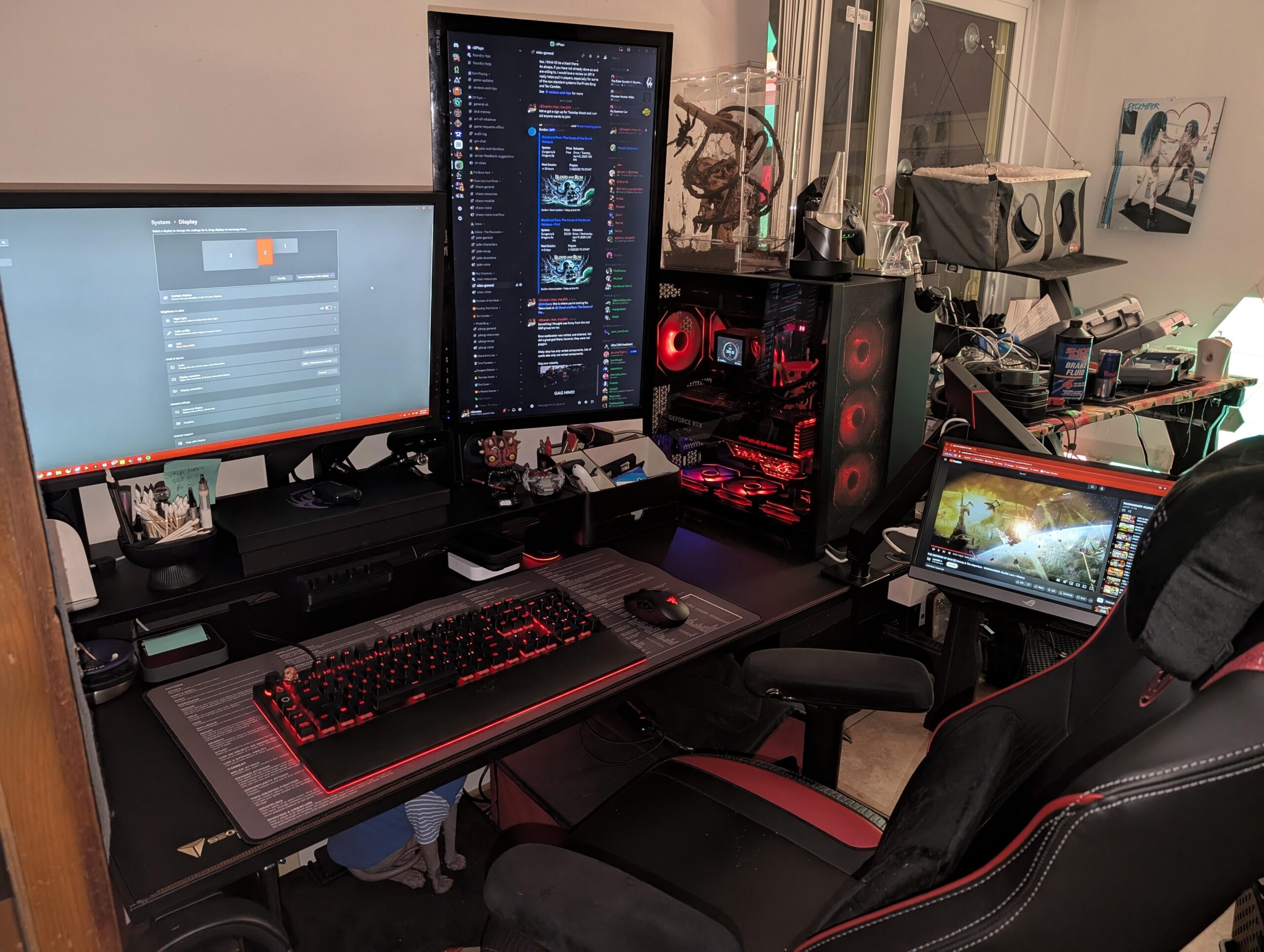
Since I picked up a new desk my space and organizational layout has vastly changed. I'm no longer able to fit my second monitor horizontally on the desk, and going to a vertical stack would require a lot of other reco figurations I'm just not willing to make.
The old Asus monitor I'm using here vertically has atrocious viewing angles – coupled with me being a pretty short dude, it's not a super great experience.
Any suggestions for a vertical monitor? Ideally I'd like a high density screen – HD and vertical is a godsend for programming – but refresh rate, HDR, brightness, all that is irrelevant as long as I can see it from a decent angle well.
5 Comments
im running a stacked monitor setup with my ultra wide on the bottom, the stand was like 60$ on amazon and has a black glass bottom which matches pretty nice with my setup, extremely easy to setup and take apaer
Dense like 4k 27”?
You can buy a vesa adjustable stand or arm so the bottom of your vertical monitor can be much lower
I would think about moving your desktop off the desk to start with. Then you can move your center monitor closer to the middle so your vertical monitor can go past the shelf and sit lower and closer to the desk surface. That alone should already with viewing angles. That or look at a slightly curved monitor to make all angles better.
That or go vertical. Secret Labs do sell a monitor arm bracket that allows up to 4 arms to be connected for stacking. Might intervene with the shelf not sure. Then again, you also see plenty of people mount that bracket to the shelf even to get even more height.
IPS and 1440p should do the job, avoid VA or curved.
I remember using a 34″ ultrawide vertical orientation and ultimately everything at the top was just too far that most of my windows were in the bottom half
i’m still not sure what to do with it, maybe convert it into a under-the-desk monitor/balance board