
Hello there!
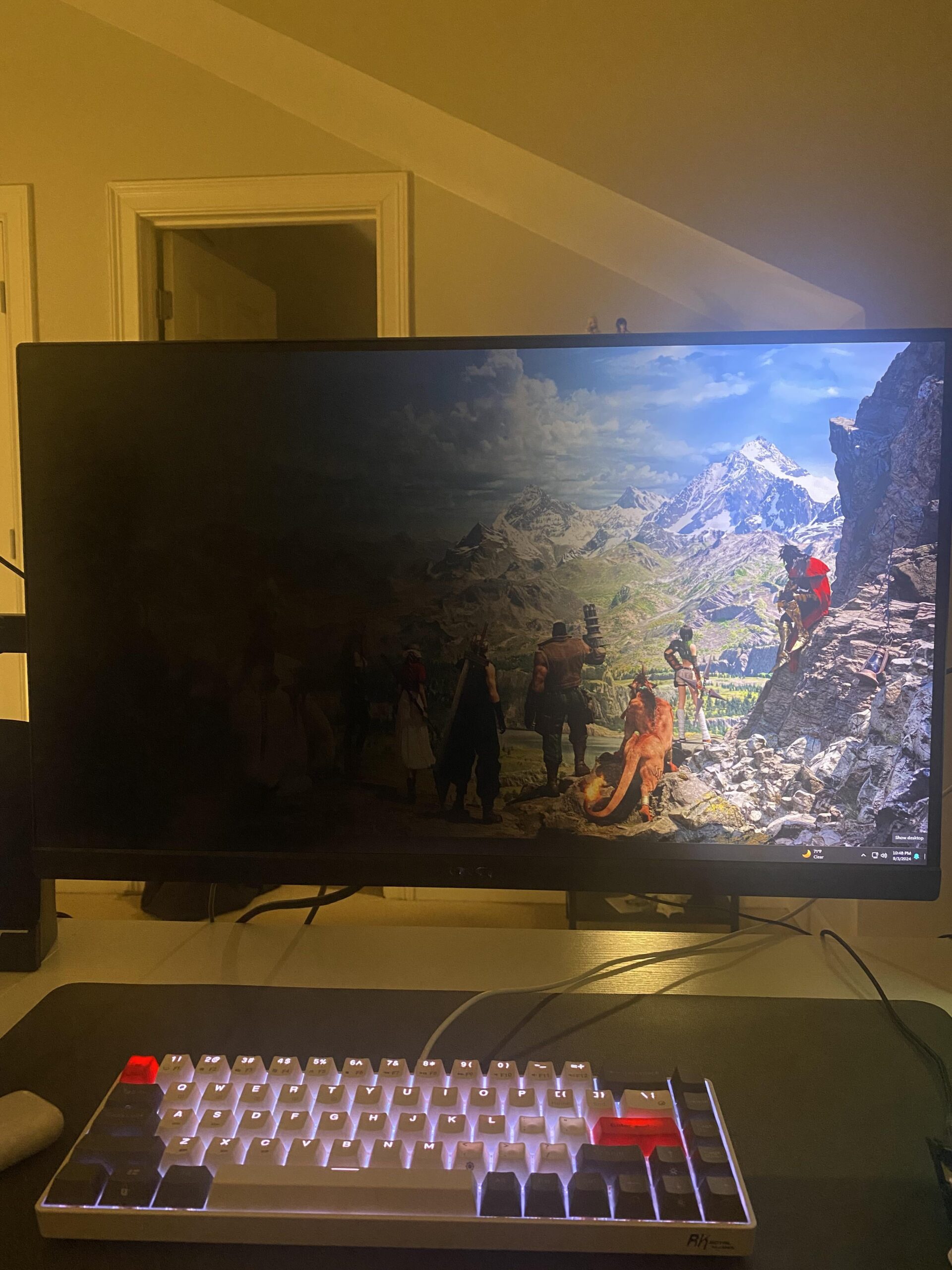
As the titles says, this is how my MSI Optix monitor now looks. This still happens on other inputs and I tried reconnecting the cables/trying new cables but still the same result. Had it for about 2.5 years now and the warranty has already expired. Is this monitor done for?
23 Comments
Could be a case for Percussion maintenance… for real tho, this looks like a bad/broken led backlight connection. Gently but somewhat forcefully hit your monitors frame on the dark/defective side from the frontside. If you are able to hit just the right spot it might come back to live again. No joke! Questition is how long this fix will last..
broken back light. turn it off an don. unplug from wall. power cycle.
pray the evil away.
https://preview.redd.it/203b12ajspmd1.jpeg?width=4128&format=pjpg&auto=webp&s=de6b7ca7d8cc9017c4e941ac78a9486f37c03a22
it sucks when that happens.
LG 2560×1080 has been going strong for 15 years
You’ve been listening to too much Metallica, it decided to Fade to Black.
Seriously though, it’s the backlighting on that one side. As someone else mentioned, you might have to do some tapping if you want to try and fix it without tearing it apart (or just getting a new one).
Give it a good smack on the back on the black side, up and down the border a few times. Otherwise unplug it and let it rest overnight. If it doesn’t recover you are cooked, and will need to replace the backlight or get a new one
Paint to black
“it’s not just a phase mom”
It’s a pain in the ass, but it’s replaceable.
Sadness. Same thing happened to my big 4k tv.
I’ll try what the others have said..
Could try to look into replacing the backlight or buy a new monitor.
I feel you, OP. Had to replace mine recently when half my monitor got green pixels over anything too bright. Best advice I can give is check for a used one nearby. I found a 240hz Samsung G4 for dirt cheap. Smaller than my previous but couldn’t pass up that deal.
Unironically this looks like a great wallpaper like this lmao
That why i dont buy asus msi or gigabyte monitors. They should only make motherboards and not monitors, but what do you expect from cheap second rang monitors there are so bad made, send it back and buy a new one
Could that be because smth is bugged with the pc driver? Go into device manager (if u didn’t do thst yet) and search for screen and then click on the small arrow next to screen and then right click on your screen and do “search for updates. (If u don’t know where my discord is oliver_1010, I’ll send u a video then)
i pray this happens to me so i can buy a new monitor
Half of your keyboard has disapeard too
It looks repairable. It’s probably the backlight.
It’s HDR now
Problem is you bought a crappy Monitor. No offense to you but invest in a decent brand one.
Did you turn that screen off while you were at work? You got a sleep time set up for it? Or does it just stay on? I turn mine off when I go to work. Most days I just turn my pc off entirely.
It happened 8 times on a 43inch Acer Monitor over 10 years.
I just unplug on the back like a mofo, unplug plug… made a grrrzzhhzh noise and it comes to life every time like nothing had happened.
Maybe you can try.
Tip it to the other side