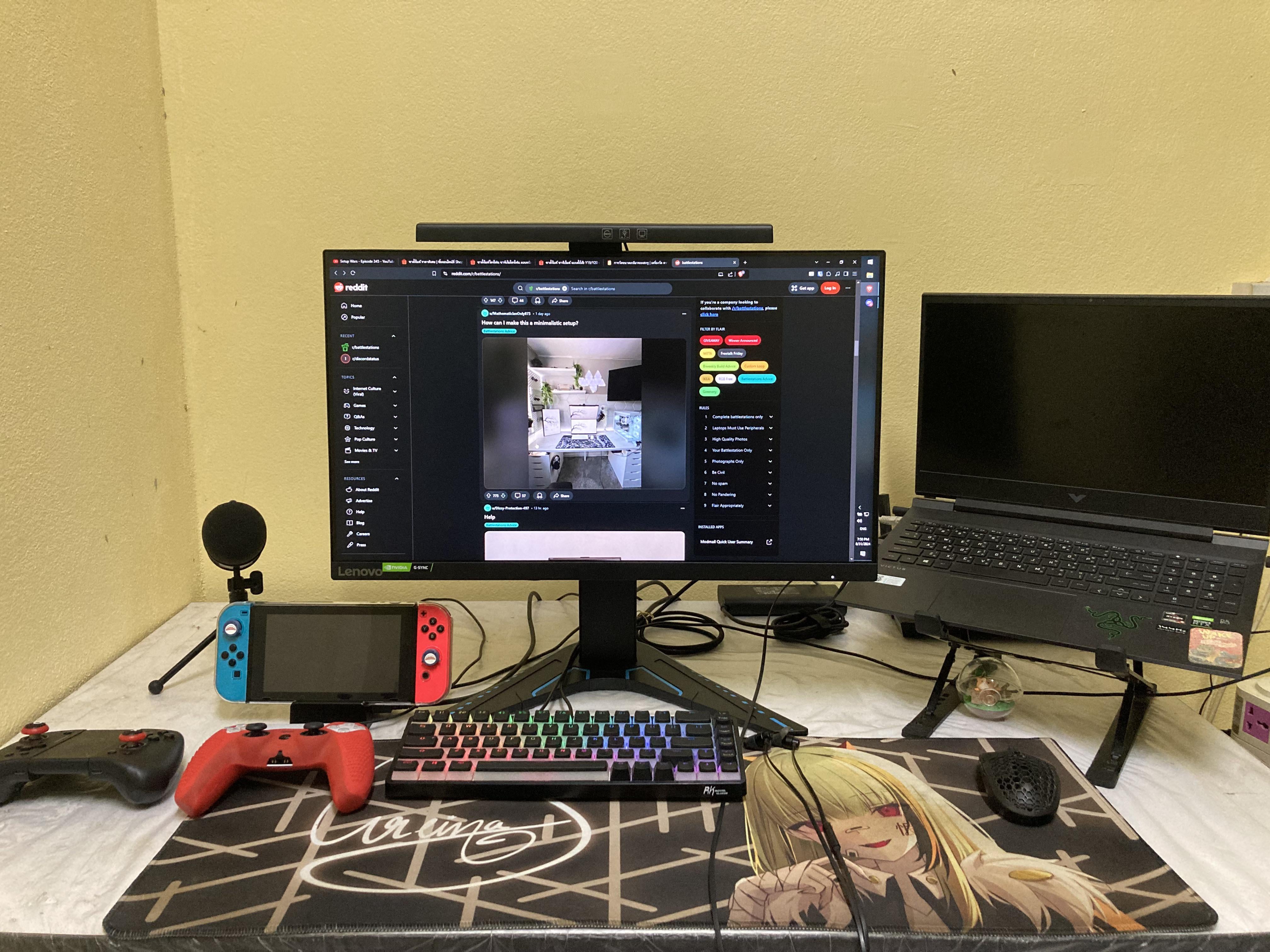
Cables I’m having trouble with are Switch’s power & HDMI, keyboard, headphones, controller, and display cable that is too long. It’s spooled behind the monitor stand. Any tips to manage these cables better?
by Different-Bat-4075

Cables I’m having trouble with are Switch’s power & HDMI, keyboard, headphones, controller, and display cable that is too long. It’s spooled behind the monitor stand. Any tips to manage these cables better?
by Different-Bat-4075
4 Comments
I want the same
Buy correct length cables or get a cable management box.
bundle every cable with a cable hose, then stick the endings on your desk with a Cable holder at the edge.
Get a monitor riser so you can hide or at least make your peripheral cables look cleaner. Also, get a monitor arm with a secondary arm for laptop tray. Also, an arm for your mic. I believe there are also mounts for the switch and controllers either on the wall with/out a peg board or under the desk.