
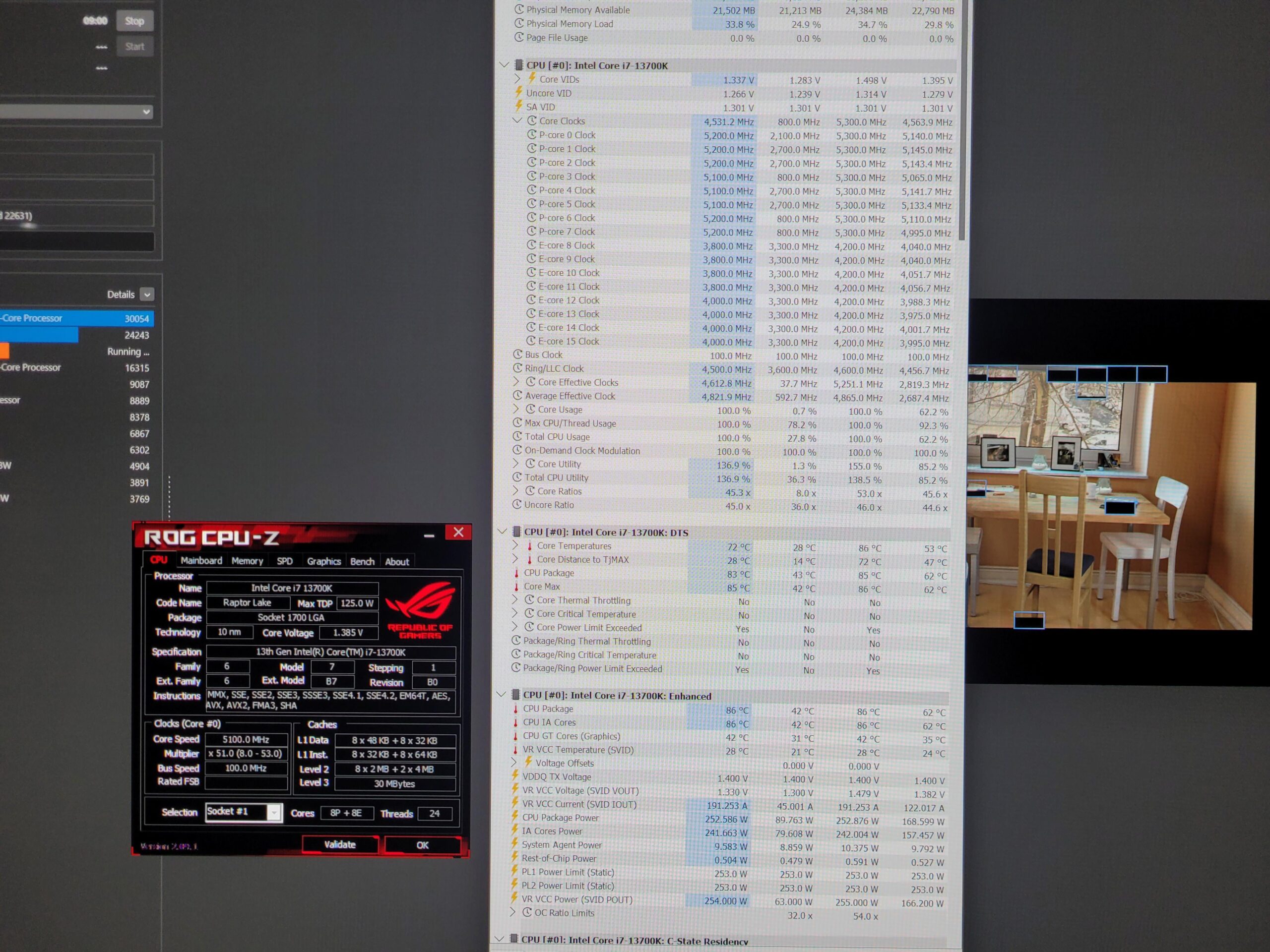
Hello, I have a question… the clocks are supposed to go to 5.3 in cinebenc R23, why is it at 5.1? In games I don't have any problems, it's at 5.3 but not in cinebench. I have the latest BIOS update 3802 (0x129) asus rog strix z690 F – 13700k – arctic freezer 3 black 360- 2x16GB gskill tridentz – asus rog thor 1200w asus – tuf 4090 lian li 216 rgb
These are my settings in BIOS:
•Erp s4 s5
•Resizonable bar / ON
•XMP / On
•Fast boot / disabled
•Asus multicore enchancem / disabled
•Advanced / Thermal configuration / Intel (R) dynamic tuning technology / ENABLED
•Advanced / Onboard Devices Configuration / GNA Device / ENABLED
2 Comments
Package power at ~253w and PL1/PL2 are 253w. Looks like it is power limited.
Def a power limit. Check your list of flags at “power limited”. And the fact that the TDP limits is 253W
You can improve this by undervolting or raising the power limit in the internal power management settings in the bios or over clocking software.
That being said, I still get down clocking in cinebench for some reason. AVX downclocking is disabled, and I don’t hit power or thermal limits.
But it isn’t nearly this much. The load line settings might be set to “Intel fail safe”, which just throws all kinds of voltage at the CPU. If you raise load line calibration, lower AC/DC load line to like 0.8mOhms or lower, then it can have a better time avoiding the TDP limits.