
Hi,
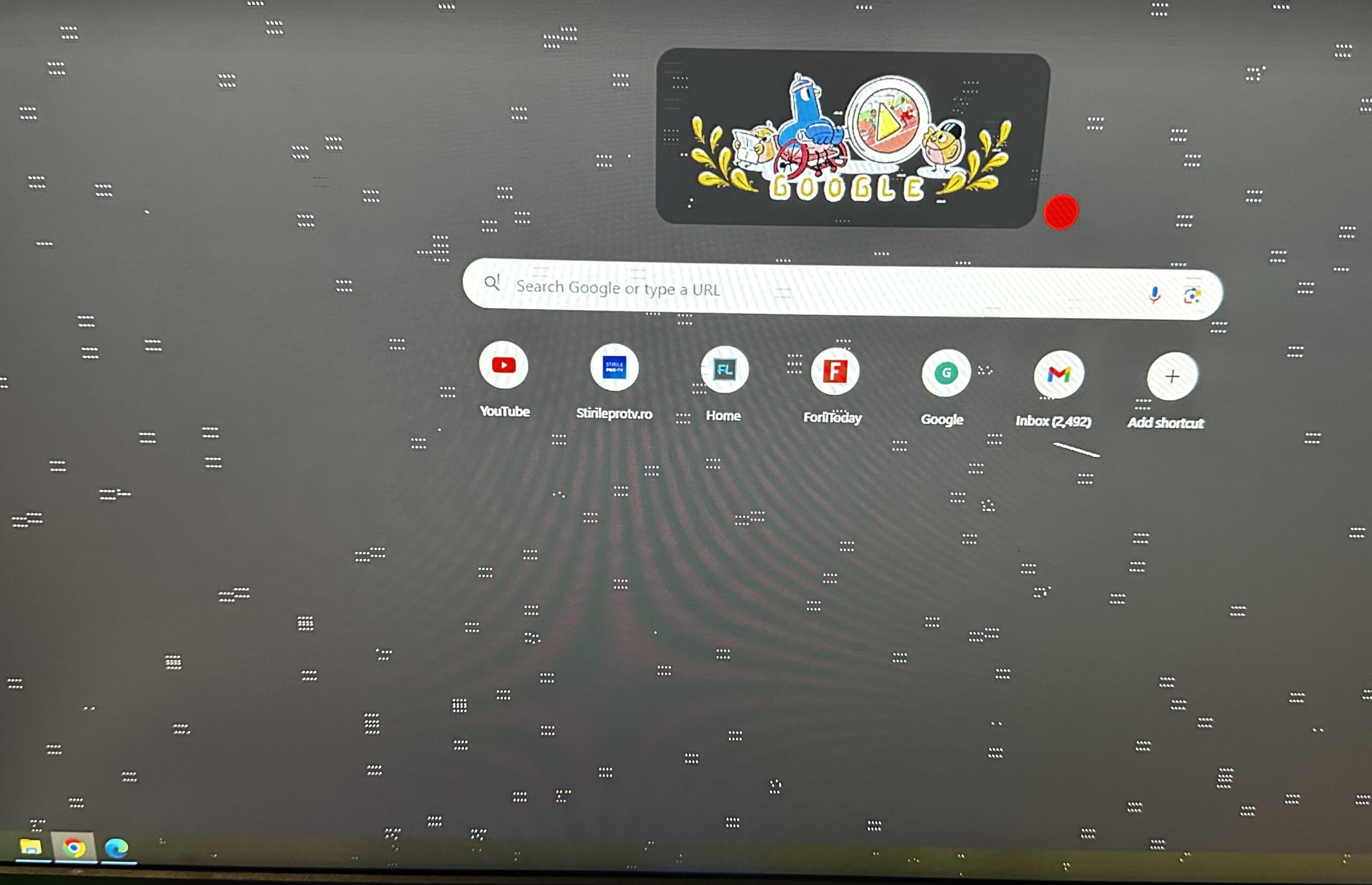
Few days ago these dynamic little fellas appeared on my screen, regardless of the application in use they move around and absolutely refuse to disappear.
Now, i’ve tried reinstalling the Windows, swapping monitor cable and updating any driver, unfortunately the dots persist on annoying me.
Does anyone have some useful advice?
15 Comments
Welp, you see, sometimes a GPU needs to go to the farm upstate to play with the rest of its friends
Bake GPU in oven 200c for 10 minutes until extra crispy

Your GPU
What’s your favourite planet OP? Is it Mercury?
You’re in denial bro, it’s dead. Besides the used market is flooded with good priced 3000 series card. It’s time to let it go.
Yeah, start looking for a GPU sense you’re too scared to toss it in the oven for a 10 minutes
Just buy another 1080ti if it runs your games fine. They’re cheap as hell. I still run mine but rampant consumerism will always tell you that you need go upgrade usually even when you don’t
Are you a teenager or something? It’s clearly dying.
*F to pay respects*
While I agree that it’s likely a dying GPU, you may as well rule out simple things like a loose/old cable. Swap your hdmi/displayport cable and see if it fixes it. Also may as well try re-seating the GPU and updating your graphics drivers. If it still persists after all of that, it probably is the GPU
Edit: Oh, you already did all that… Yeah, it’s likely the GPU.
It’s Joever
Your GPU is dying, i think i found this post on another thread with the same picture in it, GTX 1080Ti was a very good high end card back in the day and it could also beat some RTX series cards without needing an AI to upscaling or anything to boost fps
Trying to bake GPU might be optional but you seem to see it as gaslighting, even mryeester tried to bake a GPU which re-solders it with precautions might give it a try
Far as I know these means the GPU are dyin.
Tho I do wonder if this is usually caused by GPU Chip dyin or VRam?
Yeah i got advice for you. Go get a new one
Seems lots of people here have useful advice but It also seems you rather insult them