
Hello,
Let me first start off by saying that I am not an expert by any means. I know a little but not a lot so bare with me.
These are my current specs:
• Case: Lian Li PC-O11 Dynamic XL
• Fans: Lian Li Bora Digital Series RGB x10
• Motherboard: ASUS ROG STRIX Z790-F GAMING WIFI (running BIOS 2503)
• Processor: Intel Core i9-14900K
• RAM: G.Skill DDR5 Trident Z5 RGB 4x32GB (5000mhz)
• Graphics card: ASUS RTX 3090 TUF GAMING OC
• Cooler: Arctic Cooling Liquid Freezer III 360 A-RGB
• PSU: CORSAIR RMX1000 Watt PSU
Attached you will find two images. One of my temps (max temps were whilst playing Cyberpunk 2077 and the current temps on that picture are after I've closed the game. Mind you it wasn't constantly hitting 96 degrees. It just spikes up to that temperature from time to time. As you can see, I'm thermal throttling whilst playing and I'm not entirely sure how to fix it.
The only thing that I have currently set up in my bios settings is the following:
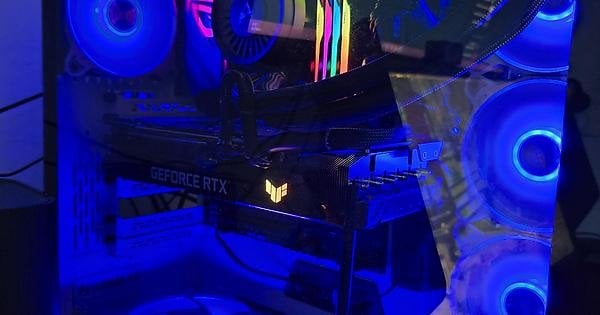
My P1/P2 were manually set to 253W and I am running Intel settings. Apart from that I have my pc set on XMP settings. I'm not entirely sure how to remedy this issue without taking a huge hit in performance. I'm hoping it can be fixed by adding some minor tweaks in the BIOS but another thing that might cause this issue is an incorrect fan set up, which is why I added the second picture.
Top fans are exhaust with the bottom and right being intake. The back fan is also an exhaust. My cousin built this computer but I recall my previous one having intake on both the top and bottom whilst having the exhaust on the right side and back side.
Thanks in advanced!
https://imgur.com/eZAGDWr (image of desktop since image size was too big)
1 Comment
I would first re-mount the Liquid Freezer III check the thermal paste application.