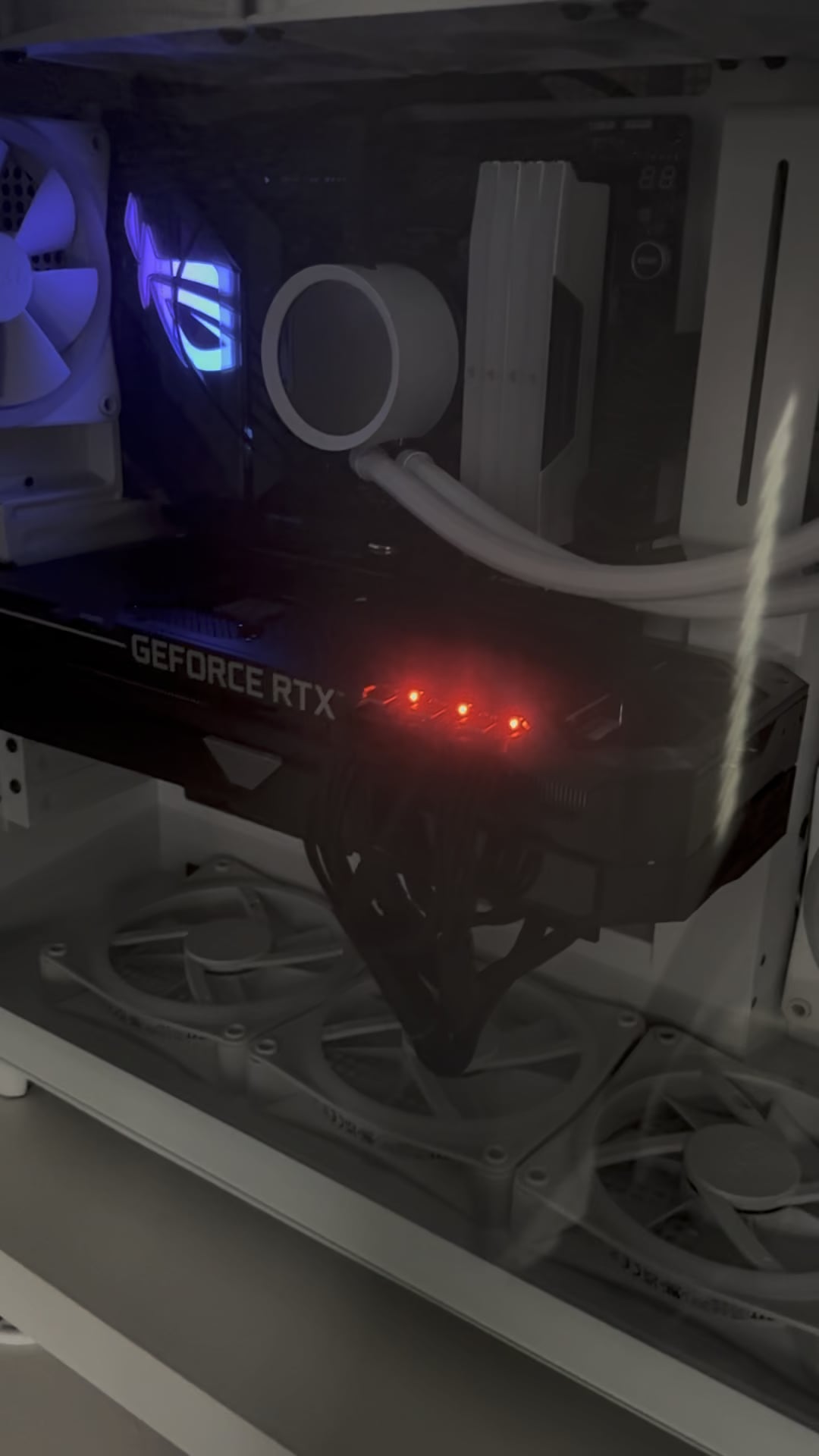
I built both a PC for my wife and I. It did not do this originally but starting recently my wifes GPU would have these flashing lights while the PC is off. I have no idea why

I built both a PC for my wife and I. It did not do this originally but starting recently my wifes GPU would have these flashing lights while the PC is off. I have no idea why
42 Comments
Your wife installed a bomb and not a GPU.
But, if you googled there’s results showing it’s most likely a delivery issue
Because its party time
I had this on my old strix 3070 ti as well. I think I solved it by just reseating the cables but my memory is foggy.
If you google the issue there’s probably a fix, I’ve seen a few people post about this issue.
If you cut the right wire, *Counter-Terrorists Win*
Means there’s unstable power issues. You can get the light to turn off if you switch off your psu. Might want to look into getting a ups or a better surge protector
Only way I resolved it was by unplugging and re-plugging well and firmly.
My Asus Strix 3070ti did that too.
I’m Sorry Dave, I’m Afraid I Can’t Do That
Turn the PSU off and let all the lights go off, switch the psu back on and the problem should go away. Happens to me every few months. I don’t know why
I had this exact issue with my Strix 3080.
You have to use 3 separate cables going from psu to the card.
In my case i also had to go from an 850w to a 1000w psu. Doing these two things solved my problem.
Which gpu and psu do you have exactly?
call your GPU manufacturer, or contact support, they should be able to tell you what’s wrong with the gpu, maybe not replace it, but maybe point to the reason of this
Kitt?
Because shes a wife. /s (incoming downvotes from woke folk)
My strix 3090 did that and I tried all the normal easy fixes and nothing worked. I found in the asus gpu tweak program (I think that’s what it is) there was a setting to turn it off which did work. I was running a 1000w power supply with it too, so I had good clean power going to it. Never had any other issue
It’s trying to say it’s sorry, Dave.
May we please know which GPU it is that you are powering and what brand/wattage your PSU is? (Reason for this ? is if you have a non-modular/semi-modular, you might not have enough ports available to run as powerful of a GPU also known as severe bottlenecking). You can for sure power it on and get display, but not for long, especially under full load, paired with daisy chain and you have a disaster waiting to happen.
That doesn’t look like a 40xx series card due to the fact it’s not connected via 16-pin NVIDIA proprietary cable.
If you are not using separate 8-pin VGA/PCI-E cables from PSU -> GPU, I suggest you do then check again. Perform a clean install of NVIDIA software as well.
Thank you for reading.
Please use 3 SEPERATE PCIE cables.
You have 2 cables, there’s your problem.
Its not recommended to daisy chain the PCIE cables, especially not on high power draw cards.
Calling the mothership
Decepticons
The only way to win is not to play.
If the lights stay on or are dim when the psu is off, unplug the HDMI cable if using one. The monitor might be providing some power via HDMI. No idea why. This was happening with a Dell monitor I have and was actually causing instability. It was also providing enough power to try to spin the fans (they would pulsate slightly) when the system was turned off. The fix was to switch to DisplayPort cable instead.
Mine will do this from time to time. Switch off the PSU and switch it back on. It fixes my problem. Usually this is from the GPU reading the power requirement wrong.
It’s recharging🤣
I think the GPU is signaling a power issue but the real question is why is the GPU powered on enough to be looking for said power when you claim the PC is off. You also have some RGB lit on the motherboard. Are you sure the PC is off and not asleep?
Your computer is becoming self-aware. It will soon rebel and build a robot army.
just skynet trying to use your GPU to create their factory of robots.
unplug your display port cables from the back of it, some are wired such that they feed power BACK into the card, some feature used by some TVs or something but it can do funky stuff like this. if the problem goes away then replace the cable with one that doesn’t have that pin 20 in it https://ivanky.com/blogs/news/what-is-the-displayport-pin-20-issue
Need more power
Pretty sure it’s about to blow up
Is it backfeeding power via HDMI or display port from the monitor to the gpu?
mine did this a couple weeks ago. Turn off your PSU, then back on
I have the same card and others said it was a software issue I just turned the lights off using gpu tweak never had any problems.
its a god damn cylon
Ouch
Can someone answer why the ROG logo is still on even though the PC is off? Is that an option?
If the video card is working fine and you have no other issues besides the blinking light, then there’s a program for that brand of card that allows you to turn off the lights.
Gpu signalling you that she’s a red flag 😝 you sure she’s not hiding anything from you in that pc? /s
It’s like an SNL skit in here 🤣 you’re dumb no you are no you are 🤣🤣
Get a better psu and don’t daisy chain the connectors
Skynet!
It’s a predator bomb about to go off
Its just fighting some demons nothing crazy
Seek and destroy