Buy color graded monitors or fiddle until you’re satisfied.
True-Experience-2273
Buy identical monitors and color calibrate them
Few_Dragonfly9179
Is it the same monitor? is so then you can try to reset the monitor setting to default.
Destado1
sell both and get an ultrawide.
kamome74
Get monitor calibrator(such as Spyder or i1) and calibratr both. It will match as close as possible, but keep in mind that there’s possibility of panel difference can be way too off so calibrator cannot fix it.
SCII0
Can happen on cheaper monitors. We trialed a series of four 75″ Samsung displays at work and found that we got four different shades of white with identical signal and content.
Catch_022
I got it really close just using the default windows colour calibration tool, with three different screens of different brand, size and resolution – so try that.
It probably won’t be 100% perfect especially if you are using HDR.
David0ne86
Almost impossible with even two monitors of the same company and model. It’s impossible on monitors from two different models. Getting close yes, never will 100% match tho.
Conserp
Just run Windows color calibration
saadkasu
I have done this, Select 1 monitor and set the colors that you like, then (since you have the 2 side by side), tinker with the RGB balance on the other monitor till it looks almost the same. Don’t go with the numbers, just pass the eye test.
CenturioLabia
That’s the neat thing – you don’t
SneakyUncleJoe
download SpaceDesk on both pc and your phone, connected your phone through a usb cable to your pc, then use your phone through the app as a third bottom monitor.
Extend the window down till you see it on your phone screen. The color you’ll see on your phone screen is the correct one, so start calibrating your both monitors accordingly!
11_forty_4
That’s the neat part, you don’t.
MontagoDK
Sell them and get a ultrawide – you will love it !
Tarc_Axiiom
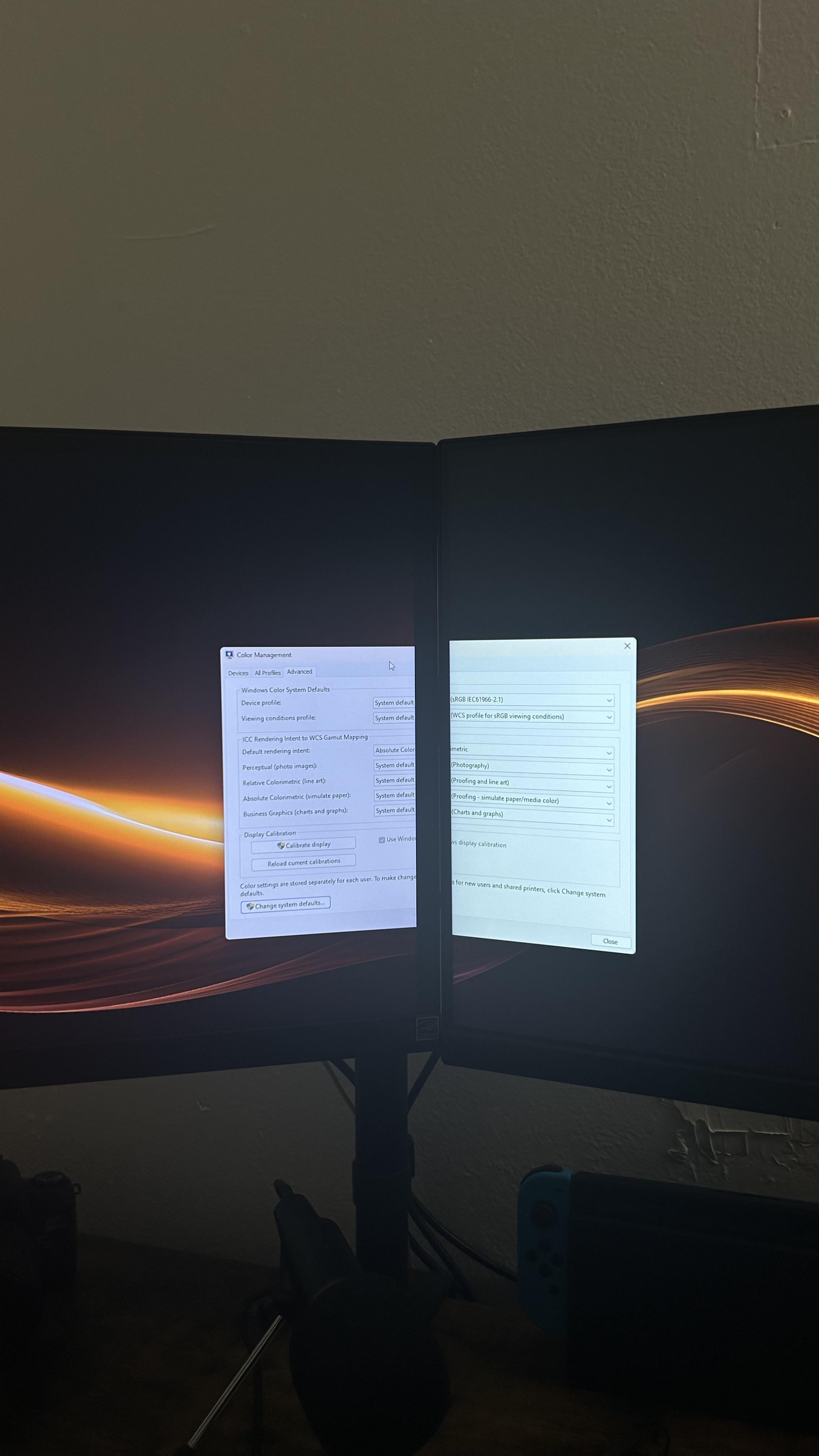
those are not the same monitor.
So you don’t.
snipespy60
Change white balance on the left monitor to be warmer. Should get you 80% of the way there

16 Comments
Buy color graded monitors or fiddle until you’re satisfied.
Buy identical monitors and color calibrate them
Is it the same monitor? is so then you can try to reset the monitor setting to default.
sell both and get an ultrawide.
Get monitor calibrator(such as Spyder or i1) and calibratr both. It will match as close as possible, but keep in mind that there’s possibility of panel difference can be way too off so calibrator cannot fix it.
Can happen on cheaper monitors. We trialed a series of four 75″ Samsung displays at work and found that we got four different shades of white with identical signal and content.
I got it really close just using the default windows colour calibration tool, with three different screens of different brand, size and resolution – so try that.
It probably won’t be 100% perfect especially if you are using HDR.
Almost impossible with even two monitors of the same company and model. It’s impossible on monitors from two different models. Getting close yes, never will 100% match tho.
Just run Windows color calibration
I have done this, Select 1 monitor and set the colors that you like, then (since you have the 2 side by side), tinker with the RGB balance on the other monitor till it looks almost the same. Don’t go with the numbers, just pass the eye test.
That’s the neat thing – you don’t
download SpaceDesk on both pc and your phone, connected your phone through a usb cable to your pc, then use your phone through the app as a third bottom monitor.
Extend the window down till you see it on your phone screen. The color you’ll see on your phone screen is the correct one, so start calibrating your both monitors accordingly!
That’s the neat part, you don’t.
Sell them and get a ultrawide – you will love it !
those are not the same monitor.
So you don’t.
Change white balance on the left monitor to be warmer. Should get you 80% of the way there