
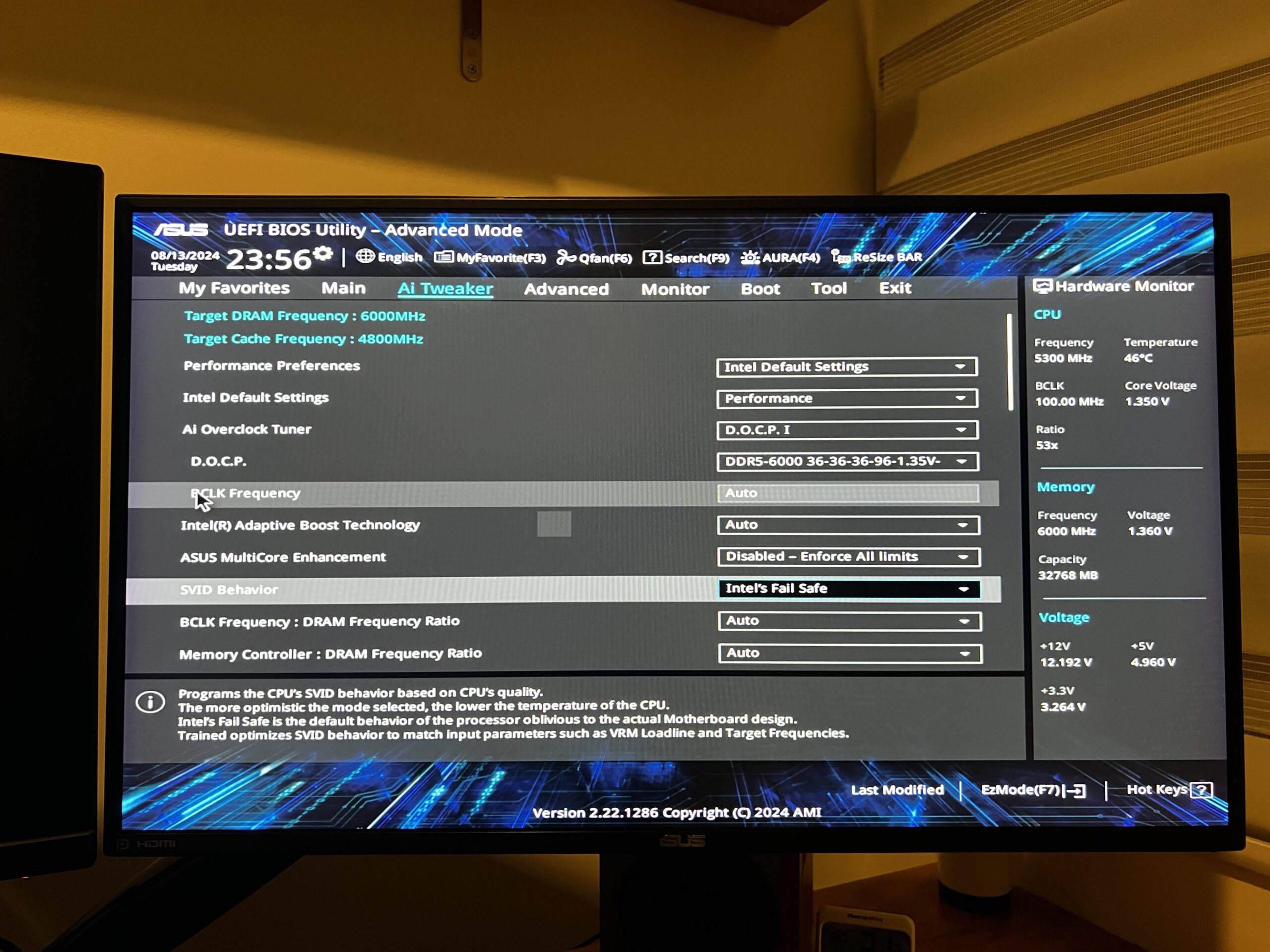
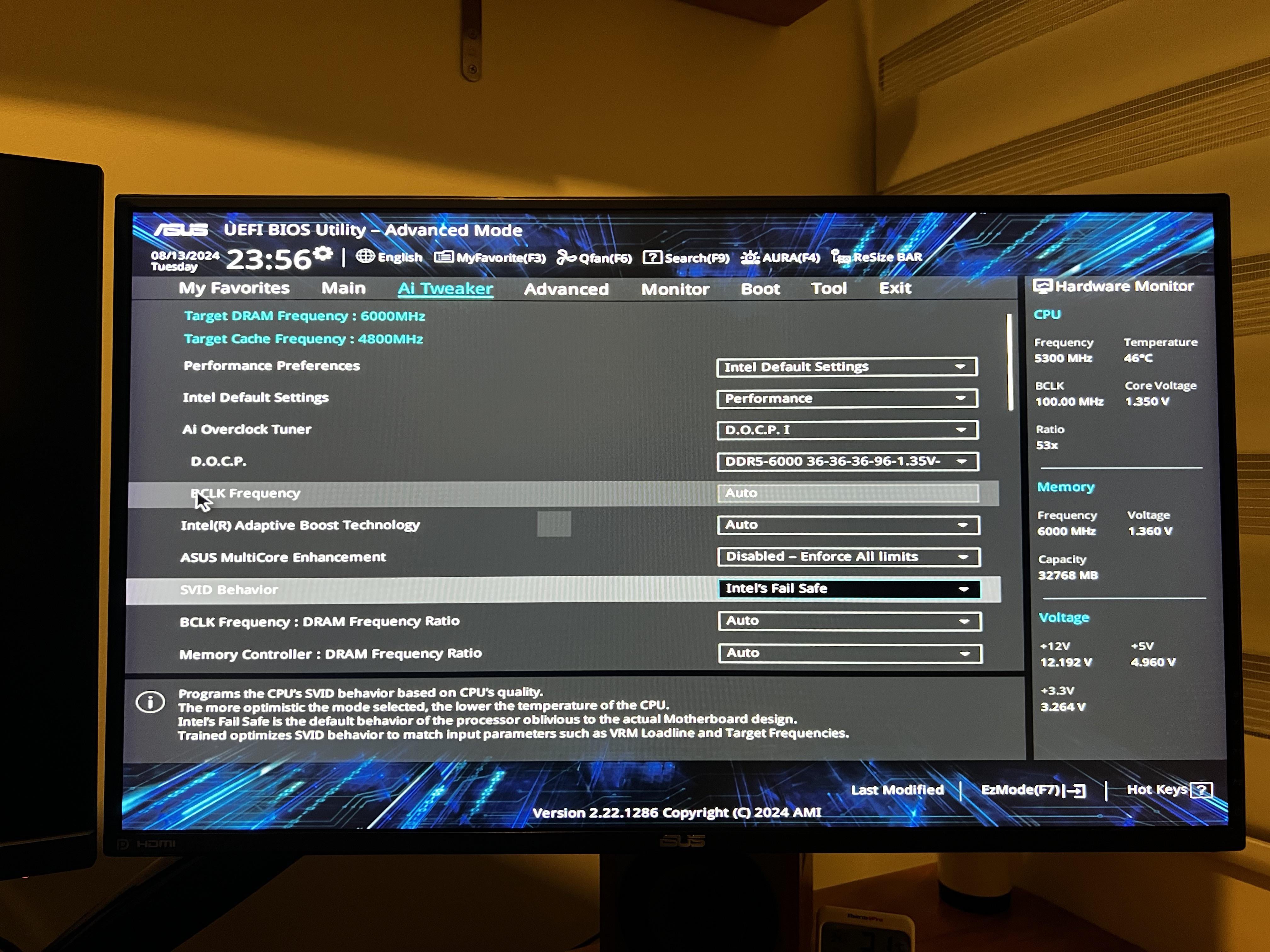
I have a 13700KF with an Asus prime z790 bios and just recently switched to the X129 microcode. All bios settings are set to intel default settings.
During cinebench r23 benchmarking, my cpu package goes up to 100C and thermal throttles. Vcore reading is up in the 1.45v to 1.47v range. Not sure if the only solution is changing the svid behavior to auto and typical which drops the cpu temps significantly into the high 80s.
Doing so I noticed my cinebench scores drops into the low 17000s. Is there a way to regain my performance score into the 30k territory while not overvolting my vcores?
3 Comments
100C and it only throttles? That is wild. I would have expected it to outright shutdown, but I guess they’re pushing the envelope. My 7950X3D doesn’t get over 60C when pushing my own programming workloads on all cores.
I’d expect you’re going to have to do quite a bit of manual tuning to get back over the 30k mark. I don’t think there’s going to be a super straight forward option otherwise. The update is pretty new still too. Maybe buildzoid will have some advice after initial testing?
SVID on “Intel Fail Safe” is not great. That yeets AC LL to maximum.
If it will let you adjust the IA AC Loadline in the internal cpu power management section, try setting it to around 0.75 mOhm (presuming it set LLC to 3 on Auto). Then reduce it until the minimum that runs applications without clockstretching.
Else one would turn off Intel Default Settings, and then manually set things more reasonably.
You don’t want to use until failsafe vid Behavior that’s the worst case scenario and pumps way too much voltage