functionally I’m sure it’s great and works perfectly for you, aesthetically… Well.
CharlesTheReaper
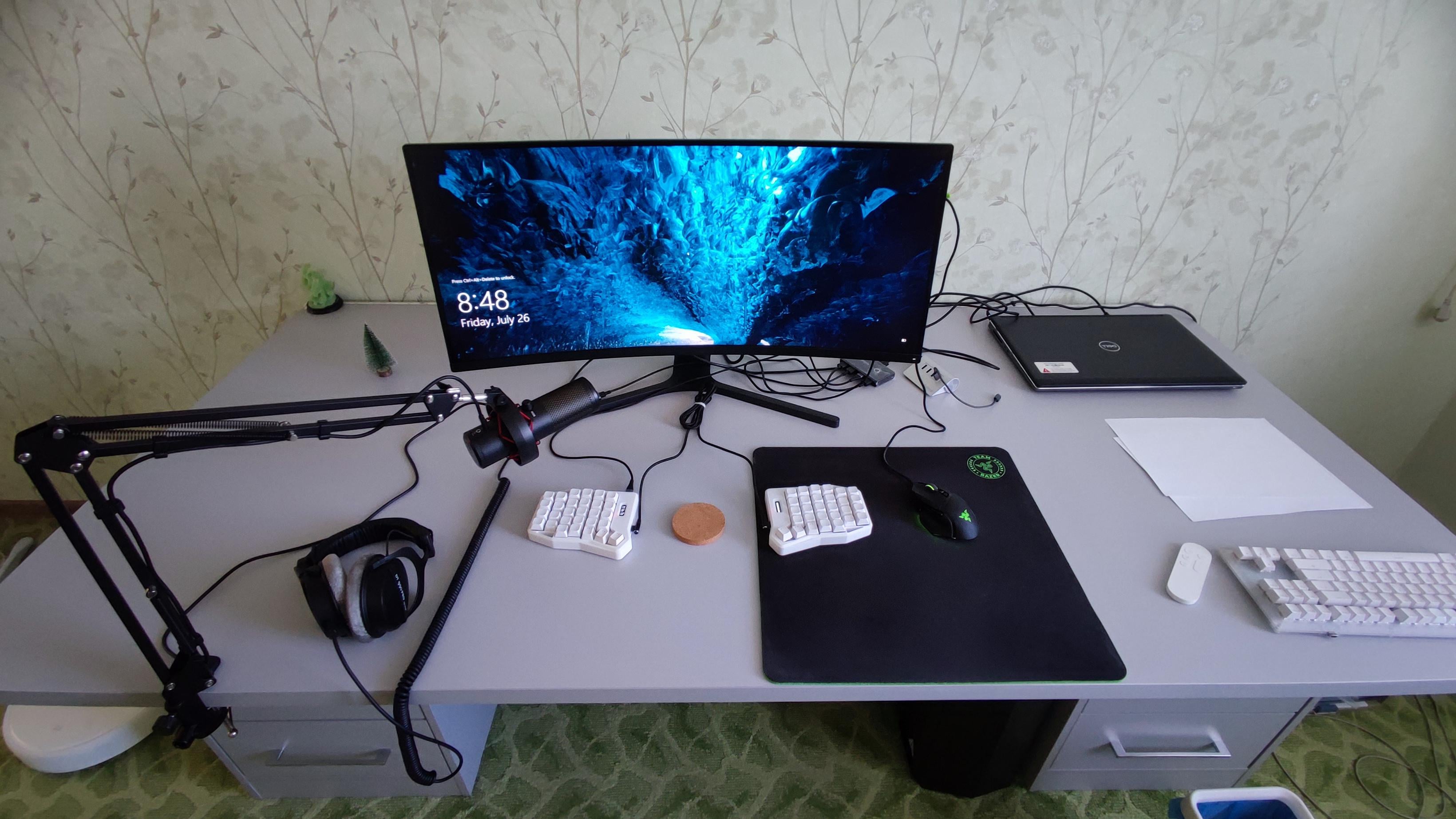
Cable management, laptop stand, 2nd monitor (preferrablym vertical with the laptop acting as a third horizontal monitor), wtf is that keyboard, larger mousepad that fits the mouse and keyboard, mount microphone arm at the side edge of the table, get a headphone stand (optional) and if you have a bunch of money left: change that awful (to me) wallpaper and carpeting
deafpolygon
– change mousepad to desk mat
– do something about those cables
– don’t use that weird zoom fish eye thing for your next photo
– why is that corkscrew disc thing in the middle?
Wak1ngYouUp
big horizontal mousepad, hide cables behind desks.
NEM3SY5
the keyboard
oze_1996
Hide the cables!
hina_hina868
brother this looks like you just got deployed in a post apocalyptic warzone and you were ordered to build a functional workstation from scrapped parts of taliban terrorists.
zero style rhyme or reason, mishmash of shit put together, zero aesthetics and just overall awful
Efficient-Lab1062
Cable management, keyboard, wider desk mat, some kind of shelf to tuck things away.
Sproingant
This is the first time I’ve seen a keyboard like this, is it comfortable to play with?
ChrisOnRockyTop
Need better pics for one.
I’m actually interested in the setup. Mainly the 2 drawers and counter top. Similar to the Ikea hack but using different brands/styles.
Reason I ask is I’m currently trying to get an Ikea setup but we have no Ikea anywhere near by and I can’t justify spending $120 per Alex Drawer even if I do have the money for it right now.
All the other brands I’ve skimmed through have a much shorter depth than the Alex Drawer. I believe Alex Drawers are around 22 inches deep and everybody else is around 15 to 16 inches.
Smaller depth means more overhang on the countertop which means it might not balance and hold up well and could fall over the back or front depending on how you have it set.
fykpqmz
I would add a mouse pad maybe, as if there is not enough space. And i would do something with cables behind the monitor
tylercreatesworlds
Getting the monitor off the desk and attached to an arm will give you more space
kingzzpanda
Bruh your cables spread like ***venom webs***
OrangeCosmic
The boom clipped to the front is wild
HeavenDivers
switch from razer mouse to something better, switch from windows to linux (arch)
SilverReality85
Everything.
UnlikelyFroyo9610
Monitor stand to be “urkelnomically” correct
Boom1401
Cable management
RR3XXYYY
I’d switch out the mouse and keyboard for wireless equivalents, put the monitor on an arm, mount the hubs under the desk at the back, also look at laptop docking stations
If you’re doing any serious music work, get some studio monitors so the cable is more hidden
Those are awesome headphones, so I really don’t wanna say switch them out purely for aesthetics, but maybe (if those are the 900 Pro X, it’s a little blurry to tell) get a short cable and mount a Dac under the desk at the front, if those are 990s then just tie the cable up in a little bundle right where the jack is
Swap the mousepad for a big ass desk mat
Cable manage the remaining cables, like why do you have the microphone cable running across the top of the desk? Maybe add some cable channels to the bottom of the desk
BonginOnABudget
The wallpaper and vinyl flooring lol the actual battlestation looks nice and clean though

23 Comments
Cable management is the only right answer
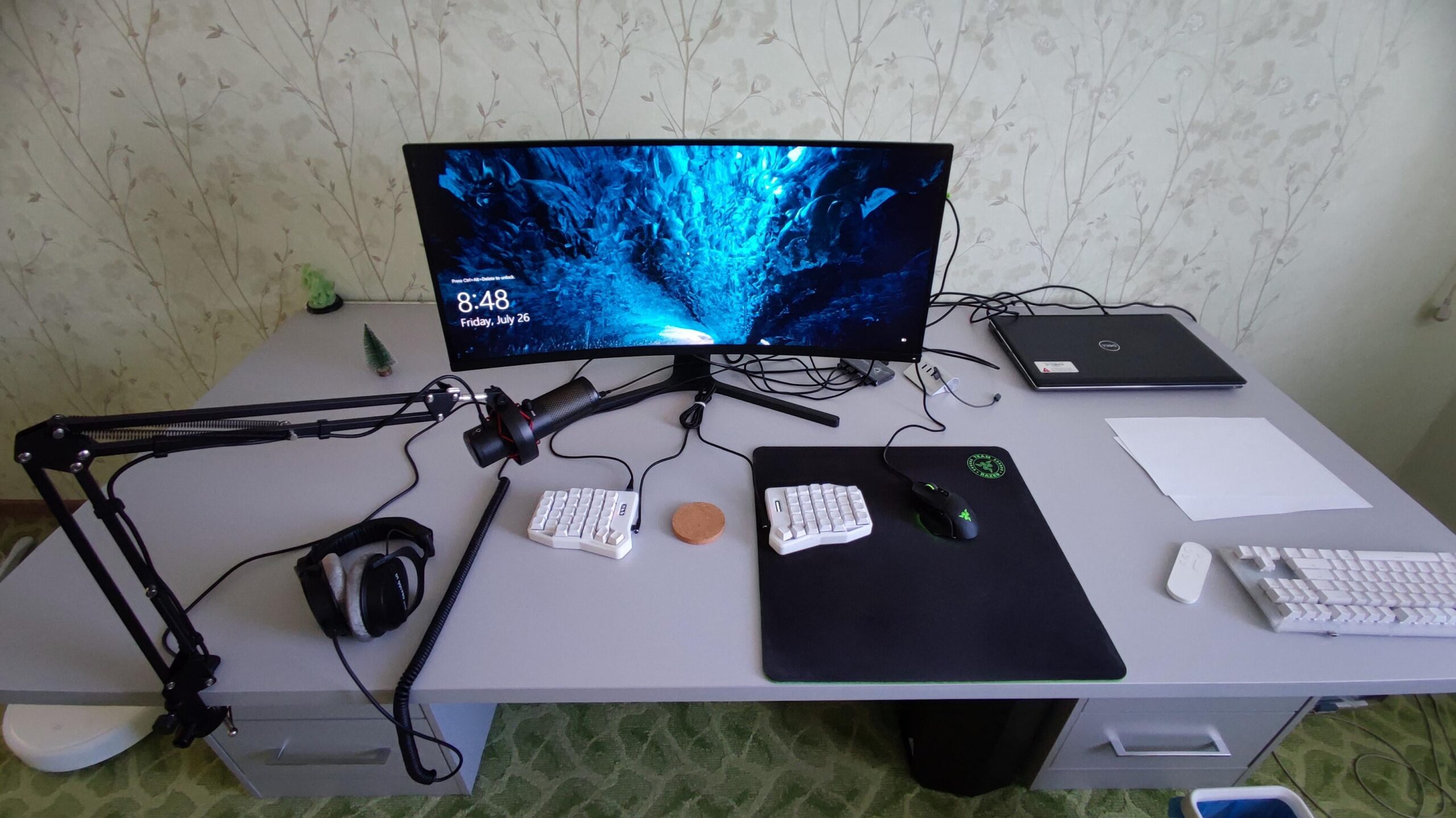
functionally I’m sure it’s great and works perfectly for you, aesthetically… Well.
Cable management, laptop stand, 2nd monitor (preferrablym vertical with the laptop acting as a third horizontal monitor), wtf is that keyboard, larger mousepad that fits the mouse and keyboard, mount microphone arm at the side edge of the table, get a headphone stand (optional) and if you have a bunch of money left: change that awful (to me) wallpaper and carpeting
– change mousepad to desk mat
– do something about those cables
– don’t use that weird zoom fish eye thing for your next photo
– why is that corkscrew disc thing in the middle?
big horizontal mousepad, hide cables behind desks.
the keyboard
Hide the cables!
brother this looks like you just got deployed in a post apocalyptic warzone and you were ordered to build a functional workstation from scrapped parts of taliban terrorists.
zero style rhyme or reason, mishmash of shit put together, zero aesthetics and just overall awful
Cable management, keyboard, wider desk mat, some kind of shelf to tuck things away.
This is the first time I’ve seen a keyboard like this, is it comfortable to play with?
Need better pics for one.
I’m actually interested in the setup. Mainly the 2 drawers and counter top. Similar to the Ikea hack but using different brands/styles.
Reason I ask is I’m currently trying to get an Ikea setup but we have no Ikea anywhere near by and I can’t justify spending $120 per Alex Drawer even if I do have the money for it right now.
All the other brands I’ve skimmed through have a much shorter depth than the Alex Drawer. I believe Alex Drawers are around 22 inches deep and everybody else is around 15 to 16 inches.
Smaller depth means more overhang on the countertop which means it might not balance and hold up well and could fall over the back or front depending on how you have it set.
I would add a mouse pad maybe, as if there is not enough space. And i would do something with cables behind the monitor
Getting the monitor off the desk and attached to an arm will give you more space
Bruh your cables spread like ***venom webs***
The boom clipped to the front is wild
switch from razer mouse to something better, switch from windows to linux (arch)
Everything.
Monitor stand to be “urkelnomically” correct
Cable management
I’d switch out the mouse and keyboard for wireless equivalents, put the monitor on an arm, mount the hubs under the desk at the back, also look at laptop docking stations
If you’re doing any serious music work, get some studio monitors so the cable is more hidden
Those are awesome headphones, so I really don’t wanna say switch them out purely for aesthetics, but maybe (if those are the 900 Pro X, it’s a little blurry to tell) get a short cable and mount a Dac under the desk at the front, if those are 990s then just tie the cable up in a little bundle right where the jack is
Swap the mousepad for a big ass desk mat
Cable manage the remaining cables, like why do you have the microphone cable running across the top of the desk? Maybe add some cable channels to the bottom of the desk
The wallpaper and vinyl flooring lol the actual battlestation looks nice and clean though
duck keyboard
What’s your vim configuration like?