
We bought this 14900k about two/three months ago and it’s had nothing but problems. Games crash after a period of minutes, can’t run benchmarks and this with no overlocking at all ever only default Intel/Asus settings in BIOs at all times
Because of all the months of issues I finally went in BIOs and changed “Asus multi core Enhancement” to “Disabled Enforce all limits” and it got a bit more stable for a little while, until it was back to crashing again.
So to try to stop the crashing I watched this video about setting Intels Default power settings in Asus BIOs –https://youtu.be/tcjkNSySzsg?si=fWowjQcoqDOJ8k_h
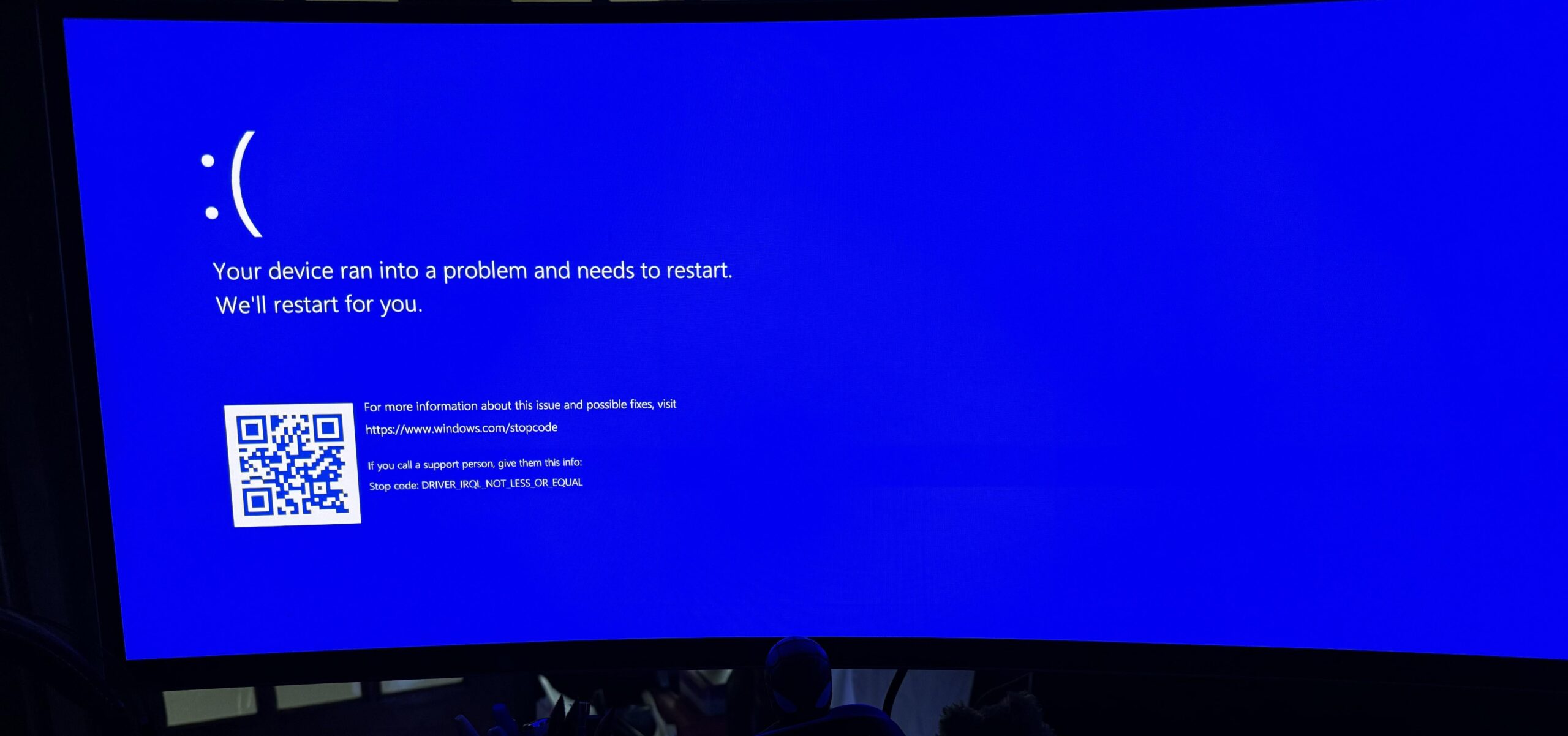
And now the computer will no longer boot, just goes to a blue screen. All I did was reduce the power Amps from ‘Auto’ to 400, which is Intels own recommended setting.
I went back into BIOs and reset the BIOs back to default factory settings and the computer still won’t boot. So now, after months of crashing and using Intels own setting recommendations, the computer won’t even turned on. Maybe it’s corrupted some windows files, I’m not sure. But onwards to figuring it out…..😑
System specs
Asus Strix Z790-A motherboard
Corsair Dominator 6600 mhz
14900k
WD black 2 tb NVME
4080 Tuf Asus
26 Comments
This is a known fault, that Intel CPU is defective. The quick and dirty TL;DR is that the CPU fried itself by requesting too much voltage (you didn’t do anything wrong). You’ll need to RMA it with Intel.
There is a strong change your chip is fried. Using the “Intel recommended settings” probably fried it faster sadly because those settings on most boards crank the load line super high to compensate for people’s already degraded chips. As a last ditch effort you can try increasing the AC load line until 1.1 to make it work but it’s gonna keep frying itself if you leave your clocks the same.
Color me suprised and your monitor blue.
You can thank Intel for shipping 2 entire generations of faulty CPUs. RMA it if you can.
ASUS?
I updated my BIOS to include their new profile to fix this issue and haven’t had a crash since (14900k). I still hit 6 GHz too.
It crashed ***constantly*** before that. Virtually all games, etc. was terrible. Would boot to blue screen on occasion.
https://www.asus.com/us/support/faq/1053456/
> the computer won’t even turned on.
Well, it turns on and you can still boot into BIOS, right?
And FYI, the guy in the video you posted is using an old BIOS and talks far too much about things that should not matter to you.
Update your BIOS: https://www.asus.com/us/support/download-center/
…
Install the latest bios from my article, in the “Performance Preferences” select Intel Default Settings , and don’t touch ***any***thing else.
Good luck.
If you have issues from day 1 you got a lemon and should have replaced it immediately. This overvolt fualt takes time to first appear and grows.
Really confuses the fuck out of me why you are all not doing RMA for months when clearly it’s a faulty product. Do you enjoy being tortured?
Known issue. RMA.
Your CPU is fried. It fried itself, you’re good.
A CPU that kills itself over the span of 3 months is INSANE.
Especially the top of the line model. WTF.
I would honestly try to get a refund instead of a replacement and maybe consider selling the board and getting a 7800x3d/b650 combo.
It can and it WILL happen again, just keep that in mind.
RIP I hope you get a refund or a replacement for that, 14900k cost 10 kidneys
So many of these posts every day now.
Sorry for the pain in the ass this must be for you brother.
https://preview.redd.it/urew6sw8jxfd1.jpeg?width=1079&format=pjpg&auto=webp&s=a87a5b1cdba00a28730fac99ad3d35b5350619e9
Never Buy 13th and 14th gen Intel Buy AMD X3D Series
Have still not had any problems with mine 14900kf after i was inn bios and changed the auto to 400 amps.
I have the same motherboard also
Gainward GeForce RTX 4090 Phantom
Intel i9-14900KF
CM ML360 CORE AIO
Kingston FURY Beast RGB DDR5 6000MT 32GB
Kingston FURY Renegade PCIe M.2 2TB (7,300MB/s read, 7,000MB/s)
ASUS ROG STRIX Z790-F GAMING WIFI
Phanteks AMP GH edition 1000W
I have warranty on my pc also. So i am not stressing it too much.
But any of i guys know if there is any less problems on KF then K chips?

All other intel 13th and 14th gen owners
RMA
rip.
RMA and try not to use the new one as much until their patch mid august
Buying Intel for gaming, I don’t feel bad for OP.
Your CPU is likely degraded, Intel is having massive problems with 13/14th gen cpus failing en masse, up to 50% of cpus seem to be affected. Enforcing power limits etc. wont help as the damage is already done. You’ll need to contact intel for an RMA.
Crowdstrike.
Just buy a new one.
Best thing you could do is just downgrade your cpu to a 12th gen or lower intel cpu until Intel gets its shit sorted
Intel screwed themselves over big time with 13 and 14th Gen.
Have you tried booting into safe mode?
Try removing the cmos for a min then back in
Ouch, that hurt. The price of choosing Intel
RIP, so far my 13900k I got since Nov 2022 is still working and I’ve been using it everyday.
A sad day brother.