Try this,
Go to Local Files and click on the ‘Verify Integrity of game Files’ to fix the VAC error issue. The game will then verify all the files and re-download any files that are missing. This is an easy fix and should solve the majority of “VAC unable to verify” cases. Make sure to restart Steam before launching CS:GO.
Hope it helps🤝
Epsilia
Honestly, restarting your computer is usually enough to fix this in most cases.
Grappyezel
just restart your steam.
Justrom68
check ur scripts/configs, if restarting didnt help
gunnarsen
Look in the gazillion other threads where this was asked
gunnarsen
Fair, but overall quality of this sub is bad because 90% of the threads are the same shiz all over again
Consistent_Simple_42
Just restart your pc, always help.
Professionalpro12345
Keep trying, it happens to me too, I keep trying and it work
rauwn3y
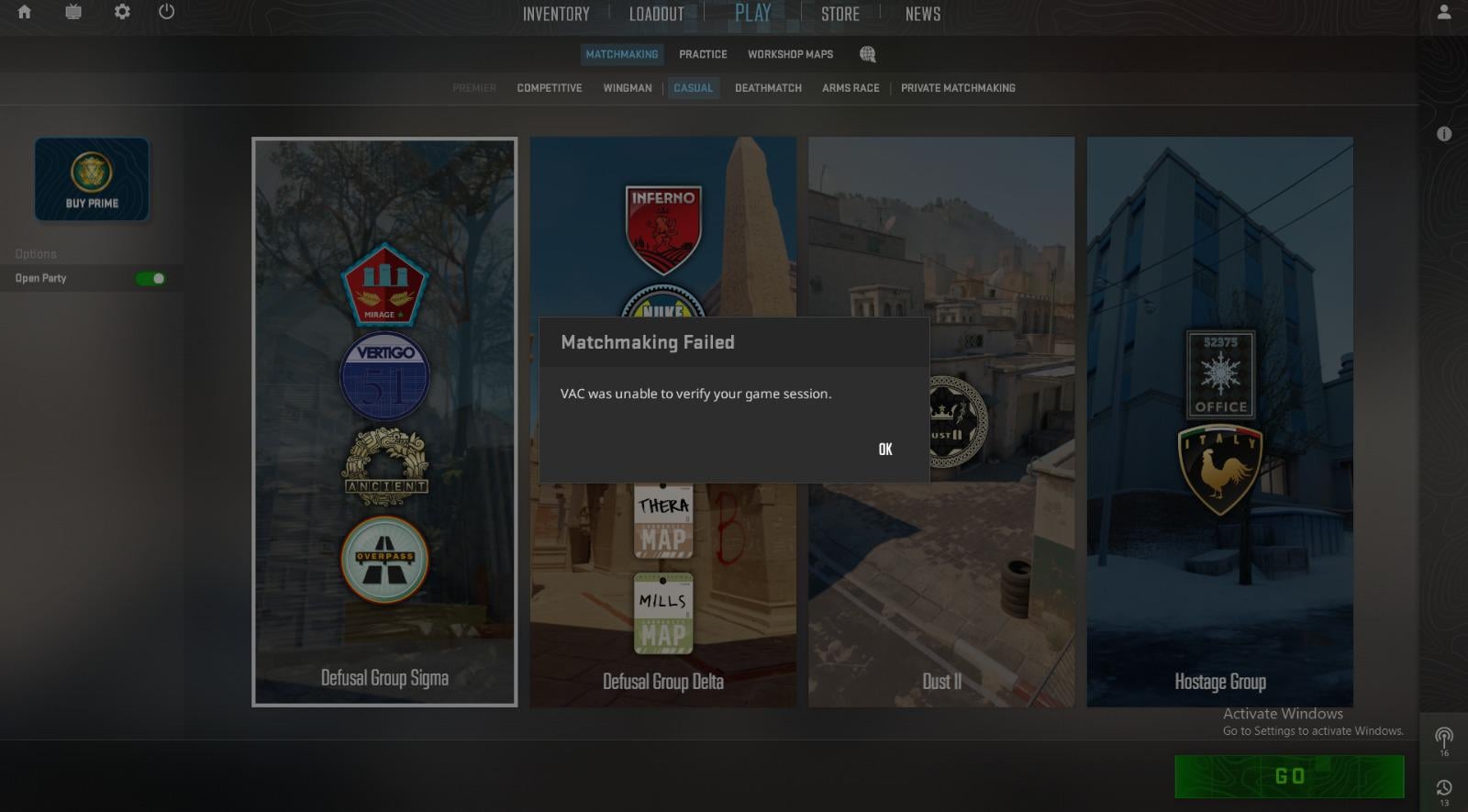
VAC is “Valve Anti Cheat”. This bug your are experiencing has existed since the launch of csgo and just means that their anti cheat software is having trouble identifying stuff (Not on your end).
It’s harmless and either resolves itself in time, or you can try these.
First try to restart steam, see if that resolves it. If not open steam library, right click cs2 and go to properties, from there find “verify integrity of game cache” (I don’t remember the exact, but should be fairly simple to find). Let it run it’s course and restart steam again. If this doesn’t work restart your pc and check again.
Hope this helps. Gl.
ManagementStrange215
All i did was restart my CS and it worked
ShadowW989
Turn off your cheats and try again please.
KevinLightning42
Vac meaning that you do something unfair isnt it?
S1mga4
this is a shit problem that already was like 5-7 years ago in csgo and now still in cs2.
Ray2207
I have a perfect solution for this that works everytime… But I won’t share it with you… I loved CSGO and even made 2 maps for that as well. But i hate this counter sh* t 2 so much that I wouldn’t bother digging up my discord for the solution.
Ok_Passage_2172
Every time this happens to me I just close and open both the game and steam and after a few times it always fixes it
Batsy_915
No pc or steam restart required!
Just restart the game 😉
StonksandBongss
Restarting usually fixes the issue when this occurs to me
surrender_singh
– verify your game files
– restart pc
If it still persists even after restart :
– play practice match with bots for a few seconds, then quit the game. Usually that will fix it.
Dark_Vagg
It means “Valve Anti-Cheat” it also happens to me, it’s nothing just restart cs2
szvagyer
Dont listen to all this basic advices here cause they wont work. The problem is theres 95% chance you have crypto mining trojan that is interfiering with VAC – its not banning you cause its not a cheat software but a crypto trojan injection into GPU that VAC is stressing about. I will look for Reddit thread with solution to this – worked for me after a month od searching.
imthebananaguy
This is really easy to fix. Kill all Steam related processes in task manager. Restart Steam. Done.

21 Comments
Try this,
Go to Local Files and click on the ‘Verify Integrity of game Files’ to fix the VAC error issue. The game will then verify all the files and re-download any files that are missing. This is an easy fix and should solve the majority of “VAC unable to verify” cases. Make sure to restart Steam before launching CS:GO.
Hope it helps🤝
Honestly, restarting your computer is usually enough to fix this in most cases.
just restart your steam.
check ur scripts/configs, if restarting didnt help
Look in the gazillion other threads where this was asked
Fair, but overall quality of this sub is bad because 90% of the threads are the same shiz all over again
Just restart your pc, always help.
Keep trying, it happens to me too, I keep trying and it work
VAC is “Valve Anti Cheat”. This bug your are experiencing has existed since the launch of csgo and just means that their anti cheat software is having trouble identifying stuff (Not on your end).
It’s harmless and either resolves itself in time, or you can try these.
First try to restart steam, see if that resolves it. If not open steam library, right click cs2 and go to properties, from there find “verify integrity of game cache” (I don’t remember the exact, but should be fairly simple to find). Let it run it’s course and restart steam again. If this doesn’t work restart your pc and check again.
Hope this helps. Gl.
All i did was restart my CS and it worked
Turn off your cheats and try again please.
Vac meaning that you do something unfair isnt it?
this is a shit problem that already was like 5-7 years ago in csgo and now still in cs2.
I have a perfect solution for this that works everytime… But I won’t share it with you… I loved CSGO and even made 2 maps for that as well. But i hate this counter sh* t 2 so much that I wouldn’t bother digging up my discord for the solution.
Every time this happens to me I just close and open both the game and steam and after a few times it always fixes it
No pc or steam restart required!
Just restart the game 😉
Restarting usually fixes the issue when this occurs to me
– verify your game files
– restart pc
If it still persists even after restart :
– play practice match with bots for a few seconds, then quit the game. Usually that will fix it.
It means “Valve Anti-Cheat” it also happens to me, it’s nothing just restart cs2
Dont listen to all this basic advices here cause they wont work. The problem is theres 95% chance you have crypto mining trojan that is interfiering with VAC – its not banning you cause its not a cheat software but a crypto trojan injection into GPU that VAC is stressing about. I will look for Reddit thread with solution to this – worked for me after a month od searching.
This is really easy to fix. Kill all Steam related processes in task manager. Restart Steam. Done.