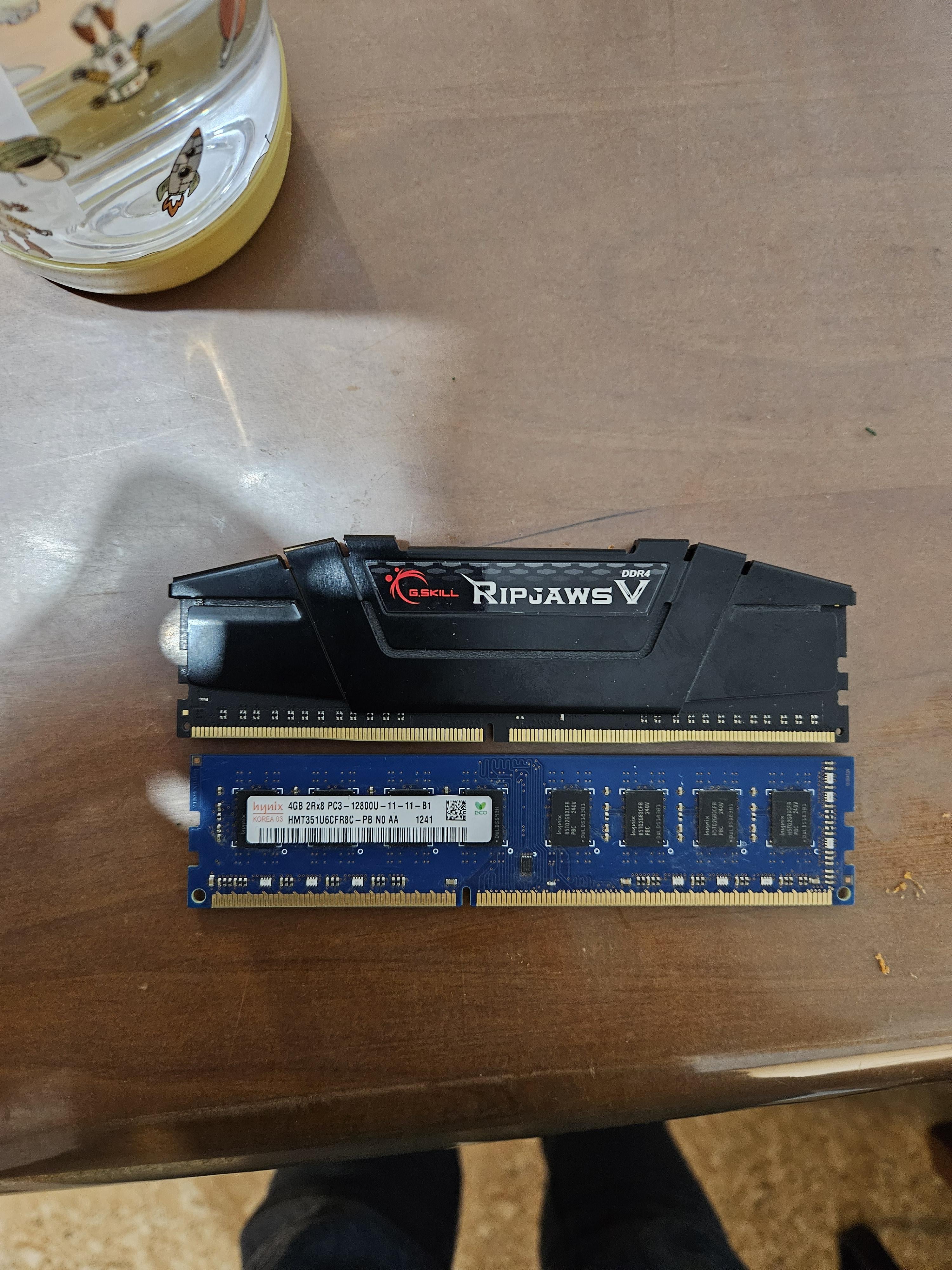
Hi everyone I'm new to this purchased top ram 8gb card to replace the bottom one 4gb. I can see the difference in the gap but I don't understand why. Can anyone assist me?

Hi everyone I'm new to this purchased top ram 8gb card to replace the bottom one 4gb. I can see the difference in the gap but I don't understand why. Can anyone assist me?
6 Comments
Top is DDR4. Bottom is DDR3. They are not interchangeable and your motherboard will only accept one type. In this case your motherboard will only take DDR3
(The difference in the gap is to physically prevent you installing the wrong type of ram into your motherboard)
They are different generations. The top one is ddr4 and the bottom one is ddr3. Ddr4 is bigger and faster. You need ddr3. You could also change your motherboard to a ddr4 one
DDR3 vs DDR4
There is also DDR5 now so don’t accidentally buy that either.
What’s the rest of the PC look like? Is it even worth throwing more money at it? Highly doubt anything dd3 is worth upgrading today.
Last year I learned about DDR the hard way as well….if you dont know, you dont know. Moving forward, it’s usually written right on the motherboard, if not you can look up the model number and it will tell you what type of RAM it takes. Also (not trying to insult your intelligence, I didn’t know until recently), it’s very important to have the EXACT same RAM sticks or it will effect performance, and it is best for performance to put your RAM in the second and fourth slots, this puts it in dual channel mode and it likes the second and forth better than the first and third (not sure why, but it does).