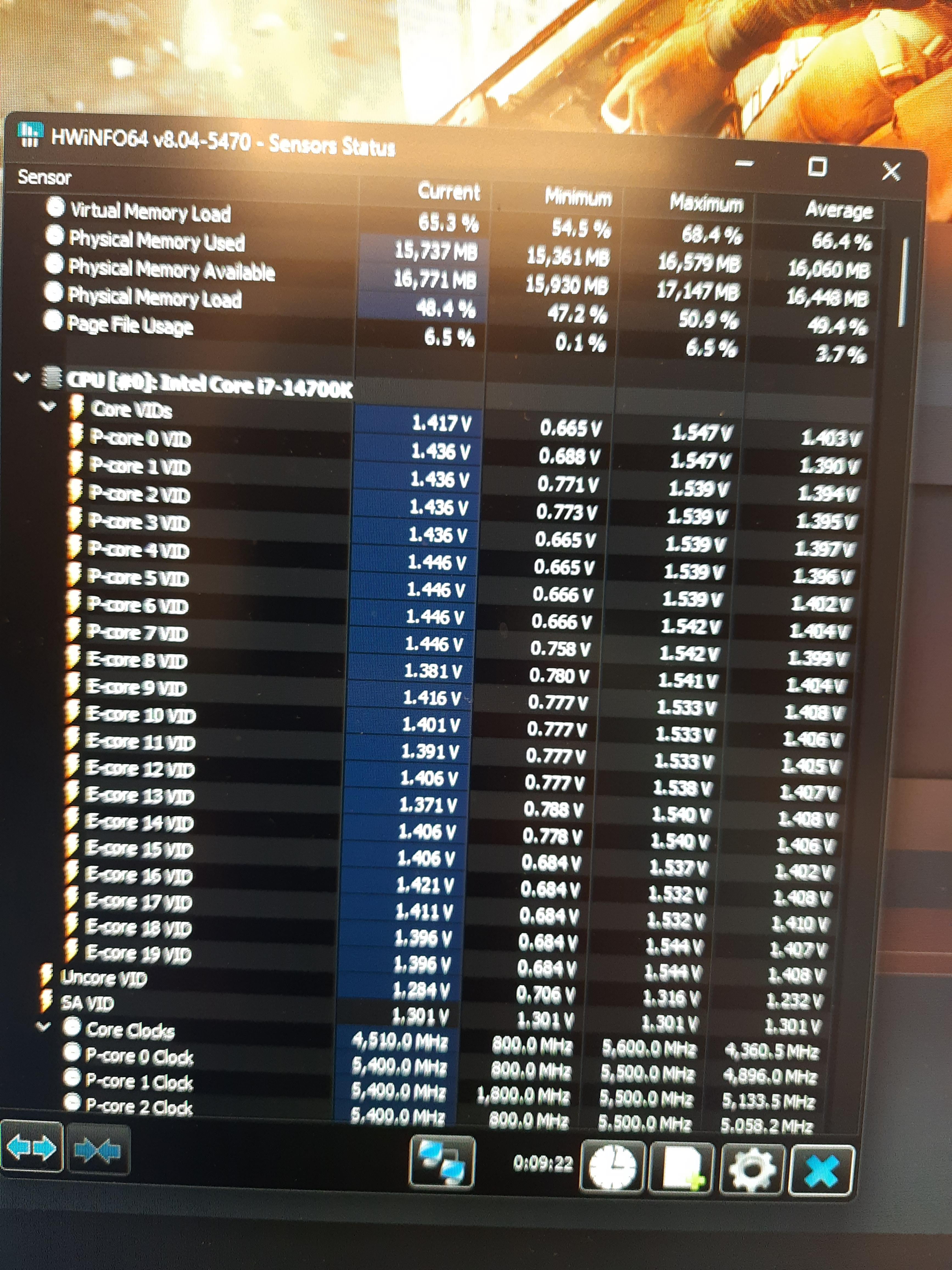
The core VIDs on pretty much all the cores (including P & E) on my 14700K often boost up to 1.54v in gaming – though they don’t stay there for long and mostly stay at around 1.44v. Idle (on desktop) VID is around 0.7v – all values as reported by HWiNFO64. CPU temps stay at around 55-60C in that game (BF2042) with a 360mm AIO cooler.
I’m on Asus ROG STRIX Z790-E Gaming WiFi II with BIOS 1301 at Intel Default Settings.
Is that VID normal/acceptable?
PS. It only boosts to about 1.2-1.3v in CPU stress tests like Cinebench or OCCT. Maybe because it’s got less thermal headroom in those tests compared to gaming?
My build is about 1.5 months old and I’m stable so far.
Profetorum
As you probably know there’s a drama going on with Intel CPUs right now – 1.45+V is probably on the high side but you should check vcore instead
NekulturneHovado
VID is not an actual voltage delivered. It’s the CPU request. I got baited by this too. Check vcore.

5 Comments
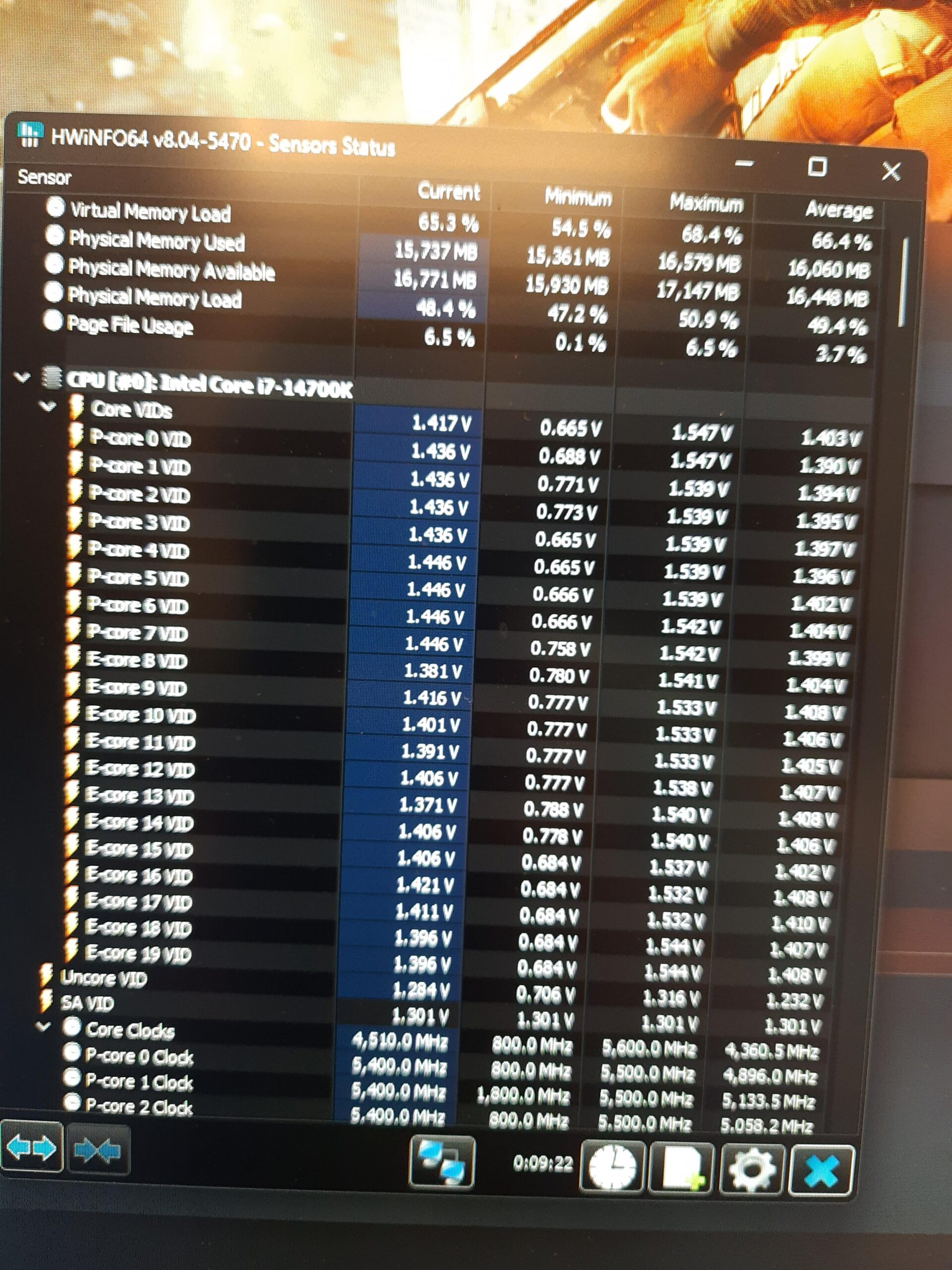
The core VIDs on pretty much all the cores (including P & E) on my 14700K often boost up to 1.54v in gaming – though they don’t stay there for long and mostly stay at around 1.44v. Idle (on desktop) VID is around 0.7v – all values as reported by HWiNFO64. CPU temps stay at around 55-60C in that game (BF2042) with a 360mm AIO cooler.
I’m on Asus ROG STRIX Z790-E Gaming WiFi II with BIOS 1301 at Intel Default Settings.
Is that VID normal/acceptable?
PS. It only boosts to about 1.2-1.3v in CPU stress tests like Cinebench or OCCT. Maybe because it’s got less thermal headroom in those tests compared to gaming?
My build is about 1.5 months old and I’m stable so far.
As you probably know there’s a drama going on with Intel CPUs right now – 1.45+V is probably on the high side but you should check vcore instead
VID is not an actual voltage delivered. It’s the CPU request. I got baited by this too. Check vcore.
Cap it at 1.45v in bios.
You need to look at Vcore not Vcore VID