
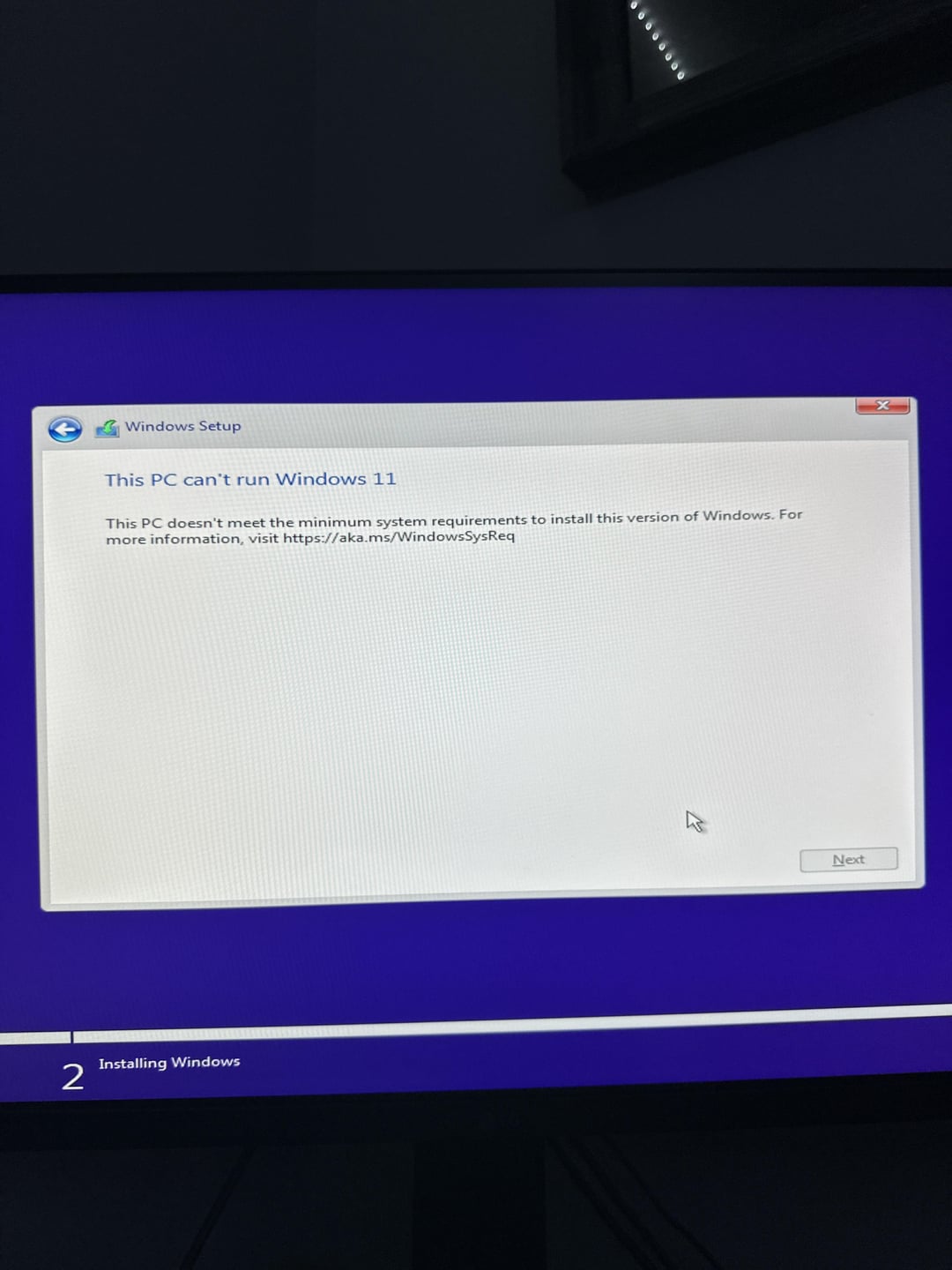
Finally built my first pc, boot it up and update the bios first to the newest version. The motherboard is a asus tuf b650 e wifi, i install the windows 11 media creator or whatever it’s called on a flash drive, plug it in, restart my pc and it loads up into the installer only to be met with the “This pc can’t run windows 11”. It should be more than capable, Ryzen 7 7700x, 4070ti super, 32gb ddr5 5000mhz ram and a 1tb nvme. I’ve tried what people suggest changing in the bios and still no dice. Maybe bypass tpm at this point? Although i hear that can cause issues with updates down the line. Please help me lol
38 Comments
The only thing i feel like could’ve done this is maybe installing the bios update wrong? i dont even know at this point
From what I remember:
You need to be in UEFI mode (NOT Legacy) in BIOS, and have TPM enabled.
Google the new Win 11 requirements, it has some janky stuff.
You have to change some security settings in bios nothing complicated just a quick search and you will have your answer
Make sure you’re using UEFI mode, TPM enabled, and consider using secure boot.
Install windows 10
You probably dont have secureboot or tpm activated.
Just baypass the requirements with the registry, or download windows 11 Iot enterprise. It doesnt have these requirements and removes most of the bloatware
Use windows 10, I haven’t moved to 11 as 10 feels just perfect to me after totally debloating it
found this [https://www.asus.com/support/faq/1047459/](https://www.asus.com/support/faq/1047459/) you can just do it in reverse haha
Consider yourself lucky, windows 11 is not that better than 10
Just use Rufus
UEFI (not Legacy BIOS), TPM, and Secure Boot, or a combination of all 3, are th emost likely culprits.
Also don’t forget to enable EXPO.
Use Rufus to bypass tpm then when windows is installed install latest updates. Does not effect anything
Don’t downgrade to win11
Fix is pretty easy.
1. Download windows 11 image from microsoft.
2. Download Rufus
3. After selecting your usb and ios image. Rufus will give you options with checkbox. Check the first and second option. ( rest of the 3 is optional ). Click ok
You should be able to install it now.
Also make sure to enable tpm in your bios. Uefi mode and enable secure boot.
Any PC can run 11 if you’re willing to get creative, you can make a custom win10 iso and remove the requirement for a tpm.
But would agree with the spec the tpm must be off in the bios.
If you leave ez mode you should have tpm option understand the security settings
Did you enable TPM? It didnt let me install it until i enabled it
Probably lack of TPM 2.0. You can get an add-on modules. Pin-outs are often left on the motherboard.
It’s common for budget boards not to have it. Unless OEMs sell them in pre-builded system with recent build of W11.
I know you have been answered but is story time. I recently bought a new PC (the parts, I bult it myself) for work and the MB came Windows 11 ready.
I still had to do the stuff in the BIOS to install W 11.
You might have to flash your bios. Some boards need a newer bios image to enable TPM. I needed to do that for my b450 board. I know b650 boards are newer and should have it already but you never know.
I tried switching to UEFI and wasn’t able to boot to windows.

Tpm could also be labeled as ptt
You likely need TPM 2.0. Either stick with WIndows 10 or use Linux.
Enable tpm, clear the keys and enable safe boot
Pc is trying to save you 😭🙏
I will never enable TPM.
If you don’t want to search for the settings, just download the latest BIOS. It’s auto enabled in all recent versions.
Disable legacy boot support
Enable TPM and Secure Boot
Those are the normal settings that need to be checked in bios on new motherboard
Enable AMD fTPM
“This windows 11 versions doesn’t support your PC because we are Microsoft”
My friend had something similar, what he did is just install win 10 and then 11 from inside of windows. (I would just switch to Arch Linux btw)
Fuck You Microsoft!
https://i.redd.it/1in1j8t9zccd1.gif
It’s actually pretty insane that Microsoft expects people to jump through this many hoops to upgrade their OS to something worse.
90% of users are not going to want to fuck with BIOS settings, no matter how easy it is.
It’s a sign from Richard Stallman himself
Hell yeah
Ha, I bought a brand new system, 7900XTX and 7800X3D and it told me this. It ended up being a bios setting.