
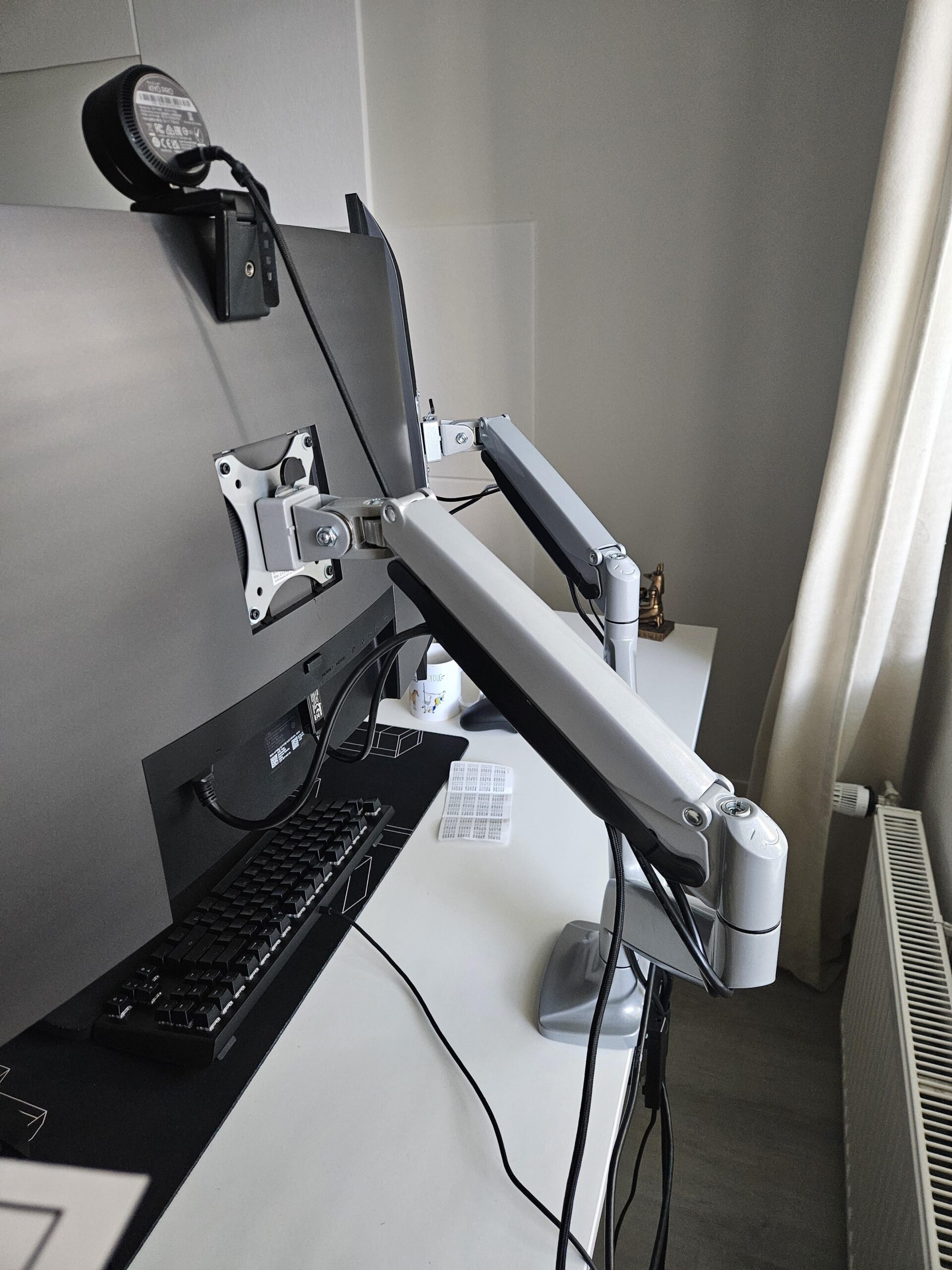
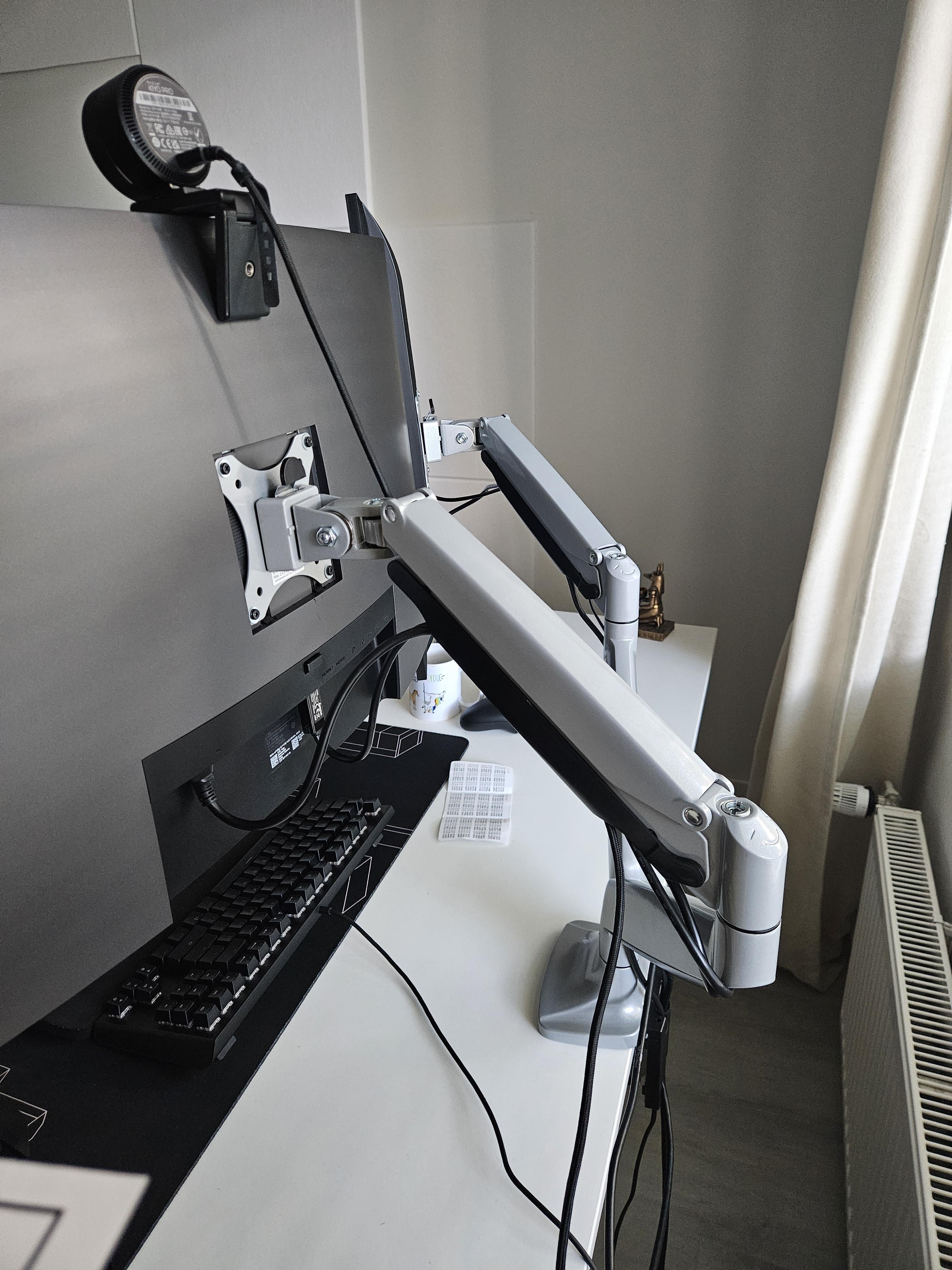
Apologies in advance for my insane ignorance when it comes to cable management, but where do I go from here? Are the arms too long? I can't imagine good design where I feel like I need to wrap the wires to get into the second bay. I know I can hide the other wires showing from my DP cable by just simply buying a slightly longer one and hiding it behind the desk with some hooks or something.
Also how do I hide the wires on the ground? The only electric sockets are on both sides of the walls and not behind me which I feel is a bit difficult. Do move to one of the walls where the socket is by my foot for more slack and mount the plug under my desk?
by hotelshowers
7 Comments
[Low profile Surge protector](https://www.amazon.com/gp/product/B08BJWRZGY/ref=ppx_yo_dt_b_search_asin_title?ie=UTF8&th=1), mount under desk
[Excess cable storage box](https://www.amazon.com/gp/product/B075D7CW3J/ref=ppx_yo_dt_b_search_asin_title?ie=UTF8&th=1) (sleeve to run cables to PC included)
[Desk mounted cable tray](https://www.amazon.com/gp/product/B0C1BDV2V7/ref=ppx_yo_dt_b_search_asin_title?ie=UTF8&psc=1)
[Best value raceway kit I’ve ever found](https://www.amazon.com/gp/product/B07GPFDL1K/ref=ppx_yo_dt_b_search_asin_title?ie=UTF8&psc=1), to run cables along your baseboard
Make sure you apply any available coupons before adding these to your cart
which model is this monitor arm?
better than mine. Good luck.
You could also run that keyboard cable closer to the mount so it would look a little better. I generally try to keep it straight and out of line of sight when sitting.
Whatever makes you content with your setup 🫡
Edit: Also run that webcam cable behind the mount and tie all those cables together in the back of the arm mount.
[https://www.amazon.de/gp/product/B08ZYT7K1L/ref=ppx_yo_dt_b_search_asin_title?ie=UTF8&th=1](https://www.amazon.de/gp/product/B08ZYT7K1L/ref=ppx_yo_dt_b_search_asin_title?ie=UTF8&th=1)
all cable inside
to hide cables, you need to think like a cable. Do what they do, think where they want to be. Send them home
Ahh, I’ve tamed my cables, but they were a bitch and a half to fight. I see that the top comment has already helped with the bulk of the management work, so I’m just here giving some sideline support:
1. Get velcro strips, tie any and all loose cables together, and make all of them seem like they’re one thick cable. You won’t be able to hide them all. but at least keep them neat.
2. When you attach your cable raceways and power bricks to the bottom of the table, PLEASE DO NOT MAKE MY MISTAKE. Do not use the 3m double sided tapes. Use the 3m velcro tapes. It’ll be easier to remove, and you won’t have to damage either your raceways and bricks or the bottom of your table.
3. If your peripherals (keyboard, mouse, lights, separate volume knob, etc, are all wired, try to save up and get the wireless versions of them. It’ll be a little bit of a hassle to charge them, but they usually last days or up to two weeks without the need for a charge. It’ll make the clutter of wires that are actually on your desk significantly less visible. And if you do get them, pin your cables somewhere reachable so you can charge them with just the reach of an arm. I have a dual monitor setup, and my charging cables are pinned behind my main monitor. I’ve set it up so that the arm in off to the right side, and I can just “open” the monitor like a cupboard to access any and all charging cables I require. Remember to give enough slack on your cables if you DO move your equipment around a lot, but try as much as possible to keep the slacked cables either invisibly tucked away, or neatly bundled or pinned.
Good luck!
Oh, btw, I think I have the same arm as you, so if you’d like to see the way I did mine, drop me a DM