
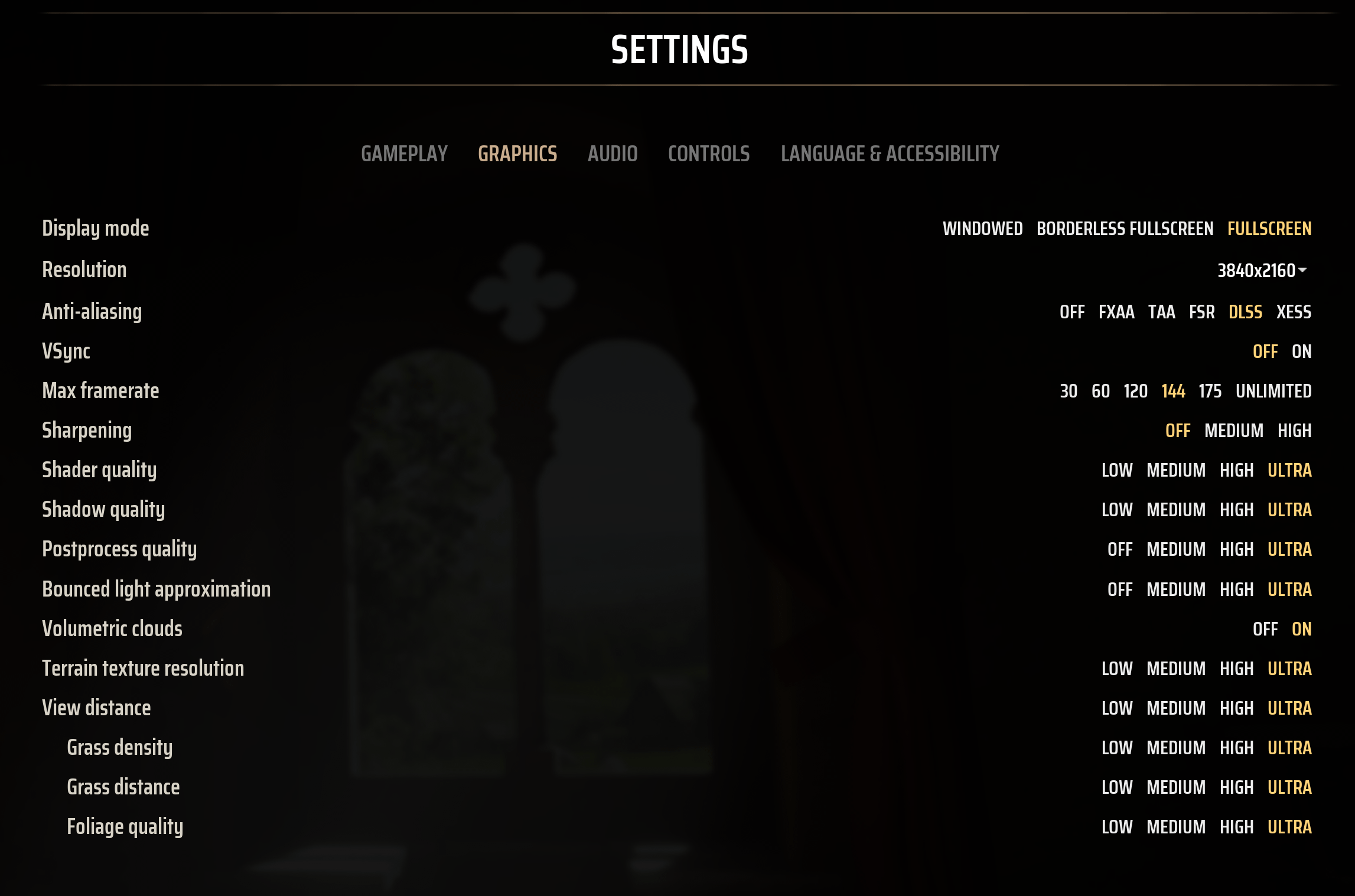
Pet peeve of mine, but I've been frustrated with the UI of graphics settings in games for so long. Is the setting I'm looking for under the "Display" or "Graphics" tab? Do I have to go to the Advanced screen to find it? Does anyone know why this setting is greyed out? Why does this particular setting only go to High when these other ones go to Ultra. And worst of all why do I have to click left and right arrows to flip through the values to even find out if Ultra is an option on all these settings that are currently set to High??
Just got Manor Lords in the steam sale and it's a breath of fresh air.
https://i.imgur.com/fRZRPbo.png
Everything right there on one screen in one place. You can instantly what everything's set to and more importantly what it CAN be set to.
Good job, Slavic Magic
5 Comments
Yup, it’s a nice game. Enjoy!
I want to like it but I just cannot get into this game.
With no indication of what each setting does…not really. I know what “Shaders” are and I know what “High” means, but I don’t know what Manor Lord’s defines as High Shaders.
Really thinking about buying it, and this post is helping that decision
Yes it’s good but waiting for larger updates more features added. played a bit don’t want to get burned out with little content you have now.