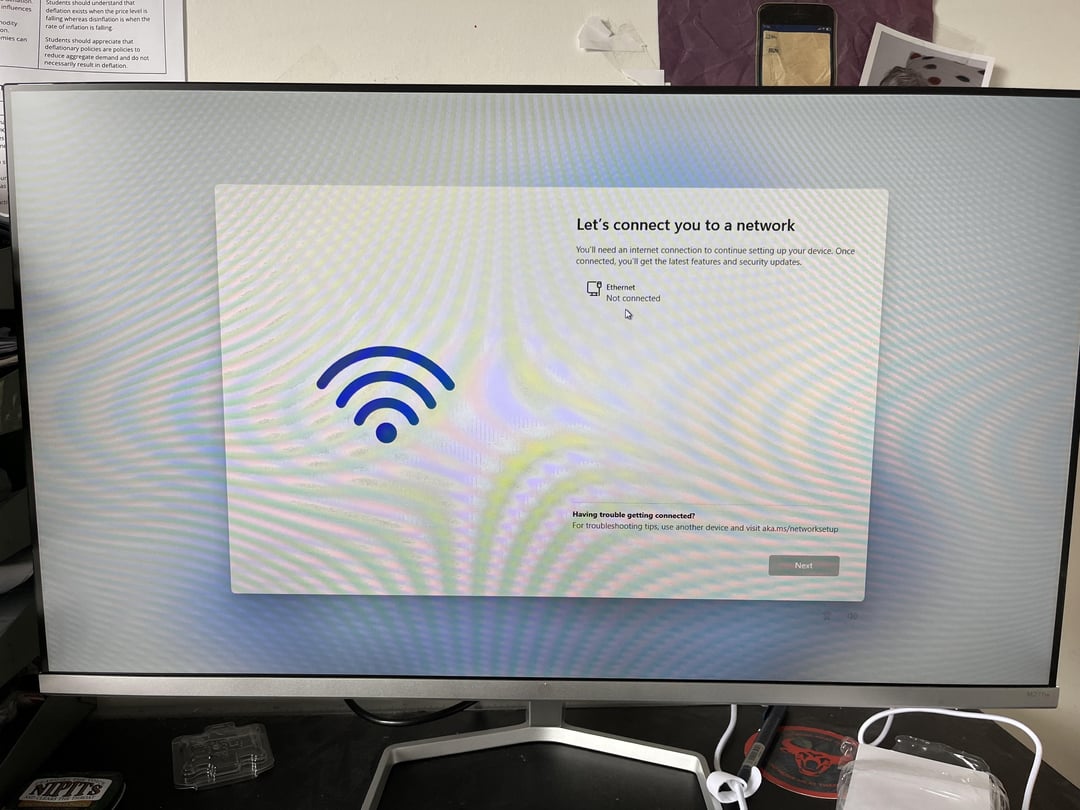
pc doesn’t have any wifi connection options, i’ve put in a pci card anyone know why this is? and how it could be solved?

pc doesn’t have any wifi connection options, i’ve put in a pci card anyone know why this is? and how it could be solved?
9 Comments
A common windows conundrum. They require internet for setup, but their wifi drivers never work. Plug in an ethernet cable if you can, or you have to bypass the internet requirement from the command line.
“If you get to the screen, where connection is required, press SHIFT+F10 and Command Prompt will open.
Type OOBEBYPASSNRO and press ENTER. The process will begin again and this time, it will show “I dont have an internet access” button.”
shift + f10
write “oobe\BypassNRO” and hit enter.
pc will reboot and skip the internet question.
apply motherboard drivers via ethernet or usb to get it working 100%, including wifi.
I had to run a Ethernet cord to my router during my setup in order to get WiFi without needing an Ethernet cord. Make it make sense! That’s windows for ya 😄
and if everything else fails, try USB tethering
I ended up having to clone a different m.2 with windows already on it to be able to update the drivers and whatnot… which worked but in my case the motherboard ended up being faulty anyway (only 1 of 4 working RAM slots)
You have to install the driver’s from the CD ROM install disc
This was one of the reasons why I switched to Linux mint for now…and I don’t regret it. I have to use windows for work and the difference is just baffling
ctrl shift f3, download the drivers to a usb from another pc, install it, exit, continue setup
Friend’s PC had the same issue. Gave him a brand new TP-Link Wifi card, but it wouldnt work.
Turned out he needed to update his BIOS because it was super out-dated.