
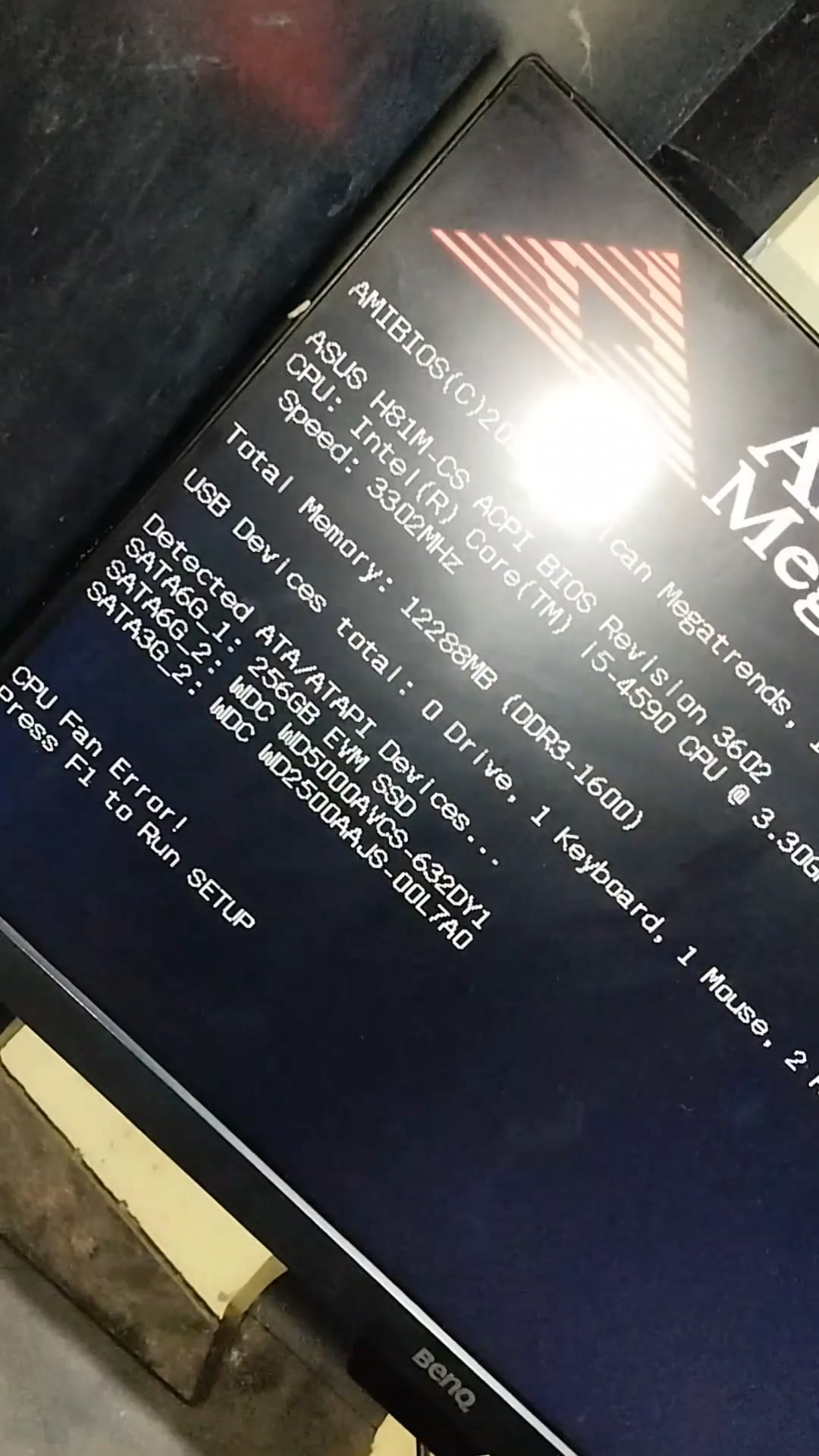
Whenever I turn on my PC the CPU fan won't spin until I manually spin it. once it starts spining then there is no problem, it works perfectly until I turn off my PC.Once again if I start it again I need to manually spin it 😭😭😭. Is there any solution to fix this issue. I just want it to spin automatically when I turn on my PC …… Please help me
46 Comments
Buy a replacement? Or maybe see whether the bios allows setting a higher RPM baseline and see whether that fixes it?
I don’t see that replacing the fan alone would be too costly though unless it has some weird oem proprietary connector.
Time for a new fan? Lol
Voltage controlled fans usually require over 6 Volt/50% to spin and even higher voltage to start spinning.
That is why most mainboards rev up the fans during boot and then lower the RPM according to the settings.
If the fan is old, bearings could be worn out and lubrication ran out or the mainboard is doing a bad job.
First thing would be to set the fan to a higher voltage in the BIOS, if that doesn’t help, buy a new fan/cooler.
Best i can do is come over and spin it for you 🙂
i actually love that lmao, i can only imagine some kind of industrial sound as u start spining it lol
Thanks guys I guess it’s time to replace the fan
This somehow oddly satisfying
If this was a “normal” engine/fan I’d say the capacitor is worn out, as long as voltage is fine.
It’s considered a wearing part.
New fan.. FFS it’s not rocket science.
There’s dirt or grime in the bearings. You’ll need a replacement fan.
You just need one of those cranks that old cars used to have to start their engines!
We had this issue with an office PC, one particularly slow day we decided to fix it.
Dismantle the fan and clean the gunk off it, then spray some WD40 and you are good. Or buy a new fan.
It’s dead, Jim.
Buy a new fan/cpu cooler.
You sure you plugged it into the correct cpu1 fan slot?
there is no help needed, just open your wallet and slap a few greenbacks down for a new fan.. Done and done.
Lmao manual pc
we got kickstart CPU fans before GTA 6 💀
So you need someone to spin it?
The first step check the socket fan, If it doesn’t work buy a new fan
I used to have a small fan like that in my first PC. Did the exact same thing. WD40 worked for me. Lasted about 2 months before it acted up again.
Grrr….GRRrrrRr….GRRrrr…GRRR—MMMMMMMMMMMMMMMMMMMMMMMMMMMM
Literally this
https://i.redd.it/f9lds2mfek8d1.gif
your fan is dead. you need a new one. (fan. not whole pc. just a new fan.)
get a new fan. it’s toast.
Jump starting your pc
If a DC motor doesn’t start spinning on its own it means that the capacitator, which has the one purpose of starting it, is broken.
Buy a replacement fan, it’s not worth the effort to replace the cap.
It’s a pull start, you have to remember to push in the choke and pump the gas bulb 5 to 6 times
It’s a pull start, you gotta remember to push in the choke. Also pump the gas bulb 5 to 6 times

Time to start it manually
You just gotta kickstart your pc now i guess
hire a fan spinner
You can try getting some sewing machine oil and lubricating the fan below the sticker to see if that helps with a few drops of oil put onto a nail or a pin. The bearings of the fans wear out over time, so you may need a new fan.
It’s got a kick starter. Cool.
Spit on that thang!
[https://www.youtube.com/watch?v=CmXWkMlKFkI](https://www.youtube.com/watch?v=CmXWkMlKFkI)
Ah, I see what the problem is here. It’s broken.
Congratulations, now you are the Cooler Master
Too low voltage at starter/lower speed.
Increase that
It’s like one of them old-timey propellers!
The CPU fan error happens to me during cold months. I don’t have to actually manually spin it though. The fan itself is probably failing in my instance.
Maybe it’s time to buy a new one? Just spent 6$ for.140mm Arctic
I had a regular fan that would do this. The motor is cooked and or the bearings are cooked. The good news it’s a cheap and easy replacement
It needs motivation
It happens everytime after I reinstall windows it probably is because the fan needs more voltage so what I do is turn up the minimum spin of the fan in bios and in future uses it just works
Diesel
I’ve had the exact same problem couple weeks back, turns out the fan was dead, you can get a good used replacement fan for less than 20$