
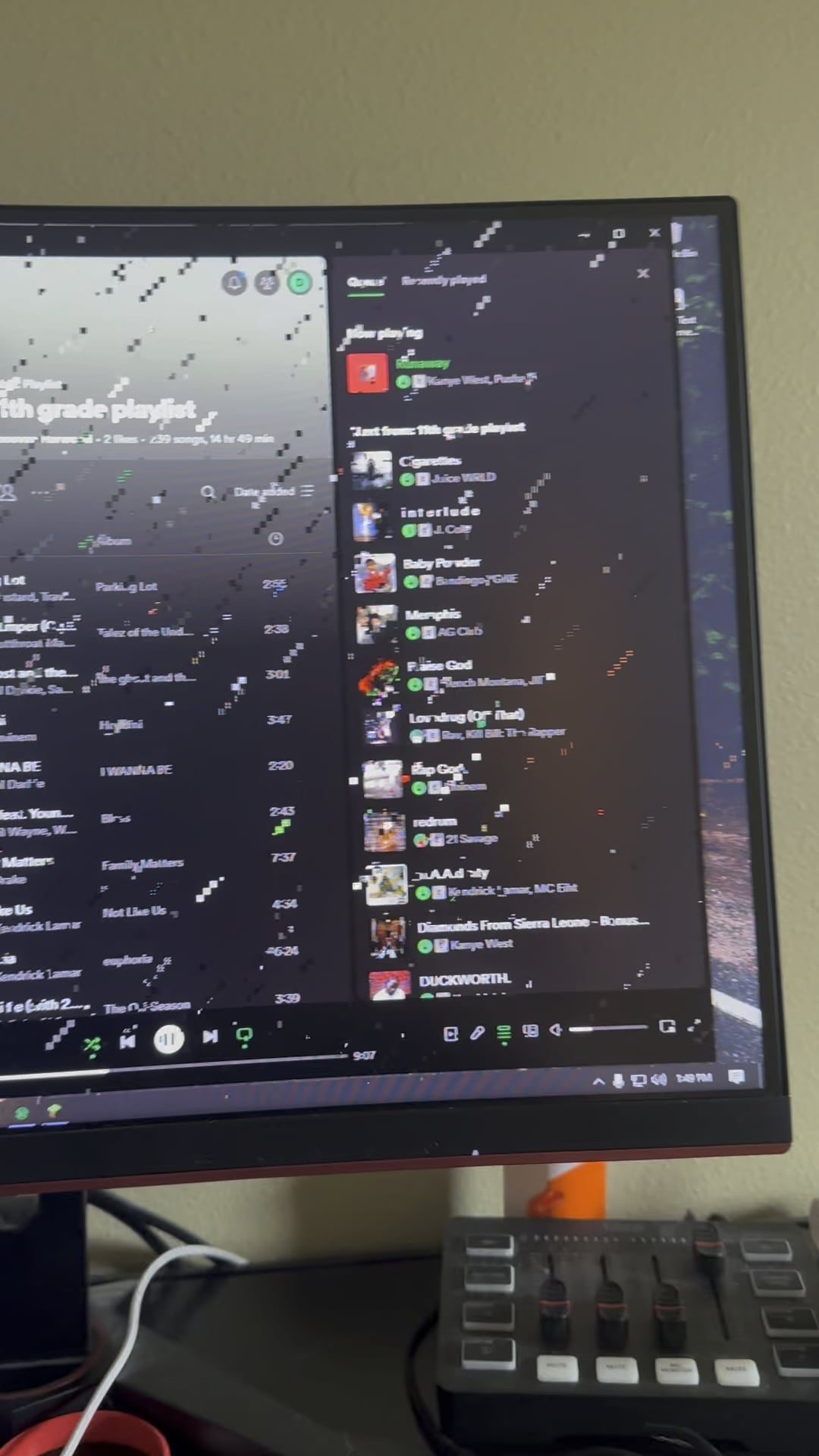
I’m not sure if this is a sign that my gpu is dying or not, I was playing Minecraft with some mods, then all this artifacting happened. shortly after the video ends, the artifacts stopped showing up and I updated my gpu drivers. The gpu is a powercolor rx 5600 xt
25 Comments
Why do you have the rain effect toggeled on in your windows?
Wish I could help, but all I can offer is a pun.
Looks like you left some Windows open
Don’t worry mate, rain usually passes on it’s own after a few hours.
It is raining, OP, and it will continue to rain until the rain is done.
Dead gpu
tears of your gpu are so many that they made a storm, poor gpu
Brother that is not a sigh
Help: ☂️
Joking aside, usual causes of appearing visual artifacts are: High temperature issues, unsuited video card (graphics card) drivers.
Usually when you see artifacting like this, your GPU has bit the dust and can only be replaced. 🙁
Should always check the weather forecast before turning your computer on
I would say you are in Germany, looks like normal rainy day
“Lofi rain”
Bro’s screen looks like old Minecraft glass
Is raining data
Sorry for your loss. Cool effect tho
Steps I’d take in your shoes…
Disconnect your signal cable at both ends and reconnect them.
Try a lower resolution to see if it goes away.
Try a different cable.
Update your graphics drivers.
down came the rain and washed the spider out
Get an umbrella.
My GPU recently died so I can relate
Why have there been so many of these the last month and why is it always amd? Is this some kind of marketing campaign by nvidia?
minecraft?
It could be your gpu dying BUT make sure the gpu is properly seated as I pulled a noobish move with my anti sag clip in the back that kept mine from seating all the way down, which is what fixed mine.
DDU drivers, try different display cable, reseat GPU, decrease clock speed, repair Windows (run the setup.exe in the Windows ISO, but keep files and settings). Run Memtest86 (RAM issues) and OCCT (GPU issues)
Why is your monitor made with minecraft glass?
But seriously would that be the graphics card Orr the monitor it’s self?
I thought something like wallpaper engine was making it minecraft rain