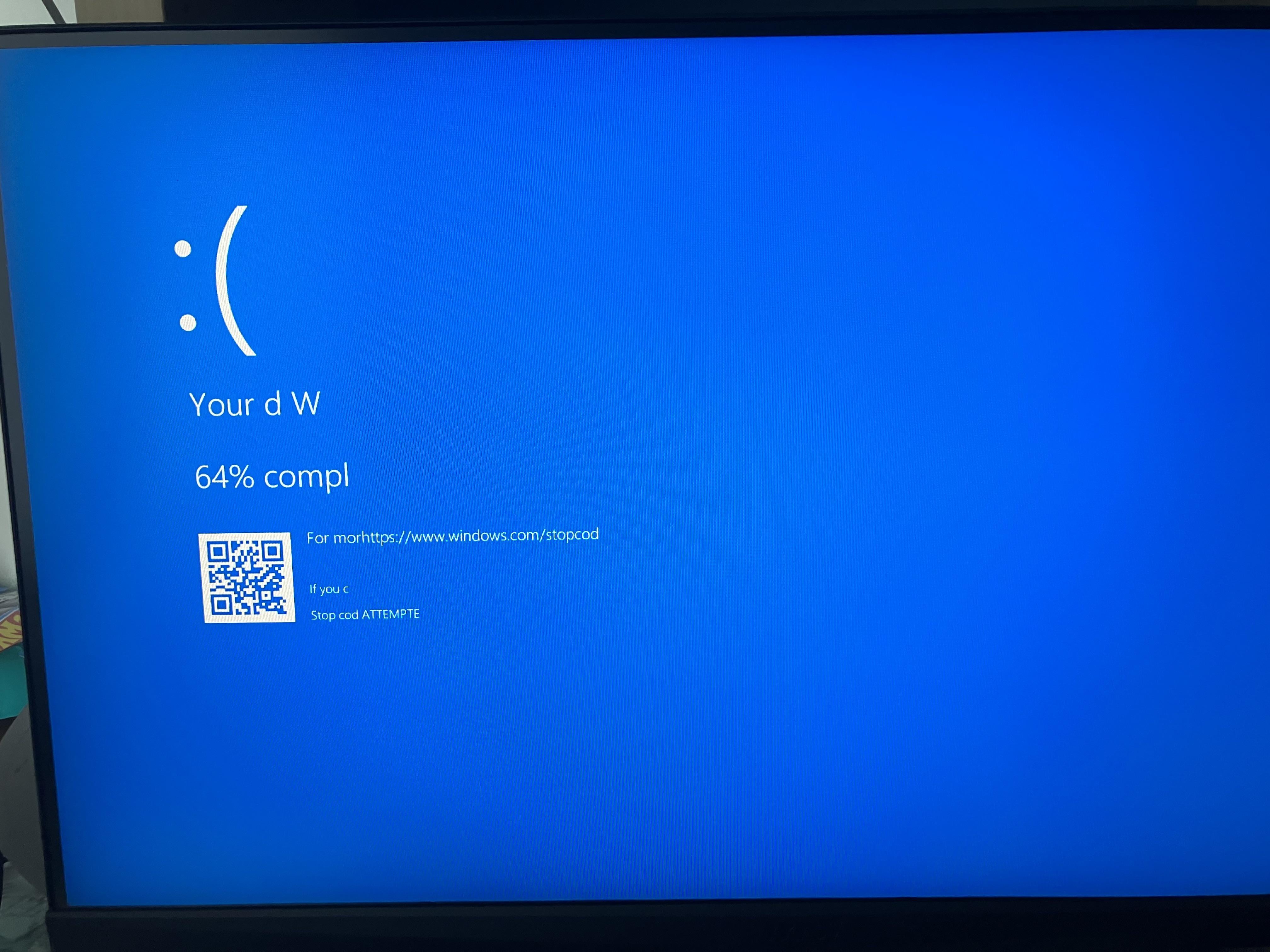
You just have to: e tm L Stop herring when its 65% compl
agritite
Stop cod, friend of unacceptable lobster
flexsealed1711
r/redditsniper
An_lyzeShow

linecrabbing
I think microsoft called you out for being a small(undecase) d(ick) W(ag)… or some random failure… it is awesome failure on you however!!!
PS: it sucked when it happens.
Known-Pop-8355
You need to run a CMD or Powershell prompt as Admin and run
DISM /ONLINE /CLEANUP-IMAGE /RESTOREHEALTH
and then after
SFC /SCANNOW
This will help with any corrupted system files you may have and stop alot of this crashing. Also you need to check your system for malware. Definitely run some malwarebytes on there and do a hardware system test to ensure non of your components are not failing.
BeerGogglesFTW
Reboot, install BlueSreenView and hope for more details on why that happened.
DLMorrigan
It literally says what to do
If you c
Stop cod ATTEMPTE
builder397
>Stop cod ATTEMPTE
An attempt was made.
matrixzone5
Your D(ont) W(ork)
Dead_Panda98
Cry
b400k513
“Your d W”
Did it just compliment your dong?
ohthedarside
How bad is the eroor when the error scree itslef breaks
0Ana0
It’s the ram
InbrainInTheMemsain
At least your dick is a W, I think your PC wants you to get some ass.

25 Comments
🙁
Your d W
qr code For morhttps://www.windows.com/stopcod
if you c
Stop cod ATTEMPTE
🙁

That is a glorious error. I love when things break so badly.
it’s only 64% compl right now, will probably fix at 578% compl
Your d w motherfucker.
r/softwaregore post opportunity!
Stop cod ATTEMPTE and just install linux
/s
Start with 🙁 and work from there.
https://preview.redd.it/br4trpvlbd6d1.jpeg?width=1200&format=pjpg&auto=webp&s=24d53ed69596d25f499673e4e75e9bac5e962628
You just have to: e tm L Stop herring when its 65% compl
Stop cod, friend of unacceptable lobster
r/redditsniper

I think microsoft called you out for being a small(undecase) d(ick) W(ag)… or some random failure… it is awesome failure on you however!!!
PS: it sucked when it happens.
You need to run a CMD or Powershell prompt as Admin and run
DISM /ONLINE /CLEANUP-IMAGE /RESTOREHEALTH
and then after
SFC /SCANNOW
This will help with any corrupted system files you may have and stop alot of this crashing. Also you need to check your system for malware. Definitely run some malwarebytes on there and do a hardware system test to ensure non of your components are not failing.
Reboot, install BlueSreenView and hope for more details on why that happened.
It literally says what to do
If you c
Stop cod ATTEMPTE
>Stop cod ATTEMPTE
An attempt was made.
Your D(ont) W(ork)
Cry
“Your d W”
Did it just compliment your dong?
How bad is the eroor when the error scree itslef breaks
It’s the ram
At least your dick is a W, I think your PC wants you to get some ass.