
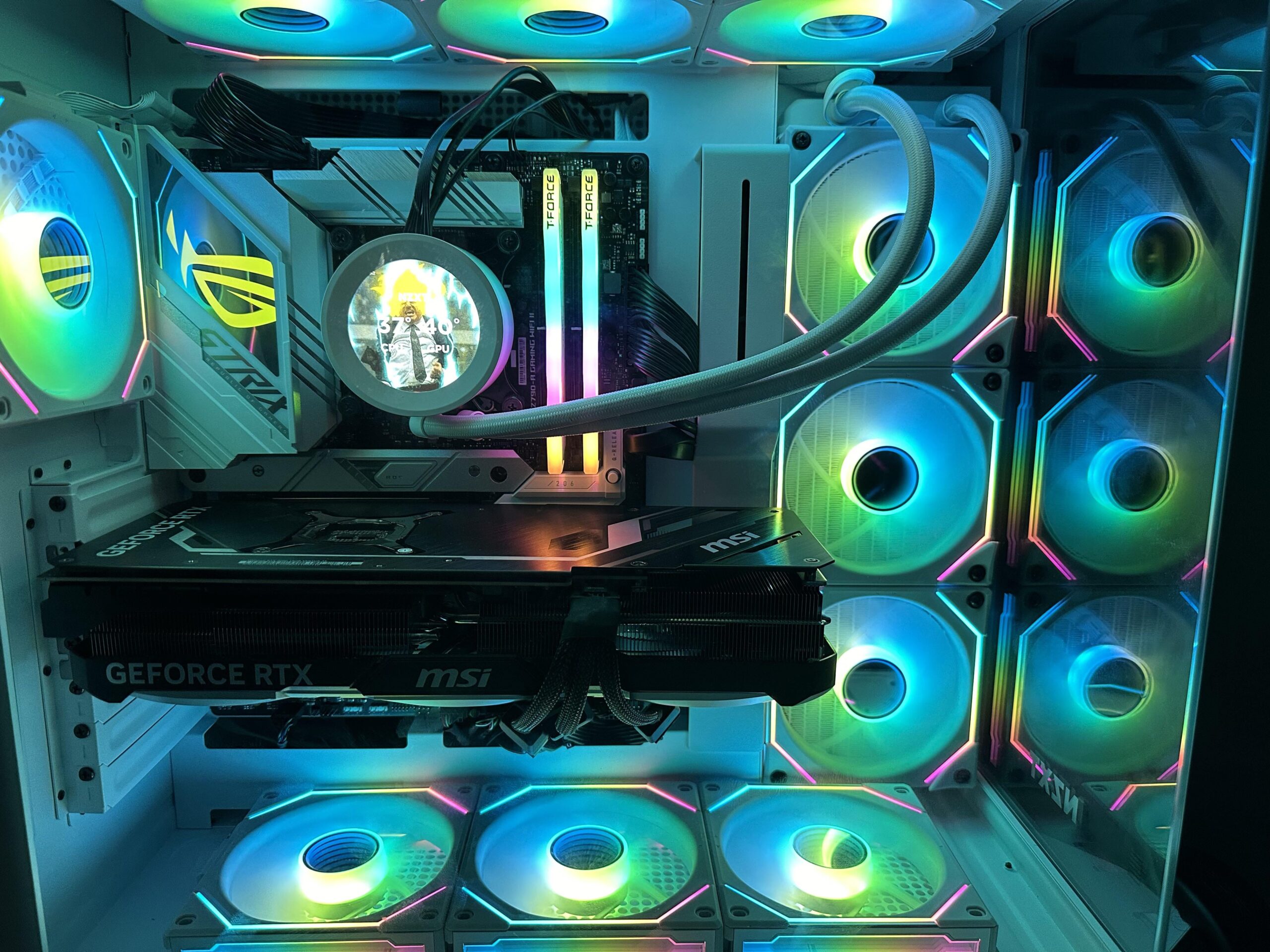
Hello peoples. So I built my first pc a couple of days ago and I’ve been seeing some weird temps on my cpu. Whenever I start or load a game for the first time my cpu temps rise up to the 90’s. Even the red light comes up in my mobo. Now it only last for a second or two and usually only high end games. As of now it hapdpens on fortnite and helldivers 2. After the initial spike my temps are usually around 60-80. I’m running an i7 13th gen with a Kraken elite. I was just curious to know if this was normal or if I should be worried. So far I really don’t have any performance issues whatsoever. As said above it only really happens once every time I reset my pc.
5 Comments
Hello Time_Shop_4734, and thank you for your submission to Gaming PC! If you are new please check out our rules over at the wiki [here](https://www.reddit.com/r/gamingpc/wiki/rules)!
We have recently added the useful feature of Title Flair! You can set this manually by clicking Flair under your post once you have submitted your post, but if you missed it in the rules there is a much better way that will automatically flair your post!
To do this simply add what your post is about in brackets before your title. For example for a Build Log you can type [Build Log] before your post so that it looks like this; [Build Log]My new awesome build!, and the bot will automatically set your flair to Build Log! This works for Build Log, Build Showcase, News, Hardware News, Hardware Release, Discussion, and Miscellaneous!
Also remember that this is a place for discussing and sharing our love of Gaming Computers! This is NOT the place for help building or determining what parts you should buy, that is better suited for /r/buildapc. Troubleshooting questions should be directed to /r/techsupport. Thank you again!
*I am a bot, and this action was performed automatically. Please [contact the moderators of this subreddit](/message/compose/?to=/r/gamingpc) if you have any questions or concerns.*
Are those all the same fans? Or are some of them reverse pitch?
Assuming they’re all normal fans, they’re all exhausting air. There’s barely any fresh, cool air going into your case.
In cases like the O11, the bottom and side should be set to intake while the top and rear should be set to exhaust. This way, we can get good circulation of air throughout your case and maintain slight positive pressure, which helps reduce dust buildup over time. It’ll look a bit uglier, but the temps should improve by a fair bit.
Best rule of thumb to learn: X for exhaust. The side of fan where you see the X is exhaust meaning all your fans from the picture seem like they’re exhausting out. So no intake
You’re sure that fan config is intake? Are those like reverse fans?
Maybe up the fan curves in bios
While those fans look good they aren’t top cooling fans
But your temps are mostly fine
Forgot to mention that the side and bottom fans are reverse bladed so they are intakes