
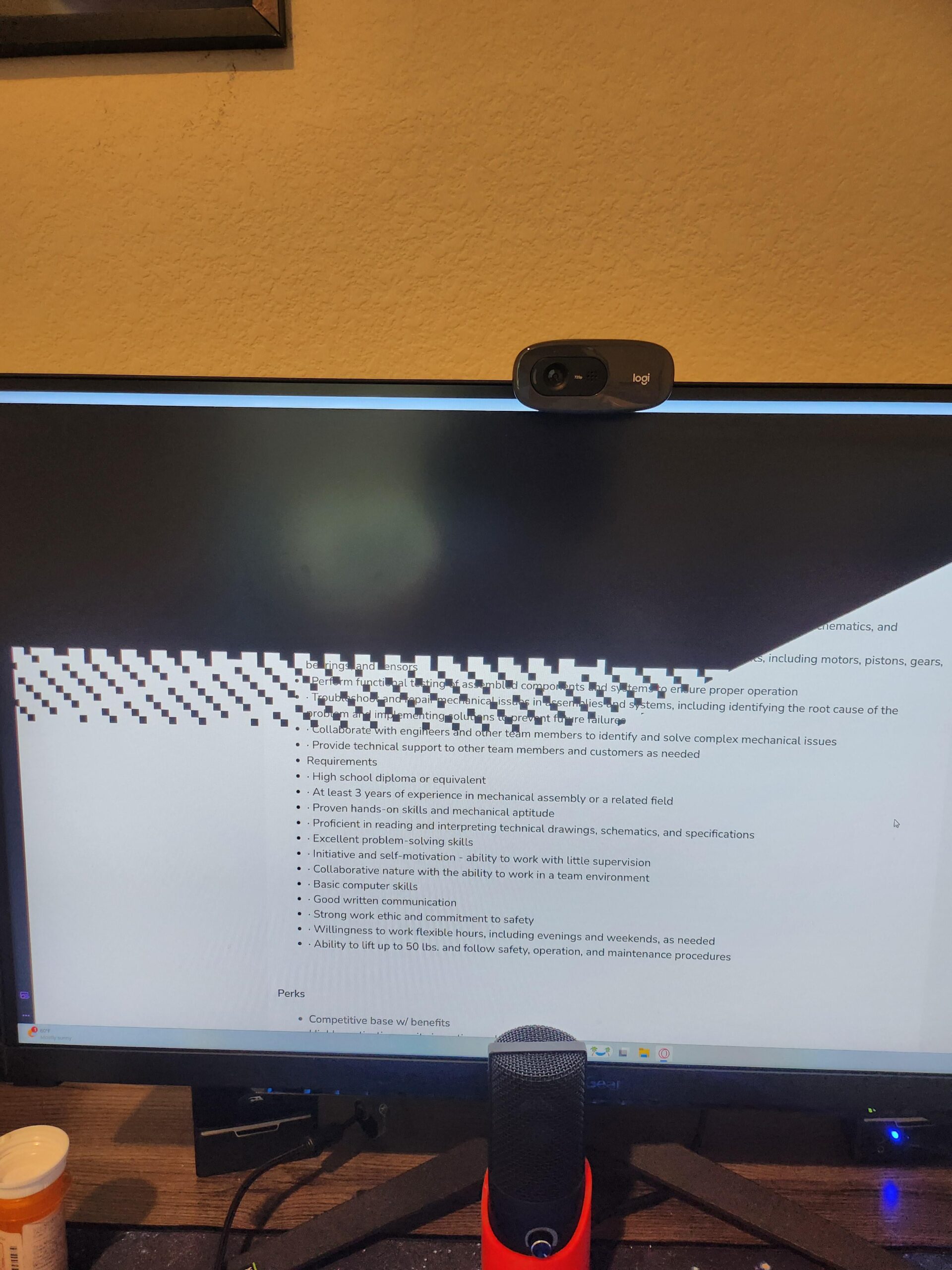
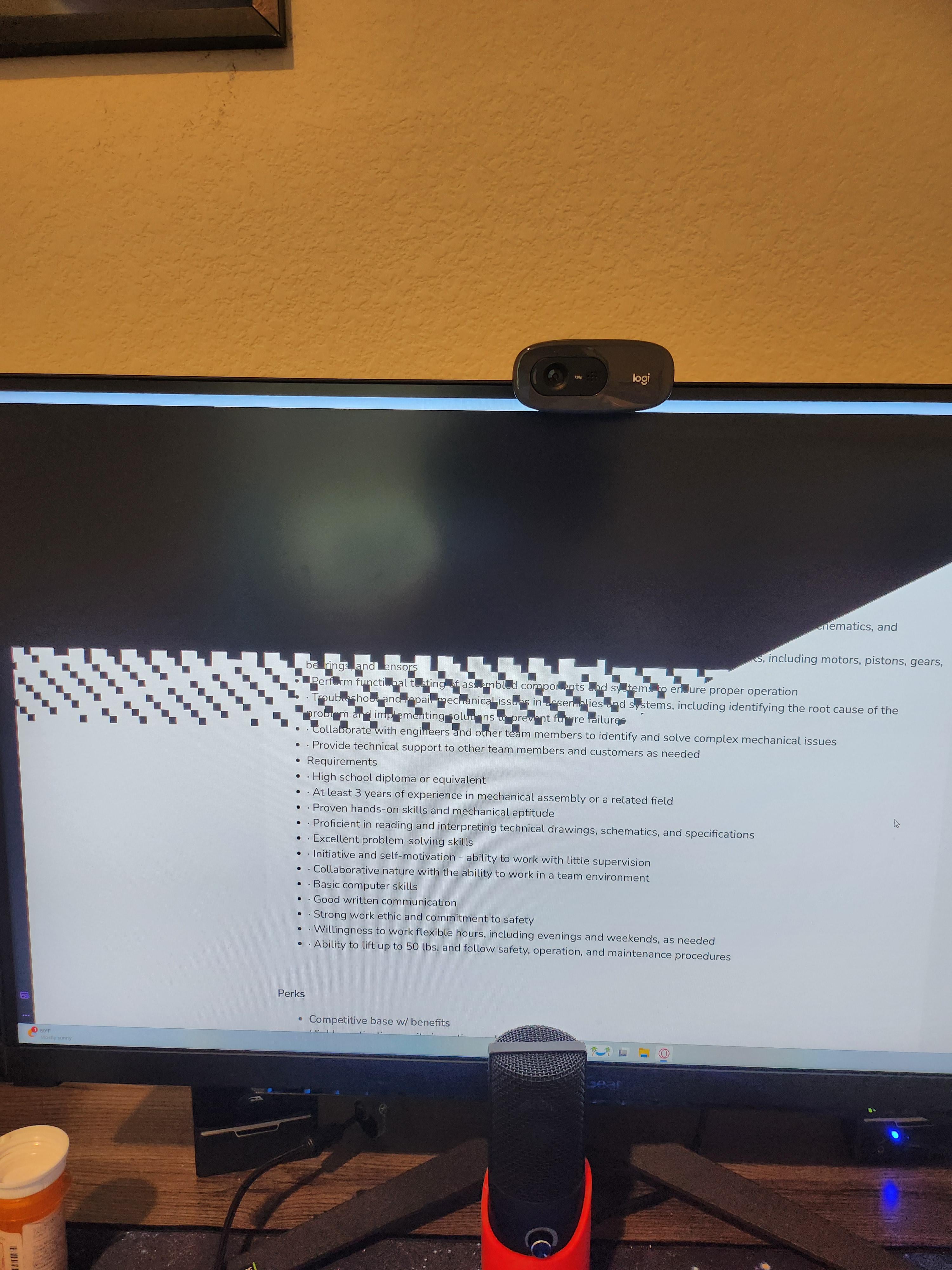
Custom build.
7800x3d
4070
32gb ram
1tb ssd
Any other specs let me know.
Monitor is plugged into the 4070.
It seems like it only does this when I have opera gx open. I might have seen it do it once playing MCC (not sure as it couldve been a different graphical glitch) but that's the only instance I might have seen it occur outside of opera gx.
Thanks for the help.
35 Comments
Im afraid either your monitor is broken or your GPU may be pooched. Information gotten from my experience sadly.
This could also rarely be an HDMI port or cord problem, in which case it is very fixable.
Plug I to another screen to confirm but that looks signal or gpu related.
Very maybe possibly be the HDMI if you are lucky, if not then I’m afraid it maybe be time to light a candle for your GPU
Nothing to worry about. It’s a bug happening on chromium based browsers. Your hardware is perfectly fine.
If it’s a Chromium based browser and using a Nvidia gpu, one possible workaround for Opera GX:
Enter opera://flags/#use-angle in the browser address bar and change the “Choose ANGLE graphics backend” flag to OpenGL. Restart Opera GX.
This happened to me one time when I got peanut butter in the hdmi slot of my gpu
Dun dun dun another one bites the dust
There isn’t enough gas in it
Becouse appajaja
Use firefox
turn off in-browser hardware acceleration, should help.
Will they actually ever fix this shit? It‘s easily been well over 6 months since this bug is present.
You have angered it’s machine spirit
I had the same issue since September, many had it for much longer. They released a fix for this for Windows 11:
* This update addresses an issue that distorts parts of the screen. This occurs when you use a Chromium-based browser to play a video.
[https://support.microsoft.com/en-us/topic/may-29-2024-kb5037853-os-builds-22621-3672-and-22631-3672-preview-dcf14fd8-84d6-4234-9d5b-784c319cd7cf](https://support.microsoft.com/en-us/topic/may-29-2024-kb5037853-os-builds-22621-3672-and-22631-3672-preview-dcf14fd8-84d6-4234-9d5b-784c319cd7cf)
The update seems to have fixed the issue, large thread about it here:
[https://forums.guru3d.com/threads/solution-fix-checkerboard-like-patterns-randomly-appearing-in-chromium-based-applications.449341/page-13](https://forums.guru3d.com/threads/solution-fix-checkerboard-like-patterns-randomly-appearing-in-chromium-based-applications.449341/page-13)
Seen this on edge
I have the same issues while using Google Chrome lmao. At first I thought my GPU might be cooked but nah, nothing wrong with the hardware. It only happens while using the web browser.
Too much phub
it kills me it’s probably the AdBlock or other extension try to stop them all once and see
Job wasn’t meant to be
Yeah, Nvidia GPUs have issues with chromium browsers. I thought they fixed it recently but still happens.
Only happens if you are gay
This is an issue with Nvidia drivers and Windows. There are workarounds (link below) but it’s fixed in Windows 11 24H2.
https://www.nvidia.com/en-us/geforce/forums/game-ready-drivers/13/526612/chrome-based-browser-artifact/3383738/
[removed]
there was a post recently saying that an optional windows update now fix chromium based browser bug and eventually will be pushed by default to all.
I only get this in Chrome and I get it on two different computers.
Karsh
It hates you and your Chromium.
thanos snapped, sorry
Disable the **Hardware Acceleration** from your browser
Finnaly an answer to the problem I was too lazy to research ❤️❤️❤️
I had this problem too and my boyfriend thought it was my GPU. Maybe the comments explanation might work for me as well.
Thanos snap
Shit windows playing tetris again
It doesn’t respect u
So if i were having a similar issue when i play ark? When i open my inventory the layer behind the inventory has almost that exact pattern of disruption. Is it time to to start looking to upgrade a 2070 super?