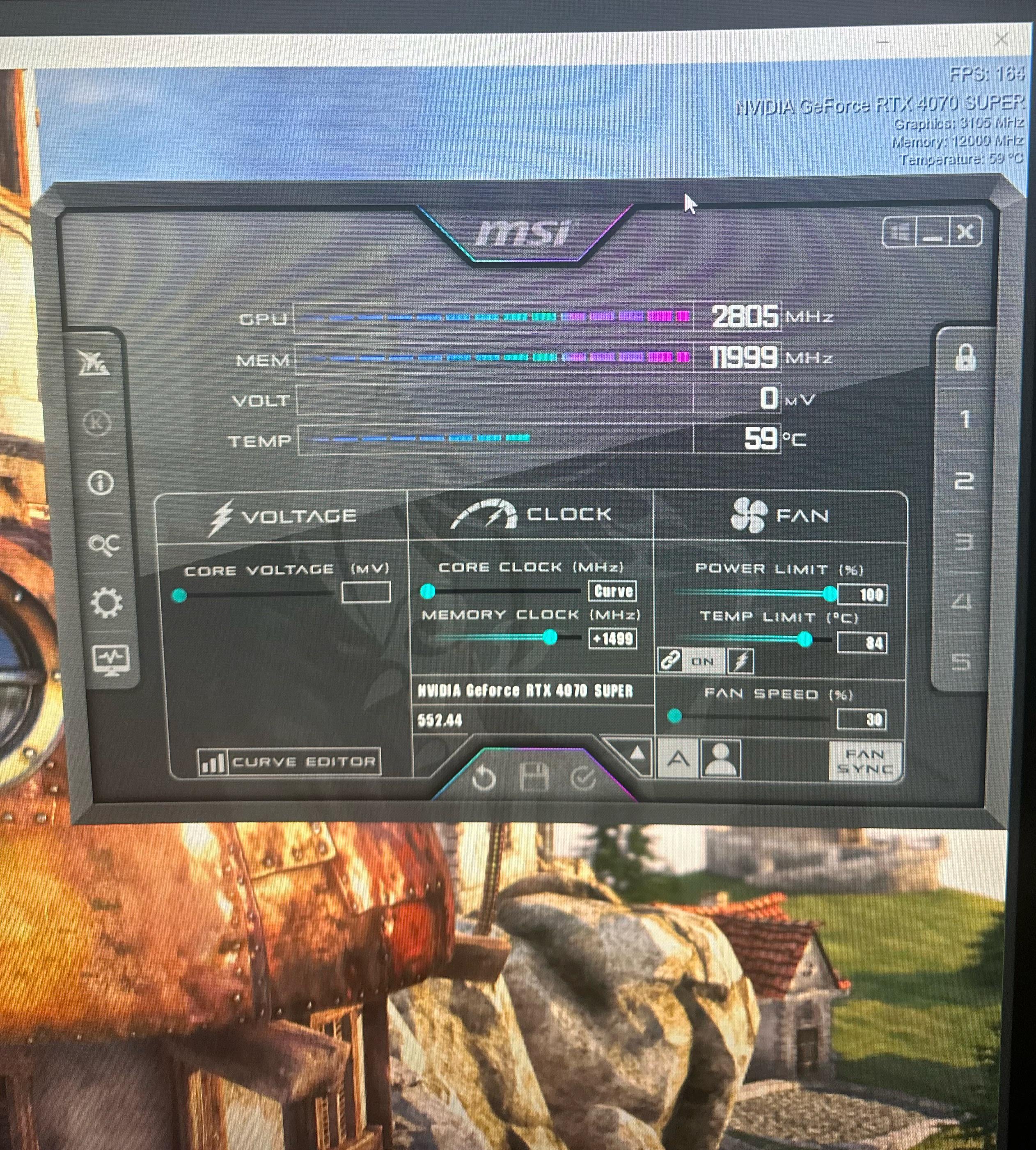
I am kinda a newbie when it comes to overclocking. I just watch a video and copy what it tells me to do. How does this compare to other 4070 supers ?

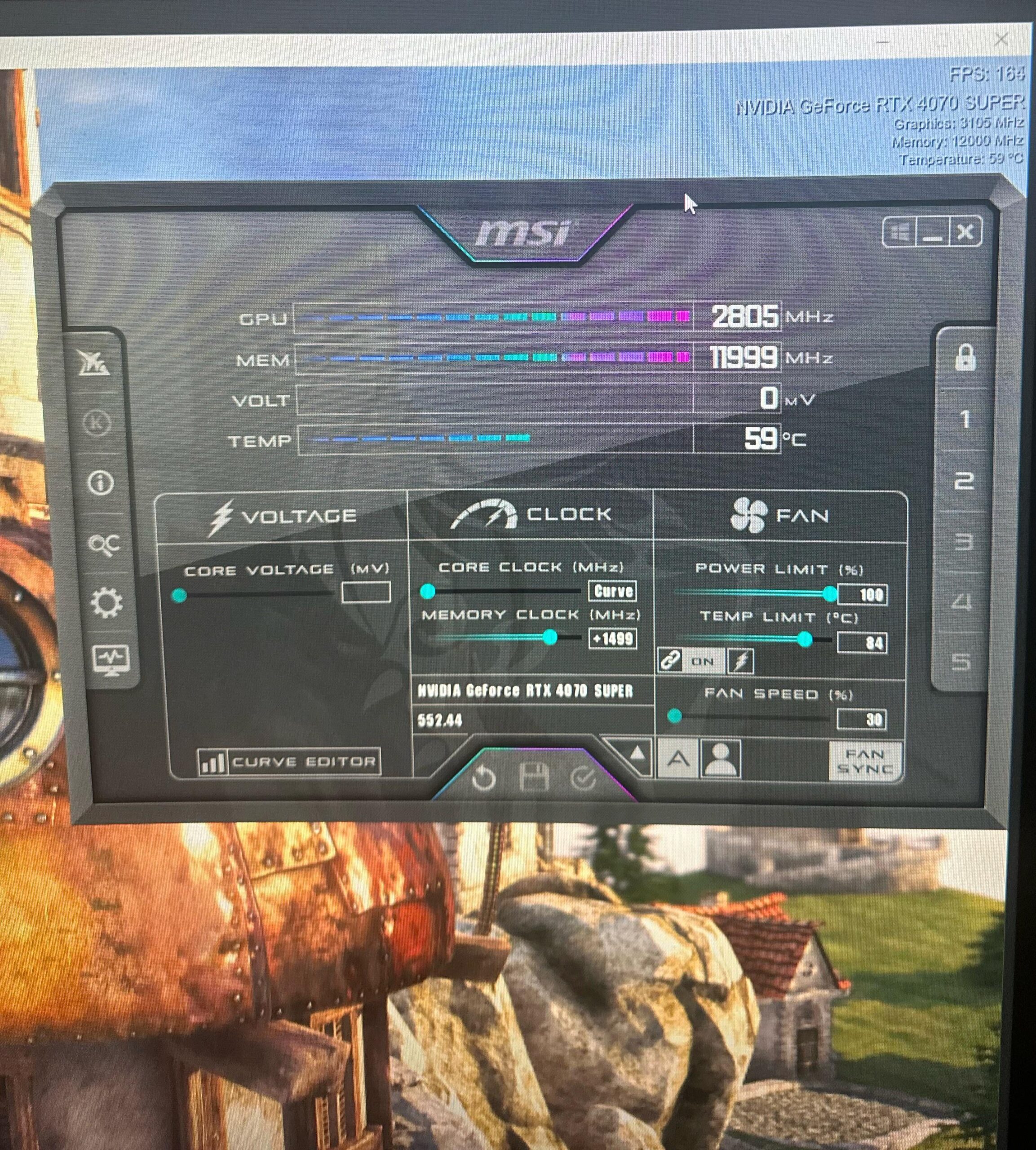
I am kinda a newbie when it comes to overclocking. I just watch a video and copy what it tells me to do. How does this compare to other 4070 supers ?
5 Comments
lol
lol
lol
lol
In all seriousness, [watch some more videos](https://www.youtube.com/watch?v=WMIyGuSOA_0&t=990s) and get educated. What curve did you even set? It’s not smart to just copy someone’s settings, all cards are different.
The memory overclock seems very high. You are actually doubling that number to get the overall memory speed increase being sent to the video ram. Run the overclock scanner for your card specifically, the third icon from the bottom on the left hand side, to see if you can get a stable curve for your card and test it out in games and benchmarking apps. If it causes crashes or artifacts on screen then the overclock is useless.