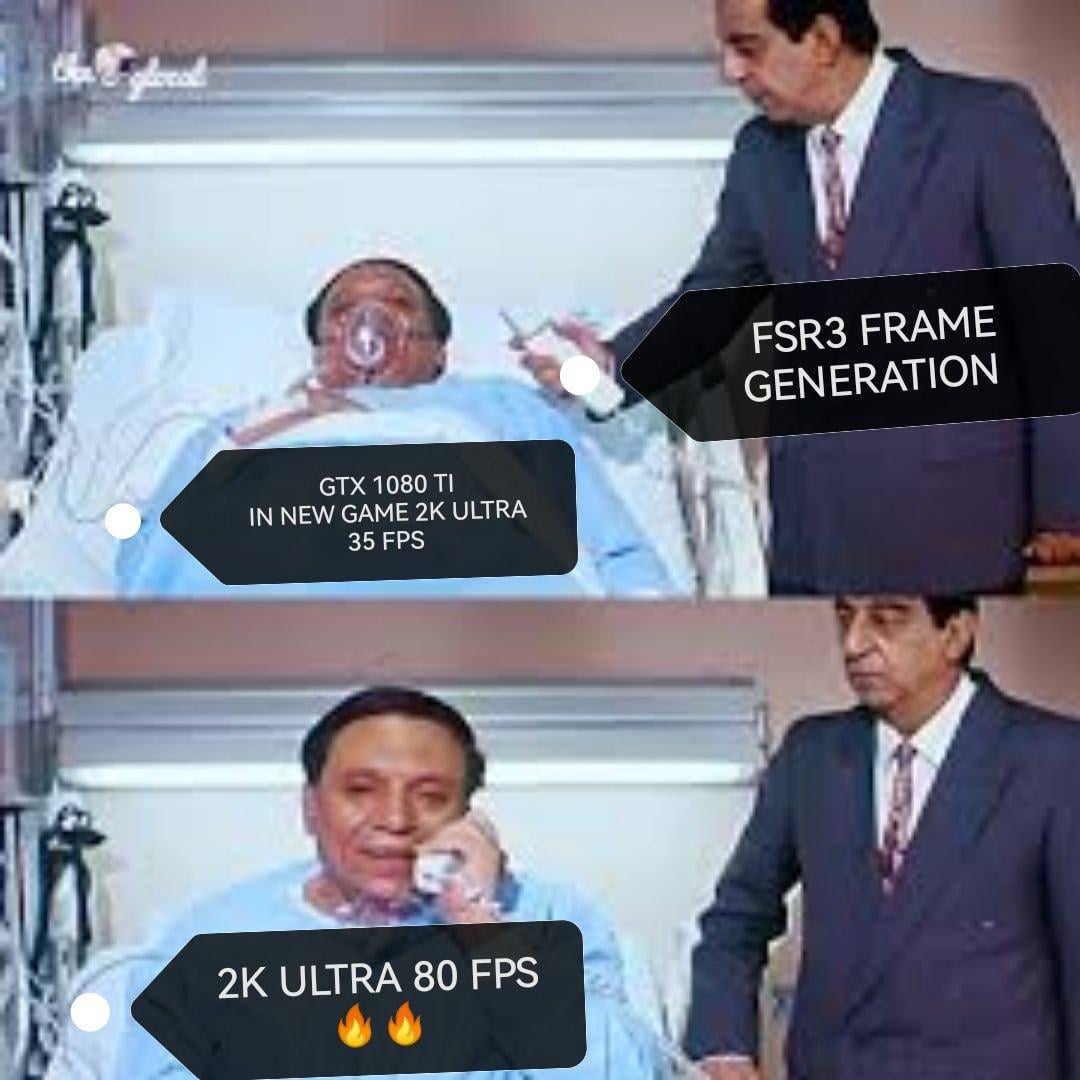
Definitely not getting 80 fps Ultra in new AAA games
hatchetman208
The 1000 series isn’t supported, I thought it was only the 2000s and up for nvidia. The 1000 series is the last of the GTX and the 2000 is the first of the RTX.
Edit: I was half wrong. On AMD’s website it states that the 10 series is supported but it doesn’t support frame generation only upscaling.
SagittaryX
… With the input latency of 35fps? Doesn’t really help much.
theatomicflounder333
1080ti was, is, and always will be the GOAT 🐐 👑
fnv_fan
Are you referring to 1080p or 1440p?
ZaeBae22
Is it just me or does frame gen feel worse even if the number is double lol
Zilskaabe
That awkward moment when AMD makes tech for nvidia cards.
Bluebpy
I guess. But then you’re using FSR which is utter hot garbage.
meta_narrator
My (used) EVGA Hydro Copper 3090 arrives monday to replace my beloved MSI 1080 Ti. It’s been such a good card. Runs at 50c.
FalseTautology
So I should turn frame generation on kin Ghost of tsushima?
Gooch-Guardian
Frame gen is better if you have high frames and want higher. Doesn’t w0ork great for low FPS.
EVERGREEN1232005
عادل امام
SteelCrow
AMD FSR 3 Supported Products
AMD FSR 3 is an open technology that does not require machine learning (ML) hardware, allowing it to be supported on a broad range of products and platforms, including consoles. When using FSR 3 with super resolution upscaling and frame generation we recommend the following hardware:
Supported and Recommended Hardware for using AMD FSR 3 with Upscaling and Frame Generation
—
AMD
AMD Radeon™ RX 5000 Series and above
Recommended:
AMD Radeon™ RX 6000 Series and above
—-
NVIDIA
Supported:
NVIDIA GeForce RTX™ 20 Series and above
Recommended:
NVIDIA GeForce RTX™ 30 Series and above
—
(Note: we do not suggest using frame generation on products lower than our recommendations above. How frame generation performs will depend on the capabilities of your GPU and on older hardware you may not have an optimal experience and may see little to no improvement in performance.)
AMD FSR 3 may work on a broader range of hardware beyond what we recommend above. If just using super resolution upscaling WITHOUT frame generation, we recommend the following hardware:
Supported and Recommended Hardware for using AMD FSR 3 with Upscaling ONLY
—
AMD
Supported:
AMD Radeon™ RX 590 and above
Recommended:
AMD Radeon™ RX 5000 Series and above
—
NVIDIA
Supported:
NVIDIA GeForce® GTX 10 Series and above
Recommended:
NVIDIA GeForce RTX™ 20 Series and above
—
AMD FSR 3 is out starting TODAY, September 29 in game updates for Forspoken and Immortals of Aveum. Download these updates to experience responsive high-quality ultra high-performance gaming on a broad range of hardware from both AMD and other graphics card vendors – something made possible by our commitment to developing scalable open technologies.
AMD FSR 3 will be an open-source technology, freely available for developers on GPUOpen.com soon and supported on a wide range of products and platforms, including consoles. FSR 3 will also be joining the AMD FidelityFX™ SDK alongside the other AMD FidelityFX technologies available on GPUOpen.com.

13 Comments
Definitely not getting 80 fps Ultra in new AAA games
The 1000 series isn’t supported, I thought it was only the 2000s and up for nvidia. The 1000 series is the last of the GTX and the 2000 is the first of the RTX.
Edit: I was half wrong. On AMD’s website it states that the 10 series is supported but it doesn’t support frame generation only upscaling.
… With the input latency of 35fps? Doesn’t really help much.
1080ti was, is, and always will be the GOAT 🐐 👑
Are you referring to 1080p or 1440p?
Is it just me or does frame gen feel worse even if the number is double lol
That awkward moment when AMD makes tech for nvidia cards.
I guess. But then you’re using FSR which is utter hot garbage.
My (used) EVGA Hydro Copper 3090 arrives monday to replace my beloved MSI 1080 Ti. It’s been such a good card. Runs at 50c.
So I should turn frame generation on kin Ghost of tsushima?
Frame gen is better if you have high frames and want higher. Doesn’t w0ork great for low FPS.
عادل امام
AMD FSR 3 Supported Products
AMD FSR 3 is an open technology that does not require machine learning (ML) hardware, allowing it to be supported on a broad range of products and platforms, including consoles. When using FSR 3 with super resolution upscaling and frame generation we recommend the following hardware:
Supported and Recommended Hardware for using AMD FSR 3 with Upscaling and Frame Generation
—
AMD
AMD Radeon™ RX 5000 Series and above
Recommended:
AMD Radeon™ RX 6000 Series and above
—-
NVIDIA
Supported:
NVIDIA GeForce RTX™ 20 Series and above
Recommended:
NVIDIA GeForce RTX™ 30 Series and above
—
(Note: we do not suggest using frame generation on products lower than our recommendations above. How frame generation performs will depend on the capabilities of your GPU and on older hardware you may not have an optimal experience and may see little to no improvement in performance.)
AMD FSR 3 may work on a broader range of hardware beyond what we recommend above. If just using super resolution upscaling WITHOUT frame generation, we recommend the following hardware:
Supported and Recommended Hardware for using AMD FSR 3 with Upscaling ONLY
—
AMD
Supported:
AMD Radeon™ RX 590 and above
Recommended:
AMD Radeon™ RX 5000 Series and above
—
NVIDIA
Supported:
NVIDIA GeForce® GTX 10 Series and above
Recommended:
NVIDIA GeForce RTX™ 20 Series and above
—
AMD FSR 3 is out starting TODAY, September 29 in game updates for Forspoken and Immortals of Aveum. Download these updates to experience responsive high-quality ultra high-performance gaming on a broad range of hardware from both AMD and other graphics card vendors – something made possible by our commitment to developing scalable open technologies.
AMD FSR 3 will be an open-source technology, freely available for developers on GPUOpen.com soon and supported on a wide range of products and platforms, including consoles. FSR 3 will also be joining the AMD FidelityFX™ SDK alongside the other AMD FidelityFX technologies available on GPUOpen.com.
https://gpuopen.com/learn/ue-fsr3/