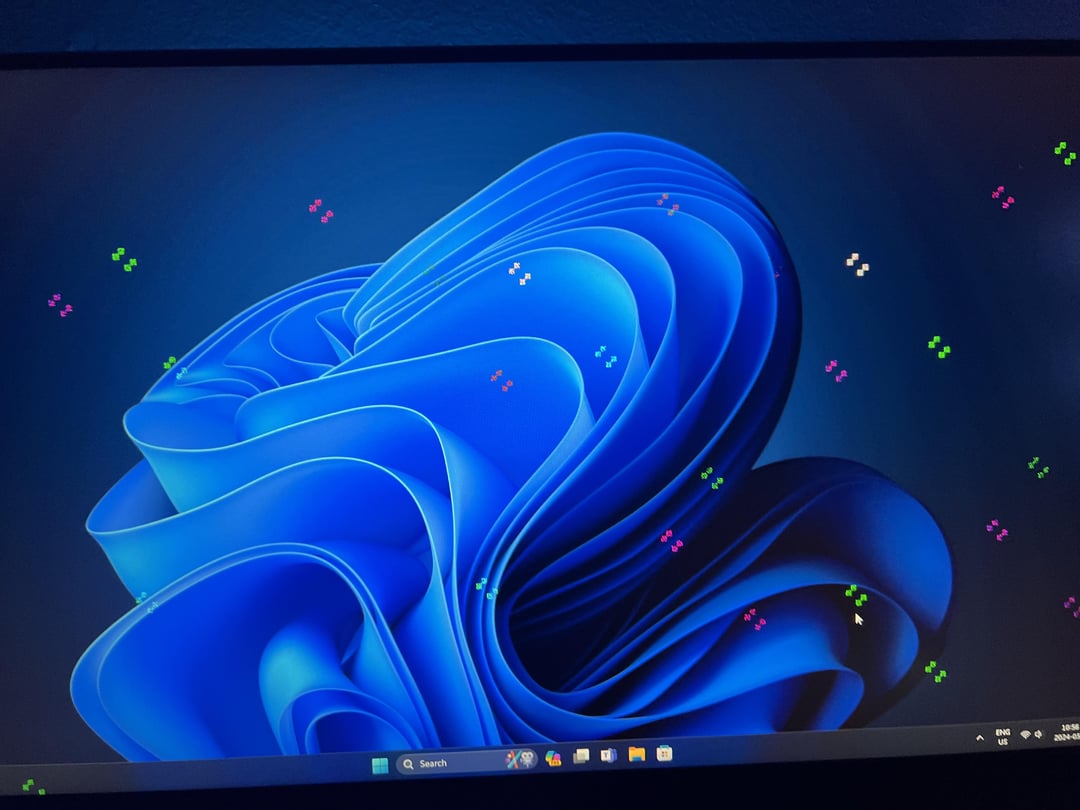
My rx 5700xt was perfectly working and never caused any issues and me randomly this. All drivers are up to date

My rx 5700xt was perfectly working and never caused any issues and me randomly this. All drivers are up to date
38 Comments
Looks like it
hopefully not. Reconnect the cable to see if its that
Put out of the slot and clean it from the dust, you may give it a second chance
It’s in love! It’s got the butterflies. Maybe the new chatgpt got it flustered
Try using Display Driver Uninstaller (DDU) and do a clean driver install. You’ll eliminate drivers as an cause of it doesn’t work.
Try putting it in the oven. Heat will re-solder old loose connections.
Take a screenshot and if you see the same in image, it’s an issue with GPU, else with your cable/monitor.
Just a concussion
Most likely 🙁
Disconnect it and blow onto the PCIe connector
o7
Probably fucked
It seems likely.
E
Did you order regular or with sprinkles?
Yep
It dead jim
My 3080ti was doing the exact same thing last week, I updated the drivers and haven’t had it happen since.
looks like failed oc or broke
If you try and reinstall the drivers and still get the artifacting maybe you can try reseating the video card into the slot and see if that changes anything
Yes
Did you do the 2024-05 Cumulative Update for .NET Framework 3.5 and 4.8.1 for Windows 11, version 23H2 for x64 (KB5037591) just before this happened?
I had a similar look like your second picture this morning after that update across multiple programs. Rebooted and it seems to have cleared(for now? )
Try to use the driver that Microsoft provides through Windows Update. Remove AMD’s driver that you installed, use Device Manager (or whatever it called), select your graphics card > properties > update driver. This should reinstall the driver, and if everything is fine, then it’s AMD’s fault
i think it’s vram issue , but check cables first
Nah it’s just doing amd things.
Artifacting (what this is) is usually an indication that the card is about to fail critically, you can try to DDU, but not sure if that’s going to fix it.
Time to upgrade
Reseat it and reinstall the drivers.
It’s having a party :3
Nah, it’s just special effects
It’s just the simulation taking over
Yep.
Friend recently had PC hang and refuse to boot while showing these artifacts on CMOS screen. Just cleaning the fan on graphics card and resetting the BIOS fixed all problems.
Maybe, once i had this probles and was because of display port cables running close to power cables. So there was inteference
No it’s just partying 🎉🥳🎉
no its fine
Looks like you PC/GPU is celebrating something…
When did this start? Before or after you updated the graphics driver?
Start simple and work up.
Make sure your cables are seated correctly.
Then try new cables.
If after these steps you are still having the issue. Uninstall (using the display driver Uninstaller) all the video drivers.
If this started after an update figure out the version before that and install that version. If the issue is resolved. Great.. If not keep troubleshooting.